Seedance 2.0 提示词:多模态视频生成完整指南
掌握 Seedance 2.0 提示词的 @Tag 语法、多模态引用与 15+ 即用模板,附带 Python API 代码示例。
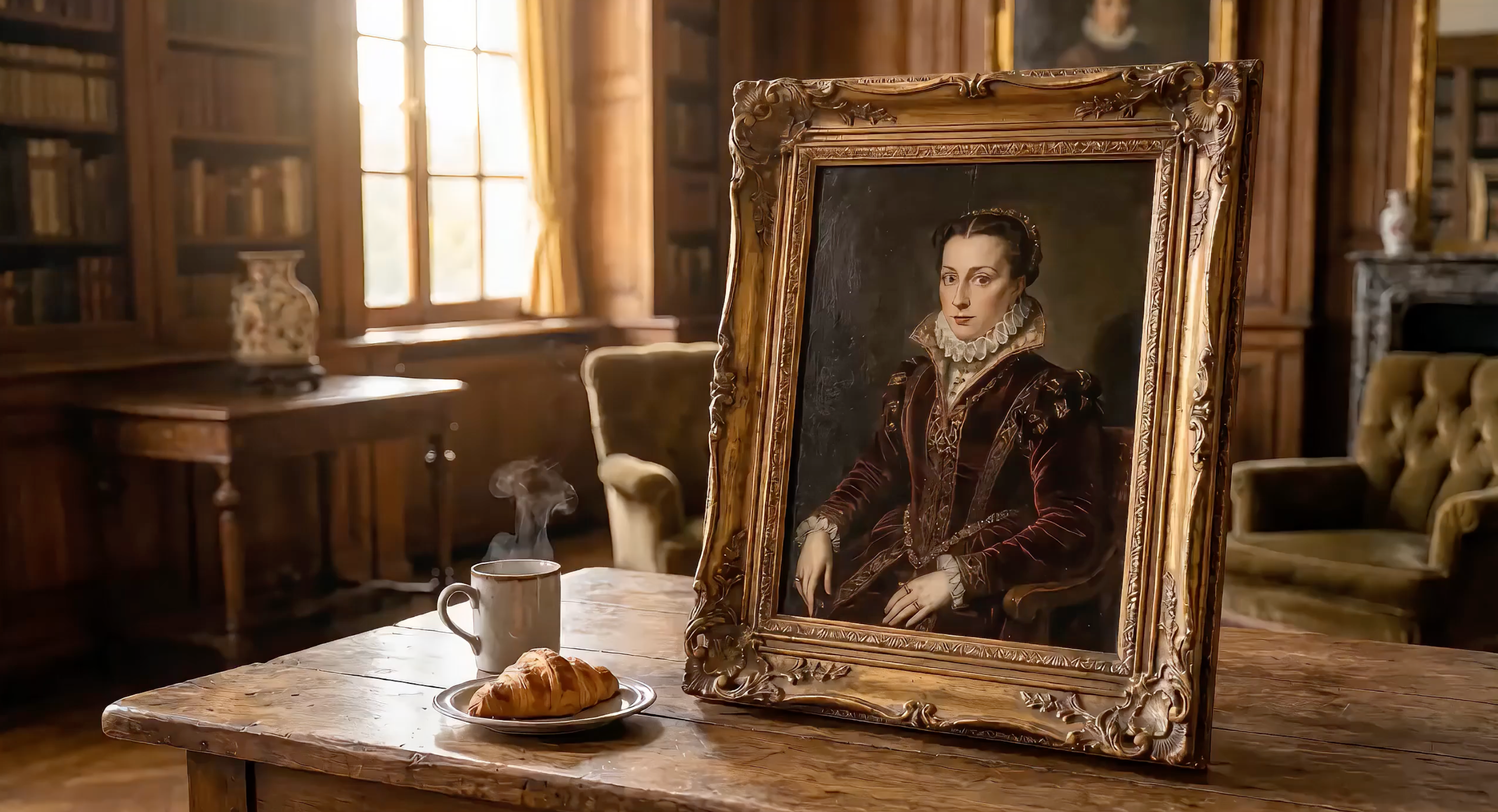
Seedance 2.0 在单个提示词中即可接受文本、图像、视频片段和音频文件。要获得电影级效果,关键在于如何构建提示词结构,以及如何使用 @Tags 引用已上传的媒体文件。
基于字节跳动的 Seed 视频基础模型,Seedance 2.0 是目前通过 API 可用的最强大的多模态视频生成模型。
本指南详细拆解 Seedance 2.0 提示词公式,解释 @Tag 引用系统,并提供 15+ 可直接复制使用的提示词模板,附带可运行的 Python API 代码。
跟着代码示例操作: 在 EvoLink 获取免费 API Key,即可运行下方所有代码片段。
Seedance 2.0 提示词公式
每一条有效的 Seedance 提示词都遵循五段式结构:
主体 + 动作 + 镜头 + 风格 + 约束
| 组成部分 | 控制内容 | 示例 |
|---|---|---|
| 主体 | 画面中是谁或什么 | "穿着白色宇航服站在火星上的宇航员" |
| 动作 | 运动与事件 | "向前迈步走下陨石坑边缘" |
| 镜头 | 角度、运动、镜头焦距 | "极宽广角,缓慢推入至特写" |
| 风格 | 视觉美学 | "科幻史诗,IMAX 70mm,去饱和青橙色调" |
| 约束 | 时长、分辨率、氛围 | "10 秒,逼真扬尘物理效果,宇航服设计保持一致" |
这套公式为何有效
Seedance 2.0 采用双分支 Diffusion Transformer 架构。一个分支处理空间信息(物体外观),另一个分支处理时序信息(物体如何随时间运动)。结构清晰的提示词能够为两个分支提供明确的输入。
模糊提示词(例如"一辆酷炫汽车的视频")会迫使模型猜测空间与时序细节。结构化提示词则消除了这种猜测。
完整的 API 参数说明请参阅视频生成文档。
进阶:分镜脚本格式
五段式公式是很好的起点,但 Seedance 2.0 效果最佳的输出——那些在社交媒体上广泛传播的内容——使用的是更强大的格式:分镜脚本。
分镜脚本在基础公式之上新增三个层次:
- 时间码 — 将视频拆分为 3-5 秒片段,并加入明确的
[00:00-00:05]标记 - 镜头语言 — 为每个镜头命名并说明其功能:"镜头 1:规模感(超广角)"
- 风格锚点 + 物理细节 — 锚定至特定导演或电影风格,并描述物理反应而非抽象概念
基本结构如下:
【风格】特定风格锚点(导演姓名 / 电影风格 / 艺术流派)
【时长】总时长

[00:00-00:04] 镜头 1:镜头名称(镜头类型)。
场景描述,包含物理细节。
角色动作,包含具体肢体语言。
音效提示。

[00:04-00:07] 镜头 2:镜头名称(镜头类型)。
...

[00:07-00:10] 镜头 3:镜头名称(镜头类型)。
...

一致性约束。物理要求。色调说明。
基础公式 vs. 分镜脚本:对比示例
同样是"火星宇航员"这一概念,两种写法对比如下:
基础公式(适合新手):
An astronaut in a white spacesuit stands at the edge of a Mars crater.
Red dust blows across the visor. Camera slowly pushes in to reveal
Earth reflected in the helmet. Sci-fi epic style, desaturated
teal-orange palette. 10 seconds.
分镜脚本(顶级创作者常用):
【Style】Denis Villeneuve Sci-Fi Epic, IMAX 70mm, desaturated teal-orange palette.
【Duration】10 seconds

[00:00-00:04] Shot 1: The Scale (Extreme Wide Shot).
A lone astronaut in a white spacesuit stands at the edge of an enormous
crater on Mars. Red dust blows across the visor in gusts. The crater
stretches to the horizon — the scale of nature dwarfs the human figure
completely. Deep rumbling bass audio.

[00:04-00:07] Shot 2: The Discovery (Push-in to Close-up).
Camera slowly pushes from the wide shot into a tight close-up of the
astronaut's helmet visor. In the curved reflection, we see Earth — tiny,
blue, impossibly far away. The astronaut's breathing is audible.
Anamorphic lens flare streaks across the frame.

[00:07-00:10] Shot 3: The Decision (Low Angle, Static).
From below, the astronaut steps forward off the crater edge — a leap of
faith into the unknown. Dust particles float in slow motion around the
boots. Camera holds steady as the figure descends. Cut to black.

Consistent spacesuit design. Realistic Mars dust physics. Epic
orchestral audio swell on final shot.
分镜脚本效果更好的三大原因
- 时序精准。 时间码告诉 Seedance 每个动作发生的确切时刻。没有时间码,模型会随机分配动作的发生时间。
- 叙事弧线。 命名镜头迫使你建立故事结构:铺垫 → 发现 → 高潮。当模型理解情感递进时,生成的运动更具感染力。
- 物理锚定。 "靴子周围灰尘颗粒以慢动作漂浮"这样的细节,为物理引擎提供了具体约束,而非模糊的美学描述。
awesome-seedance 社区中的顶级创作者,在其最佳作品中一贯使用分镜脚本格式——从赛车场景到艺术风格转换皆如此。规律显而易见:结构化时间码 + 具体风格锚点 = 电影级输出。
我们在镜头运动复现指南中逐步拆解了这些镜头技巧。
纯文本 vs. 多模态提示词
纯文本提示词完全依靠语言描述场景:
A red sports car drifts around a mountain curve, tires smoking,
drone shot tracking from above, cinematic color grading, 10 seconds
多模态提示词将文本与上传的参考文件相结合:
image 1 as first frame, car drifts around the curve following
video 1 camera path, audio 1 as engine sound, cinematic grading, 10 seconds
多模态版本为 Seedance 2.0 提供了精确的视觉锚点,而不是依靠模型对"红色跑车"的自行理解。
你的第一个 Seedance 2.0 提示词——API 示例
以下是一个使用分镜脚本格式的完整文本生成视频 API 调用:
import requests
import os
import time

API_KEY = os.environ.get("SEEDANCE_API_KEY")
BASE_URL = "https://api.evolink.ai/v1"

# Submit generation task
response = requests.post(
    f"{BASE_URL}/videos/generations",
    headers={"Authorization": f"Bearer {API_KEY}"},
    json={
        "model": "seedance-2.0-text-to-video",
        "prompt": (
            "【Style】Hollywood Professional Racing Movie, Cinematic Night, Rain.\n"
            "【Duration】10 seconds\n\n"
            "[00:00-00:03] Shot 1: The Veteran (Interior/Close-up).\n"
            "Rain hammers the windshield of a high-tech race car on a night track. "
            "Inside the cockpit, the veteran driver in a black helmet looks sideways "
            "at his rival. Dashboard instruments glow green on his visor.\n"
            "Dialogue Cue: He gives a subtle nod and mouths 'Let's go.'\n\n"
            "[00:03-00:06] Shot 2: The Challenger (Interior/Close-up).\n"
            "Cut to the rival car. A younger driver grips the steering wheel with "
            "white knuckles. Raindrops streak across the side window. Eyes wide with "
            "adrenaline through the visor slit.\n"
            "Dialogue Cue: He whispers 'Focus' to himself.\n\n"
            "[00:06-00:10] Shot 3: The Green Light (Wide Action Shot).\n"
            "Starting lights turn GREEN. Both cars launch forward in sync on gleaming "
            "wet asphalt. Massive water rooster tails spray behind them. Rain hits "
            "the camera lens. Motion blur turns stadium lights into long golden streaks.\n\n"
            "Consistent car designs. Realistic rain physics, water reflections. "
            "Tension-building audio."
        ),
        "duration": 10,
        "quality": "720p"
    }
)
task = response.json()
task_id = task["id"]

# Poll for result
while True:
    status = requests.get(
        f"{BASE_URL}/tasks/{task_id}",
        headers={"Authorization": f"Bearer {API_KEY}"}
    ).json()
    if status["status"] == "completed":
        print(f"Video ready: {status['results'][0]}")
        break
    elif status["status"] == "failed":
        print(f"Error: {status['error']}")
        break
    time.sleep(5)
这段代码生成一个 10 秒、720p、带原生音频的视频。分镜脚本为 Seedance 提供了清晰的时间码、镜头方向和物理细节,仅凭单个文本提示词就能生成一段电影级的三幕赛车序列。
初次使用 API?请先阅读快速入门指南了解配置与认证。
注意: 以下所有代码示例使用相同的初始化设置。请从上方示例中复制
import、API_KEY、BASE_URL和轮询逻辑。我们仅展示包含独特提示词和参数的 API 调用部分。
@Tag 引用系统详解
@Tag 系统是 Seedance 2.0 提示词实现真正多模态的核心。上传文件后,每个文件会根据其类型和上传顺序自动获得一个标签。
语法规则
- 图像:
image 1、image 2……image 9(最多 9 张图像) - 视频:
video 1、video 2、video 3(最多 3 个片段) - 音频:
audio 1、audio 2、audio 3(最多 3 个文件) - 参考数量限制: 每次请求最多 9 图 + 3 视频 + 3 音频
标签按各类型的上传顺序依次分配。提示词文本告诉 Seedance 如何使用每个引用。
如需深入了解每种 @tag 模式及 8+ 实际案例,请参阅完整 @Tags 指南。
图像引用的 5 种用法
| 用法 | 提示词语法 | 效果 |
|---|---|---|
| 首帧 | image 1 as first frame | 视频从该图像开始 |
| 末帧 | image 1 as last frame | 视频以该图像结束 |
| 角色外观 | image 1 as character reference | 在全程保持角色形象一致 |
| 场景环境 | image 1 as background environment | 将图像用作场景背景 |
| 风格 / 美学 | image 1 as style reference | 匹配色调、质感、氛围 |
视频引用的 4 种用法
| 用法 | 提示词语法 | 效果 |
|---|---|---|
| 镜头复现 | follow video 1 camera movement | 复制平移、俯仰、缩放方式 |
| 动作模仿 | character moves like video 1 | 迁移肢体动作或舞蹈编排 |
| 特效复现 | apply video 1 transition effects | 匹配视觉特效与转场 |
| 节奏参考 | match video 1 pacing and cuts | 同步时序与场景节奏 |
音频引用的 3 种用法
| 用法 | 提示词语法 | 效果 |
|---|---|---|
| 背景音乐 | audio 1 as background soundtrack | 以上传音乐渲染整体氛围 |
| 音效 | audio 1 as ambient sound | 添加特定音效 |
| 声音风格 | audio 1 as voice style reference | 匹配音色与语调节奏 |
最优文件分配策略
在 9 图 + 3 视频 + 3 音频 的限制内,以下是不同使用场景的参考分配方式:
| 使用场景 | 图像 | 视频 | 音频 | 合计 |
|---|---|---|---|---|
| 产品广告 | 4(产品各角度) | 1(镜头参考) | 1(音乐) | 6 |
| 角色动画 | 3(角色 + 场景) | 2(动作参考) | 1(音乐) | 6 |
| MV 制作 | 2(风格 + 角色) | 2(舞蹈参考) | 3(音轨) | 7 |
| 多镜头叙事 | 6(场景关键帧) | 1(风格参考) | 1(音乐) | 8 |
| 极致单镜头 | 9(全角度) | 0 | 3(音频层) | 12 |
提示: 你很少需要用满所有插槽。更少但质量更高的参考文件,通常效果优于大量低质量参考。
15+ 即用 Seedance 提示词模板
文本生成视频模板
T1:多角色对话短片
描述: 两个具有鲜明声音个性的动画角色进行生动对话,展示语音演技能力——以分镜脚本格式呈现。
# T1: 多角色对话 — 使用上方第一个示例的初始化设置
response = requests.post(
    f"{BASE_URL}/videos/generations",
    headers={"Authorization": f"Bearer {API_KEY}"},
    json={
        "model": "seedance-2.0-text-to-video",
        "prompt": (
            "【Style】Pixar-quality 3D animation, warm color palette, expressive character acting.\n"
            "【Duration】12 seconds\n\n"
            "[00:00-00:04] Shot 1: The Philosopher (Medium Close-up).\n"
            "A wise old cat in round spectacles sits at a cozy cafe table, paws wrapped "
            "around a tiny porcelain cup. Steam curls upward. The cat speaks in a calm, "
            "measured tone: 'Experience teaches patience, young friend.' Warm afternoon "
            "light through the cafe window. Subtle ear twitch.\n\n"
            "[00:04-00:08] Shot 2: The Adventurer (Medium Close-up, Reverse Shot).\n"
            "Cut to the opposite side of the table. An energetic young golden retriever "
            "bounces in his seat, tail wagging visibly behind the chair. He leans forward "
            "with wide eyes and responds: 'But adventure awaits right now!' His paws "
            "gesture wildly, nearly knocking over a pastry plate.\n\n"
            "[00:08-00:12] Shot 3: The Punchline (Wide Two-Shot).\n"
            "Camera pulls back to show both at the table. The cat calmly catches the "
            "falling pastry with one paw without looking — places it back. The dog's jaw "
            "drops in amazement. Beat of silence. Both burst into laughter.\n\n"
            "Consistent character designs throughout. Distinct vocal timbres per character. "
            "Warm cafe lighting with bokeh background."
        ),
        "duration": 12,
        "quality": "720p"
    }
)
# 使用上方第一个示例中的轮询循环
T2:风格转换——梵高名画复活
描述: 将经典后印象派场景转化为呼吸运动的鲜活世界,展示通过提示词工程实现精准艺术风格控制的能力。
# T2: 风格转换——梵高名画复活 — 使用上方第一个示例的初始化设置
response = requests.post(
    f"{BASE_URL}/videos/generations",
    headers={"Authorization": f"Bearer {API_KEY}"},
    json={
        "model": "seedance-2.0-text-to-video",
        "prompt": (
            "【Style】Van Gogh Post-Impressionism, thick impasto oil paint texture, "
            "swirling brushstrokes, dreamy high-saturation.\n"
            "【Duration】10 seconds\n\n"
            "[00:00-00:04] Shot 1: The Living Sky (Wide Shot, Slow Pan Up).\n"
            "A young woman in a flowing blue dress stands in a sunlit village square. "
            "Behind her, cobblestone streets and rustic cottages are painted with thick, "
            "visible brushstrokes. The entire sky swirls with golden celestial bodies "
            "and flowing paint. Everything moves — the sky itself breathes.\n\n"
            "[00:04-00:07] Shot 2: The Portrait Focus (Medium Shot, Slow Pan Down).\n"
            "Camera pushes in closer to the woman's face. Her features are rendered "
            "in Van Gogh's distinctive style — bold brushstrokes define her cheekbones "
            "and flowing hair. The village behind her shifts with painted texture, "
            "windows glowing with warm yellow-orange light.\n\n"
            "[00:07-00:10] Shot 3: The Immersion (Tracking Shot, Moving Into the Painting).\n"
            "Camera slowly pushes forward deeper into the painted world. We move past "
            "the woman, through the village streets. Paint texture becomes visible at "
            "close range. The entire world is alive with flowing brushstrokes.\n\n"
            "Pure Van Gogh aesthetic throughout. No photorealism. Every surface is visible "
            "oil paint. Blue-yellow-orange palette dominant."
        ),
        "duration": 10,
        "quality": "720p"
    }
)
# 使用上方第一个示例中的轮询循环
T3:情感表达——动漫角色表演
描述: 一个动漫风格角色阅读信件,伴随细腻的表情变化,展示纯文本提示词如何创作出层次丰富的角色表演。
# T3: 情感表达——动漫角色表演 — 使用上方第一个示例的初始化设置
response = requests.post(
    f"{BASE_URL}/videos/generations",
    headers={"Authorization": f"Bearer {API_KEY}"},
    json={
        "model": "seedance-2.0-text-to-video",
        "prompt": (
            "【Style】High-quality anime, Studio Ghibli-inspired character animation, "
            "detailed facial expressions.\n"
            "【Duration】12 seconds\n\n"
            "[00:00-00:04] Shot 1: The Letter Arrives (Medium Close-up).\n"
            "A young anime girl with long black hair sits by a sunlit window. She holds "
            "an unopened envelope with both hands, turning it over carefully. Her eyes "
            "show curiosity mixed with anticipation. Soft morning light illuminates her face.\n\n"
            "[00:04-00:08] Shot 2: The Reading (Close-up on Face).\n"
            "Camera pushes closer as she opens the letter and begins reading. Her "
            "expression changes dramatically — eyes widening with surprise, then a slow "
            "smile spreading across her face. Her lips part slightly as if to gasp. "
            "Every micro-expression is clearly animated.\n\n"
            "[00:08-00:12] Shot 3: The Joy (Medium Shot, Slight Pull Back).\n"
            "She clutches the letter to her chest and closes her eyes with pure happiness. "
            "A single tear of joy rolls down her cheek. Cherry blossom petals drift past "
            "the window behind her. Camera holds on her peaceful, radiant expression.\n\n"
            "Consistent anime character design. Detailed emotional facial animation. "
            "Natural lighting transitions."
        ),
        "duration": 12,
        "quality": "720p"
    }
)
# 使用上方第一个示例中的轮询循环
图像生成视频模板
I1:产品广告——高端耳机
描述: 将产品照片转化为具有动态色彩展示和棚拍级灯光效果的高端广告,使用 image 1 作为首帧。更多产品视频工作流(包括批量生成),请参阅我们的图生视频教程。
# I1: 产品广告——高端耳机 — 使用上方第一个示例的初始化设置
response = requests.post(
    f"{BASE_URL}/videos/generations",
    headers={"Authorization": f"Bearer {API_KEY}"},
    json={
        "model": "seedance-2.0-image-to-video",
        "prompt": (
            "image 1 as first frame.\n"
            "【Style】Premium product keynote, clean minimal aesthetic, commercial photography.\n"
            "【Duration】15 seconds\n\n"
            "[00:00-00:02] Rapid four-frame flash cuts — black, blue, white, rose gold "
            "headphones appear one by one in stylized freeze frames. Close-up on metallic "
            "texture and premium finish. Voiceover: 'Sound that moves you.'\n\n"
            "[00:02-00:06] Extreme close-up of the headphone hinge mechanism unfolding. "
            "Precision engineering visible in slow motion. Studio lighting creates elegant "
            "highlights on the metal surface.\n\n"
            "[00:06-00:12] Quick-cut lifestyle montage. Urban professional commuting, "
            "artist in creative studio, athlete training — each wearing different colored "
            "headphones that match their aesthetic.\n\n"
            "[00:12-00:15] All four headphones lined up on minimal white pedestal. Brand "
            "text 'SoundPro Hear Everything' elegantly fades in at the bottom.\n\n"
            "Maintain exact product proportions and details from image 1. Commercial-grade "
            "lighting. Clean, premium aesthetic throughout."
        ),
        "image_urls": ["https://example.com/premium_headphones.jpg"],
        "duration": 15,
        "quality": "720p"
    }
)
# 使用上方第一个示例中的轮询循环
I2:角色动画——画中贵妇的咖啡奇遇
描述: 将画中角色带入迷人的偷喝咖啡场景,展示 image 1 如何在魔幻叙事中保持角色外观的一致性。
# I2: 角色动画——画中贵妇的咖啡奇遇 — 使用上方第一个示例的初始化设置
response = requests.post(
    f"{BASE_URL}/videos/generations",
    headers={"Authorization": f"Bearer {API_KEY}"},
    json={
        "model": "seedance-2.0-image-to-video",
        "prompt": (
            "image 1 as character reference.\n"
            "【Style】Cinematic realism with magical elements, warm practical lighting.\n"
            "【Duration】15 seconds\n\n"
            "[00:00-00:04] Shot 1: The Awakening (Medium Shot on Canvas).\n"
            "The painted noblewoman suddenly comes alive inside the canvas. Her eyes dart "
            "left and right nervously. Her painted hand animates and pushes forward through "
            "the surface of the painting, reaching out from inside the canvas to grab a coffee "
            "cup sitting on the table in front of the frame.\n\n"
            "[00:04-00:08] Shot 2: The Secret Sip (Close-up on Face and Hands).\n"
            "She takes a quick sip and shows a deeply satisfied expression. Her eyes close "
            "with pleasure as she savors the taste. Steam from the hot coffee catches the "
            "gallery lighting.\n\n"
            "[00:08-00:12] Shot 3: The Panic (Wide Shot, Quick Action).\n"
            "Suddenly footsteps approach — she panics and quickly puts the coffee back. "
            "A butler-like figure walks in, picks up the coffee from the table, and leaves. "
            "The woman freezes back into painting pose.\n\n"
            "[00:12-00:15] Shot 4: The Finale (Push-in to Product Shot).\n"
            "Camera pushes forward as the scene fades to a pure black background with a "
            "single spotlight illuminating the coffee cup. Elegant text appears at the "
            "bottom: 'Good coffee is worth the wait.'\n\n"
            "Maintain image 1 character appearance exactly. Seamless transitions between "
            "painted and living states. Realistic coffee physics."
        ),
        "image_urls": ["https://example.com/painted_noblewoman.jpg"],
        "duration": 15,
        "quality": "720p"
    }
)
# 使用上方第一个示例中的轮询循环
I3:风格迁移——写实照片转水墨画
描述: 将写实风景照片转化为流动的传统中国水墨画,展示以 image 1 作为场景构图参考的风格迁移能力。
# I3: 风格迁移——写实照片转水墨画 — 使用上方第一个示例的初始化设置
response = requests.post(
    f"{BASE_URL}/videos/generations",
    headers={"Authorization": f"Bearer {API_KEY}"},
    json={
        "model": "seedance-2.0-image-to-video",
        "prompt": (
            "image 1 as scene composition reference.\n"
            "【Style】Traditional Chinese ink wash painting (水墨画), monochrome with faint indigo, meditative.\n"
            "【Duration】12 seconds\n\n"
            "[00:00-00:04] Shot 1: The Transformation Begins (Wide, Static).\n"
            "The photorealistic landscape slowly dissolves into flowing black ink. Mountain "
            "peaks render as bold wet brushstrokes on rice paper texture. Realistic details "
            "fade as traditional ink wash aesthetics take over.\n\n"
            "[00:04-00:08] Shot 2: Life Emerges in Ink (Medium Shot, Slow Pan Right).\n"
            "Mist begins drifting between the valleys — visible as diluted ink wash spreading "
            "on wet paper. A crane takes flight from behind a mountain, leaving elegant ink "
            "trails across the sky. Water effects spread ink at mountain bases.\n\n"
            "[00:08-00:12] Shot 3: Completion (Wide, Slow Zoom Out).\n"
            "Camera slowly pulls back to reveal the entire scene as a traditional scroll "
            "painting being unrolled on a wooden desk. An unseen hand dips a brush in ink "
            "at the edge of frame. The painting breathes — clouds still drift, crane still flies.\n\n"
            "Visible rice paper texture and authentic brushstroke quality throughout. "
            "No photorealism. Pure traditional ink wash aesthetic."
        ),
        "image_urls": ["https://example.com/realistic_landscape.jpg"],
        "duration": 12,
        "quality": "720p"
    }
)
# 使用上方第一个示例中的轮询循环
I4:多图单镜头叙事——城市跑酷
描述: 将多张地点图像无缝串联为一个跑酷者的连续追踪镜头,使用分镜脚本格式精确控制时序,创造史诗级城市旅程。该技术基于镜头运动复现模式。
# I4: 多图单镜头叙事——城市跑酷 — 使用上方第一个示例的初始化设置
response = requests.post(
    f"{BASE_URL}/videos/generations",
    headers={"Authorization": f"Bearer {API_KEY}"},
    json={
        "model": "seedance-2.0-reference-to-video",
        "prompt": (
            "image 1 image 2 image 3 image 4 image 5 seamless one-shot tracking camera "
            "following a parkour runner sprinting through city streets leaping up staircases "
            "crossing a pedestrian bridge vaulting onto rooftops finally standing at the "
            "rooftop edge overlooking the entire city skyline. Golden sunset light fills "
            "the frame. Dynamic powerful full of freedom and energy.\n"
            "【Style】Cinematic action sports, dynamic tracking shot, golden hour lighting.\n"
            "【Duration】15 seconds\n\n"
            "[00:00-00:03] Urban Sprint (image 1 as environment).\n"
            "Tracking camera follows a parkour athlete in athletic gear sprinting at full "
            "speed through busy city streets. Low angle emphasizes power and speed. "
            "Pedestrians blur past. Urban architecture creates dynamic leading lines.\n\n"
            "[00:03-00:06] Staircase Vault (image 2 as environment).\n"
            "Runner leaps up a concrete staircase in a single fluid motion — camera follows "
            "the arc of movement. Each step is a launching pad. Concrete textures and "
            "architectural details sharp in focus.\n\n"
            "[00:06-00:09] Bridge Crossing (image 3 as environment).\n"
            "Athlete vaults over the pedestrian bridge railing and lands on the walkway. "
            "Camera maintains tracking speed. City traffic flows below. Wind catches "
            "the runner's clothing.\n\n"
            "[00:09-00:12] Rooftop Ascent (image 4 as environment).\n"
            "A powerful jump and climb sequence onto building rooftops. Camera cranes up "
            "to follow the vertical movement. Urban landscape spreads out below.\n\n"
            "[00:12-00:15] Victory Moment (image 5 as environment).\n"
            "Runner stands at the rooftop edge overlooking the entire city skyline. "
            "Golden sunset light silhouettes the figure. Camera slowly pulls back to "
            "reveal the epic scale of the journey completed.\n\n"
            "Consistent runner character (same outfit, build, movement style) across all scenes. "
            "Realistic parkour physics. Golden hour lighting throughout."
        ),
        "image_urls": ["https://example.com/city_street.jpg", "https://example.com/staircase.jpg", "https://example.com/pedestrian_bridge.jpg", "https://example.com/rooftop_building.jpg", "https://example.com/city_skyline.jpg"],
        "duration": 15,
        "quality": "720p"
    }
)
# 使用上方第一个示例中的轮询循环
多模态 @Tag 模板
M1:进阶镜头运动复现——水晶地牢探险
描述: 从参考视频中精确复现复杂镜头运动,并将其应用于全新奇幻内容,同时使用多张图像参考。在我们的专属镜头运动指南中了解完整的镜头复现工作流。
# M1: 进阶镜头运动复现——水晶地牢探险 — 使用上方第一个示例的初始化设置
response = requests.post(
    f"{BASE_URL}/videos/generations",
    headers={"Authorization": f"Bearer {API_KEY}"},
    json={
        "model": "seedance-2.0-reference-to-video",
        "prompt": (
            "Use image 1 as the opening first frame. First-person POV perspective. "
            "Reference video 1 camera movement style exactly. The scene above references "
            "image 2, the left scene references image 3, the right scene references image 4. "
            "A hand holds a glowing magic lantern, exploring an ancient dungeon. Firelight "
            "flickers across stone walls, casting dancing shadows.\n"
            "【Style】Fantasy adventure, realistic lighting, atmospheric.\n"
            "【Duration】9 seconds\n\n"
            "[00:00-00:03] Entrance Discovery.\n"
            "First-person view entering the dungeon. The magical lantern illuminates ancient "
            "stone architecture. Camera follows video 1 movement pattern — smooth forward "
            "motion with subtle tilts to examine details.\n\n"
            "[00:03-00:06] Chamber Exploration.\n"
            "Camera pans upward to reveal image 2 crystal formations on the ceiling, "
            "then tilts left toward image 3 dark passage, creating suspense. Lantern "
            "light creates dynamic shadows on dungeon walls.\n\n"
            "[00:06-00:09] Final Discovery.\n"
            "Camera turns right to reveal image 4 hidden chamber with treasure. "
            "Replicate video 1 final movement — slow push-in with slight upward tilt. "
            "Golden light from treasures mingles with lantern glow.\n\n"
            "Maintain exact video 1 camera timing and movement speed. Realistic fire physics "
            "and shadow casting. Atmospheric dungeon ambiance."
        ),
        "image_urls": ["https://example.com/dungeon_entrance.png", "https://example.com/crystal_ceiling.png", "https://example.com/left_passage.png", "https://example.com/right_chamber.png"],
        "video_urls": ["https://example.com/camera_movement_ref.mp4"],
        "duration": 9,
        "quality": "720p"
    }
)
# 使用上方第一个示例中的轮询循环
M2:角色与镜头运动同步——舞台舞蹈表演
描述: 将图像中的角色参考与视频中的镜头运动及舞蹈编排相结合,创造同步的舞台表演艺术。
# M2: 角色与镜头运动同步——舞台舞蹈表演 — 使用上方第一个示例的初始化设置
response = requests.post(
    f"{BASE_URL}/videos/generations",
    headers={"Authorization": f"Bearer {API_KEY}"},
    json={
        "model": "seedance-2.0-reference-to-video",
        "prompt": (
            "image 1 dancer as the main subject. Reference video 1 camera movement style "
            "rhythmic push-pull pan and tilt movements. The dancer choreography also "
            "references video 1 dance moves. Performing energetically on a colorful "
            "LED-lit stage. Spotlights shift colors in sync with the rhythm.\n"
            "【Style】Concert performance, dynamic stage lighting, high energy.\n"
            "【Duration】12 seconds\n\n"
            "[00:00-00:04] Opening Sequence.\n"
            "Camera starts wide showing image 1 dancer center stage. LED lights pulse "
            "in blue and purple. Dancer begins with video 1 opening choreography — "
            "fluid arm movements and spins. Camera matches video 1 initial push-in timing.\n\n"
            "[00:04-00:08] Dynamic Performance.\n"
            "Camera follows video 1 rhythmic push-pull pattern as dancer performs high-energy "
            "moves. Stage lights shift to warm orange and pink. Smoke effects catch the "
            "colored lighting, creating atmospheric depth.\n\n"
            "[00:08-00:12] Finale Moment.\n"
            "Camera matches video 1 final tilt movement as dancer strikes a powerful "
            "finishing pose. All stage lights converge into a brilliant white spotlight. "
            "Sparkle effects cascade down around the performer.\n\n"
            "Maintain image 1 character appearance exactly. Synchronized camera and "
            "choreography timing from video 1. Professional stage lighting effects."
        ),
        "image_urls": ["https://example.com/stage_dancer.png"],
        "video_urls": ["https://example.com/dance_movement_ref.mp4"],
        "duration": 12,
        "quality": "720p"
    }
)
# 使用上方第一个示例中的轮询循环
M3:追逐场景——神秘红衣人
描述: 在城市街道上创作一段紧张的追逐序列,主角是一个身穿红色外套的神秘人物,展示惊悚电影摄影与戏剧性张力构建。
# M3: 追逐场景——神秘红衣人 — 使用上方第一个示例的初始化设置
response = requests.post(
    f"{BASE_URL}/videos/generations",
    headers={"Authorization": f"Bearer {API_KEY}"},
    json={
        "model": "seedance-2.0-image-to-video",
        "prompt": (
            "image 1 as character reference — mysterious figure in distinctive red coat.\n"
            "【Style】Thriller cinematography, urban chase scene, dramatic shadows, high contrast.\n"
            "【Duration】12 seconds\n\n"
            "[00:00-00:04] Shot 1: The Pursuit Begins (Wide Shot, Tracking).\n"
            "The red-coated figure sprints through narrow city alleyways at night. "
            "Streetlights cast long dramatic shadows. Camera tracks from behind — we "
            "see only the billowing red coat and rapid footsteps on wet pavement. "
            "Tension-building audio undertones.\n\n"
            "[00:04-00:08] Shot 2: Urban Obstacles (Medium Shot, Side Tracking).\n"
            "Figure vaults over parked cars and dodges between concrete pillars. Camera "
            "follows from the side, maintaining speed. Red coat stands out against the "
            "monochrome urban environment. Breathing is audible and labored.\n\n"
            "[00:08-00:12] Shot 3: The Escape (Low Angle, Wide Shot).\n"
            "Figure reaches a fire escape and begins climbing rapidly upward. Camera "
            "tilts up from below — dramatic low angle emphasizes the vertical escape. "
            "Red coat flutters in the wind. City lights twinkle in the background as "
            "the figure disappears into the night.\n\n"
            "Maintain image 1 character appearance — especially the distinctive red coat. "
            "Realistic chase physics. High-contrast noir lighting. Mysterious identity "
            "preserved throughout."
        ),
        "image_urls": ["https://example.com/red_coat_figure.jpg"],
        "duration": 12,
        "quality": "720p"
    }
)
# 使用上方第一个示例中的轮询循环
附加模板:街头人群奔跑场景
描述: 一个展示人群奔跑场景的额外示例,非常适合需要多角色和城市活力的动作序列。
# 附加模板: 街头人群奔跑场景 — 使用上方第一个示例的初始化设置
response = requests.post(
    f"{BASE_URL}/videos/generations",
    headers={"Authorization": f"Bearer {API_KEY}"},
    json={
        "model": "seedance-2.0-image-to-video",
        "prompt": (
            "image 1 as scene reference for crowd composition and urban environment.\n"
            "【Style】Action thriller, handheld camera, urgent pacing, realistic movement.\n"
            "【Duration】8 seconds\n\n"
            "[00:00-00:03] Mass Movement Begins.\n"
            "A crowd of people suddenly breaks into a run down a busy street. Camera "
            "is handheld, in the middle of the action. Multiple individuals in different "
            "clothing all moving in the same direction with urgent purpose.\n\n"
            "[00:03-00:06] Chaos and Urgency.\n"
            "Camera weaves through the running crowd. Close-ups on determined faces, "
            "flying hair, scattered personal items. People help each other maintain "
            "pace. Urban storefronts blur past in the background.\n\n"
            "[00:06-00:08] Dispersal.\n"
            "The crowd reaches an intersection and scatters in different directions. "
            "Camera tilts up to show the scope of the mass movement from a high angle "
            "as people disappear down various streets.\n\n"
            "Realistic crowd physics and natural human movement. Handheld camera shake "
            "for authenticity. Urban street environment based on image 1."
        ),
        "image_urls": ["https://example.com/street_crowd.jpg"],
        "duration": 8,
        "quality": "720p"
    }
)
# 使用上方第一个示例中的轮询循环
视频延伸模板
E1:向前延伸,添加品牌收尾
描述: 通过新增场景和专业品牌收尾(含 Logo 与标语)来延伸现有视频。
# E1: 向前延伸,添加品牌收尾 — 使用上方第一个示例的初始化设置
response = requests.post(
    f"{BASE_URL}/videos/generations",
    headers={"Authorization": f"Bearer {API_KEY}"},
    json={
        "model": "seedance-2.0-reference-to-video",
        "prompt": (
            "Extend video 1 forward with 8 additional seconds.\n"
            "【Style】Match video 1 style exactly.\n"
            "【Duration】8 seconds extension\n\n"
            "Continue the existing narrative: if it ends with product showcase, add lifestyle usage scene. "
            "Show the product being used in natural environment with satisfied users. "
            "Final 2 seconds: elegant brand logo animation with company tagline appearing below. "
            "Maintain consistent lighting and color grading throughout. "
            "Smooth transition from original content to extension."
        ),
        "video_urls": ["https://example.com/existing_video.mp4"],
        "duration": 8,
        "quality": "720p"
    }
)
# 使用上方第一个示例中的轮询循环
E2:向后延伸,添加前情背景
描述: 在现有视频内容之前添加背景铺垫,构建更完整的叙事。
# E2: 向后延伸,添加前情背景 — 使用上方第一个示例的初始化设置
response = requests.post(
    f"{BASE_URL}/videos/generations",
    headers={"Authorization": f"Bearer {API_KEY}"},
    json={
        "model": "seedance-2.0-reference-to-video",
        "prompt": (
            "Create 6 seconds of backstory before video 1 begins.\n"
            "【Style】Match video 1 visual style exactly.\n"
            "【Duration】6 seconds extension\n\n"
            "If video 1 shows action, show the calm setup or preparation moment. "
            "If video 1 shows a reveal, show the mystery or anticipation beforehand. "
            "Match the visual style, lighting, and character appearances exactly. "
            "Create narrative tension that builds toward the existing video's opening moment. "
            "Seamless transition into original content."
        ),
        "video_urls": ["https://example.com/main_video.mp4"],
        "duration": 6,
        "quality": "720p"
    }
)
# 使用上方第一个示例中的轮询循环
Seedance 提示词常见错误及修复方法
| # | 错误 | 失败原因 | 修复方法 |
|---|---|---|---|
| 1 | 过于模糊 — "一只狗的精彩视频" | 模型需要猜测品种、动作、镜头、风格 | "一只金毛猎犬在公园里在阳光下跳接飞盘,慢动作侧面角度" |
| 2 | @Tag 编号错误 — 只上传了 2 张图像却使用 image 3 | 标签引用不存在的文件,导致生成失败或被忽略 | 仔细核对上传顺序;标签从 1 开始,按类型递增 |
| 3 | 缺少约束参数 — 未指定时长或分辨率 | 模型默认值可能不符合需求 | 始终在提示词文本和 API 参数中明确指定 duration 和 resolution |
| 4 | 模态冲突 — 图像显示白天,提示词却说"黑暗夜景" | 模型收到矛盾信号,生成灯光不一致的画面 | 确保提示词描述与参考内容保持一致 |
| 5 | 提示词过载 — 超过 200 字描述每个细节 | 模型优先级混乱,关键指令被稀释 | 提示词控制在 150 字以内;用参考文件传递视觉细节而非文字描述 |
| 6 | 缺少镜头方向 — 描述场景但未说明镜头如何运动 | 输出静止或随机运动 | 添加明确的镜头指令:"缓慢推轨推进"或"静止广角" |
| 7 | 上传真实人脸照片 — 上传真实人类面部照片 | 被合规过滤器拦截,请求被拒绝 | 使用插画、风格化或非写实的角色参考 |
| 8 | 超出文件数量限制 — 上传 10 张图像 | 最多 9 张图像,请求被拒绝 | 遵守限制:图像 ≤9,视频 ≤3,音频 ≤3 |
| 9 | 无风格锚点 — 使用笼统的"电影感"而非具体参考 | 输出效果平庸、缺乏焦点 | 锚定至具体导演、电影或艺术风格:"Denis Villeneuve 科幻史诗"或"梵高后印象主义" |
| 10 | 无时间码 — 写散文而非结构化分镜脚本 | 动作在时长内随机分布 | 使用 [00:00-00:05] 时间码精确控制每个动作的发生时刻 |
如需详细的错误处理模式和重试逻辑,请参阅 API 文档。
API 开发者提示词工程最佳实践
批量生成时模板化提示词
大批量生成视频时,定义可复用的提示词模板并使用变量:
PRODUCT_TEMPLATE = (
    "image 1 as first frame.\n"
    "【Style】{style}\n"
    "【Duration】{duration} seconds\n\n"
    "[00:00-00:03] Product slowly begins rotating clockwise. "
    "{lighting_description}. Every texture detail remains razor-sharp.\n\n"
    "[00:03-00:06] Rotation continues to 180 degrees. Camera subtly lowers angle "
    "to reveal the product's profile.\n\n"
    "[00:06-{end_tc}] Rotation slows to a stop at the most photogenic angle. "
    "Clean, minimal, premium.\n\n"
    "Maintain exact product proportions from image 1. {background}. Commercial-grade lighting."
)

# Generate multiple product videos
products = [
    {"style": "Clean white infinity cove, premium commercial",
     "duration": 8, "end_tc": "00:08",
     "lighting_description": "Soft studio lighting creates a gentle gradient",
     "background": "White background throughout"},
    {"style": "Warm wooden surface, artisan craft aesthetic",
     "duration": 10, "end_tc": "00:10",
     "lighting_description": "Warm golden spotlight from above",
     "background": "Natural wood grain texture visible"},
]

for product in products:
    prompt = PRODUCT_TEMPLATE.format(**product)
    # Submit to API using the prompt...
这种方式保持提示词的一致性,同时使 A/B 测试更加便捷。
复杂场景使用分镜脚本格式
任何超过 5 秒或涉及多个动作的视频,都应使用分镜脚本格式:
- 在顶部声明风格和时长,使用
【Style】和【Duration】 - 拆分为 3-5 秒片段,使用
[00:00-00:05]时间码 - 为每个镜头命名并说明其功能:"镜头 1:揭示"
- 添加物理细节 — 描述实际发生的物理现象(水花飞溅、尘土飞扬)而非抽象概念
- 以约束条件结尾 — 一致性规则、色调说明、物理要求
跨多次生成保持角色一致性
要在多个视频中保持同一角色:
- 每次请求都使用相同的参考图像,通过
image 1 as character reference引用 - 在提示词中加入明确的外观描述——"同款红色夹克,黑色短发"——即使已使用图像参考也应保留
- 按顺序生成,将第 N 个视频的最后一帧作为第 N+1 个视频的首帧图像
我们在图生视频指南中详细介绍了高级多镜头一致性模式——包括批量生成和角色锁定。
降低成本
视频参考文件的生成成本高于纯文本或仅含图像的提示词。使用以下决策树:
- 纯文本 — 成本最低;适用于通用场景或没有参考素材时
- 图像参考 — 中等成本;适用于需要保持角色或场景一致性时
- 视频参考 — 成本最高;仅在需要镜头复现或动作迁移时使用
具体定价因分辨率和时长而异。请查看 EvoLink 定价页面获取最新费率(截至 2026 年 2 月)。
对提示词进行版本管理
像管理代码一样管理提示词。将其存入版本控制系统,附带元数据:
PROMPT_REGISTRY = {
    "product_hero_v3": {
        "version": "3.0",
        "prompt": "【Style】Clean white infinity cove...",
        "model": "seedance-2.0-text-to-video",
        "duration": 10,
        "test_results": {"ctr": 0.24, "conversion": 0.087},
        "created": "2026-02-19"
    }
}
这样可以对提示词进行 A/B 测试,并在需要时回滚至之前的版本。
优雅地处理生成失败
并非每次提示词都能成功生成。构建带有指数退避的重试逻辑:
import time
import random

def generate_with_retry(prompt_data, max_retries=3):
    for attempt in range(max_retries):
        try:
            response = requests.post(f"{BASE_URL}/videos/generations",
                                   json=prompt_data, headers=headers)
            if response.status_code == 200:
                return response.json()
        except Exception as e:
            if attempt == max_retries - 1:
                raise e
            time.sleep(2 ** attempt + random.uniform(0, 1))
    return None
常见失败原因:
- 内容政策违规 — 通常由上传真实人脸照片引起
- 资源耗尽 — 等待更长时间后重试
- 无效的 @Tag 引用 — 检查文件上传顺序
高级技巧:专业用户进阶
链式多次生成
将上一个视频的最后一帧作为下一个视频的首帧,创作更长的叙事:
# Step 1: Generate opening scene
scene1_result = generate_video({
    "prompt": "A detective enters a dark office...",
    "duration": 8
})

# Step 2: Extract last frame and use as first frame for scene 2
last_frame = extract_frame(scene1_result["video_url"], timestamp=-1)

scene2_result = generate_video({
    "files": [("references", last_frame)],
    "prompt": "image 1 as first frame. The detective discovers a clue...",
    "duration": 10
})
动态提示词生成
使用 AI 生成成功提示词的多个变体:
def generate_prompt_variations(base_prompt, num_variations=3):
    variations = []
    for i in range(num_variations):
        # Use OpenAI/Claude to generate stylistic variations
        variation = ai_rephrase(base_prompt, style=f"variation_{i}")
        variations.append(variation)
    return variations

# Test multiple versions for A/B optimization
base = "【Style】Cinematic product showcase..."
for variation in generate_prompt_variations(base):
    result = generate_video({"prompt": variation})
    # Track performance metrics...
自动质量评估
在人工审核前自动为生成的视频打分:
def assess_video_quality(video_url):
    scores = {}

    # Motion smoothness (analyze frame-to-frame changes)
    scores["motion"] = calculate_motion_smoothness(video_url)

    # Visual consistency (check for flickering/artifacts)
    scores["consistency"] = detect_visual_artifacts(video_url)

    # Prompt adherence (use CLIP to compare with text description)
    scores["adherence"] = measure_prompt_alignment(video_url, prompt)

    return scores

# Only proceed with high-quality generations
result = generate_video(prompt_data)
if assess_video_quality(result["video_url"])["overall"] > 0.8:
    publish_video(result["video_url"])
常见问题
Seedance 1.0 和 2.0 有什么区别?
Seedance 2.0 引入了多模态输入(@Tag 引用)、更长的生成时长支持(4 到 15 秒),以及显著改进的时序一致性。提示词结构基本相似,但 2.0 对复杂场景的处理能力大幅提升。
为什么我的 @Tag 引用有时会被忽略?
常见原因:
- 编号错误 — 只上传了 2 张图像却使用
image 3 - 文件类型不匹配 — 上传了图像却引用
audio 1 - 指令冲突 — 要求"黑暗夜景"却提供了明亮白天的图像
- 上传顺序混淆 — 标签按各类型内的上传顺序分配
如何在多个视频中保持角色一致性?
- 每次生成都使用完全相同的参考图像
- 在文本中加入明确的角色描述("同款蓝色夹克,肩膀长度的棕色头发")
- 将第 N 个视频的最后一帧作为第 N+1 个视频的首帧
- 在所有提示词中保持角色描述完全一致
我可以修改现有视频吗?
可以!通过 video_urls 上传你的现有视频,并在提示词中使用 video 1 引用来编辑它——替换角色、修改场景、延长时长或更改剧情。
你还可以:
- 使用 video 1 引用原始视频,并在提示词中描述你的编辑
- 通过 image_urls 上传参考图像来替换角色或添加元素
- 使用延伸提示词在原始视频前后添加内容
完整的编辑参数规格请参阅多模态参考文档。
视频最长可以生成多久?
Seedance 2.0 支持 4 到 15 秒的单次生成。对于超出 15 秒限制的更长内容,建议:
- 将其拆分为多个场景并链式串联
- 使用带有明确时间码的分镜脚本格式
- 每次生成聚焦于单一概念
如何避免内容政策违规?
- 不要上传真实人类的面部照片
- 避免使用受版权保护的角色或名人形象
- 使用插画或风格化角色参考代替真实照片
- 专注于原创概念,而非重现现有媒体内容
为什么有些提示词的费用更高?
生成费用的影响因素:
- 时长 — 视频越长费用越高
- 分辨率 — 720p 比 480p 更贵(Seedance 2.0 API 支持 480p / 720p / 1080p / 4k)
- 参考文件数量 — 视频参考比图像参考费用更高
- 复杂度 — 多角色场景可能消耗更多算力
如何从分镜脚本格式中获得最佳效果?
- 每个镜头片段控制在 3-5 秒以内
- 使用具体的风格锚点("克里斯托弗·诺兰惊悚片"而非"电影感")
- 描述物理动作而非抽象概念
- 为每个镜头添加镜头运动指令
- 以一致性约束和物理要求结尾
Seedance 可以用于商业项目吗?
可以,但需要适当的许可授权。具体政策可能因订阅等级而异,请在 EvoLink 查看最新条款。
如何排查生成失败的问题?
- 检查文件数量限制 — 图像 ≤9,视频 ≤3,音频 ≤3
- 核实 @Tag 编号是否与上传文件对应
- 简化提示词,如果超过 200 字
- 移除冲突指令,消除文本与参考文件之间的矛盾
- 先尝试纯文本,然后逐步添加参考文件
什么样的提示词达到"专业级"水准?
专业级提示词通常包含:
- 带时间码的分镜脚本格式
- 具体的风格锚点(导演姓名、艺术运动)
- 物理动作描述而非抽象概念
- 一致性约束和物理要求
- 合理的参考文件选择和 @Tag 用法
总结
掌握 Seedance 2.0 提示词的核心在于理解文本描述与多模态参考之间的平衡。分镜脚本格式赋予你电影级的精准控制,而 @Tag 引用则确保视觉一致性。
从本指南中的纯文本模板开始,熟悉语法后再逐步引入图像和视频参考。专注于清晰、具体的指令,而非过于复杂的描述。
本文的模板覆盖了最常见的使用场景——从产品广告到角色动画,再到风格转换。你可以通过修改风格锚点、时间码和参考文件,将它们适配到自己的具体需求。
最重要的是:多实验。每一条提示词都会告诉你 Seedance 2.0 是如何理解指令的。awesome-seedance 社区持续分享成功的提示词模式和突破性技巧。
准备好开始创作了吗? 获取你的免费 EvoLink API Key,运行本指南中的每一个模板。视频创作的未来是多模态的——而它现在就已经触手可及。
延伸阅读: 掌握 @tag 引用系统 → 多模态指南 | 图生视频教程 | 使用完整 Python 示例学习镜头运动复现
最后更新:2026 年 2 月 19 日 | Written by J, Growth Lead at EvoLink