Seedance 2.0 プロンプト完全ガイド:マルチモーダル動画生成をマスターする
Seedance 2.0 のプロンプトを @tag 構文、マルチモーダル参照、15以上のコピペで使えるテンプレートで習得。Python API コード例付き。
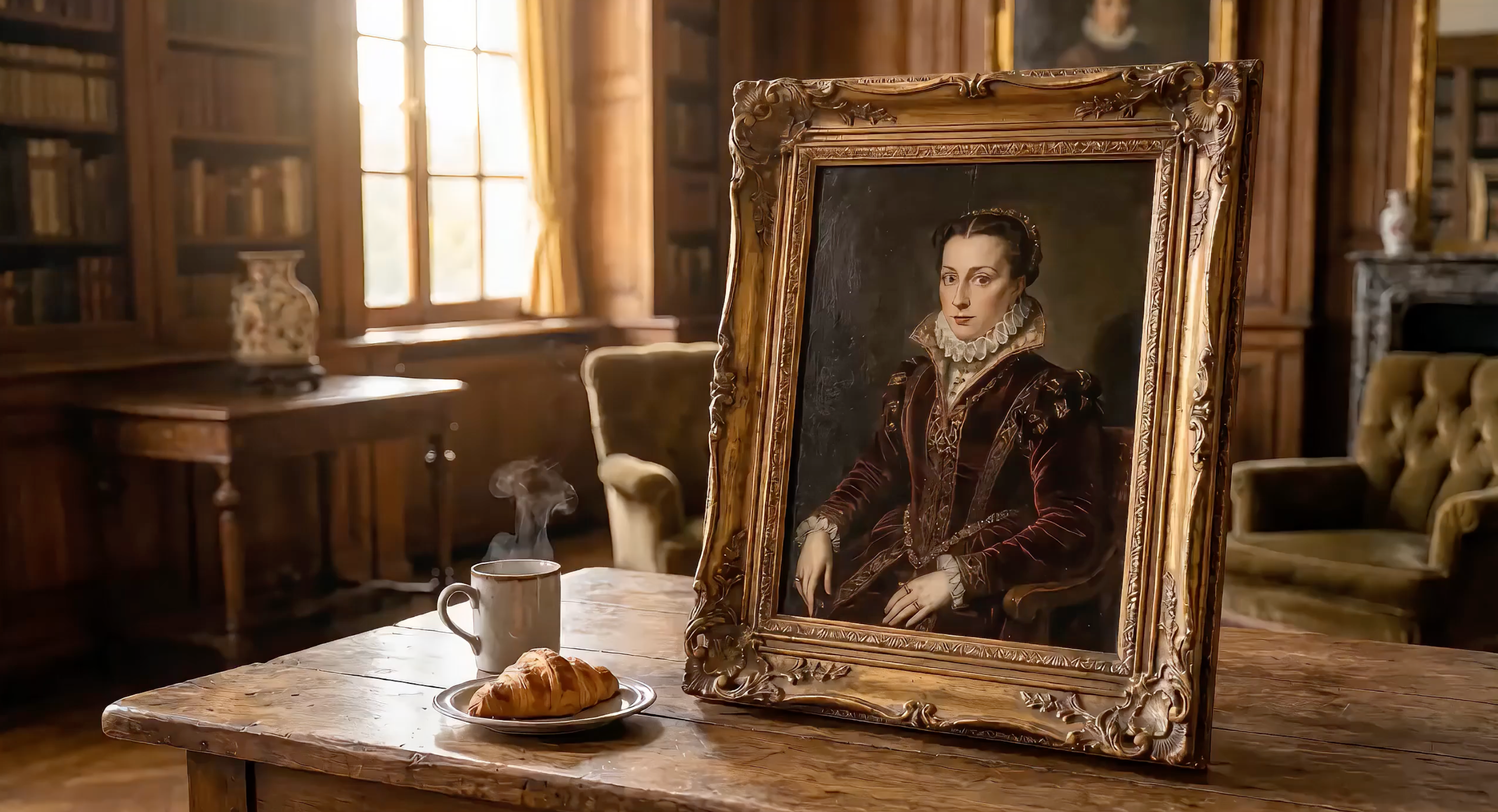
Seedance 2.0 はテキスト、画像、動画クリップ、音声ファイルを1つのプロンプトにまとめて受け付けます。映画のような仕上がりを得る鍵は、プロンプトの構成方法と、アップロードしたメディアを @Tags で参照する方法にあります。
ByteDance の Seed 動画基盤モデルをベースに構築された Seedance 2.0 は、API 経由で利用可能な最も高性能なマルチモーダル動画生成モデルです。
本ガイドでは、Seedance 2.0 プロンプトの公式を解説し、@Tag 参照システムの仕組みを説明した上で、15以上のコピペ可能なプロンプトテンプレートと動作する Python API コードを提供します。
コード例を実際に動かしましょう: 以下のすべてのスニペットを実行するには、EvoLink で無料 API キーを取得してください。
Seedance 2.0 プロンプトの公式
効果的な Seedance プロンプトは、5つのパートで構成されます:
被写体 + アクション + カメラ + スタイル + 制約条件
| 要素 | 制御する内容 | 例 |
|---|---|---|
| 被写体 | 画面に映る人物やオブジェクト | 「火星にいる白い宇宙服の宇宙飛行士」 |
| アクション | 動きとイベント | 「クレーターの縁から前に踏み出す」 |
| カメラ | アングル、動き、レンズ | 「超広角ショット、ゆっくりクローズアップへプッシュイン」 |
| スタイル | 映像の美学 | 「SF大作、IMAX 70mm、ティールオレンジの彩度を抑えたパレット」 |
| 制約条件 | 尺、解像度、ムード | 「10秒、リアルな砂塵の物理演算、一貫した宇宙服デザイン」 |
この公式が機能する理由
Seedance 2.0 はデュアルブランチの Diffusion Transformer アーキテクチャを使用しています。一方のブランチは空間情報(見た目)を処理し、もう一方は時間情報(時間経過に伴う動き)を処理します。構造化されたプロンプトは両方のブランチに明確な情報を供給します。
*「かっこいい車の動画」*のような曖昧なプロンプトでは、モデルが空間的・時間的な詳細を推測せざるを得ません。構造化されたプロンプトはその推測を排除します。
完全な API パラメータリファレンスは動画生成ドキュメントをご覧ください。
上級編:ショットスクリプト形式
5パートの公式は優れた出発点です。しかし、Seedance 2.0 の最高品質の出力 — SNSでバズるようなもの — はより強力な形式を使用しています:ショットスクリプトです。
ショットスクリプトは基本公式に3つのレイヤーを追加します:
- タイムコード — 動画を3~5秒のセグメントに分割し、明示的な
[00:00-00:05]マーカーを付ける - ショット言語 — 各ショットとその機能に名前を付ける:「Shot 1: The Scale (Extreme Wide Shot)」
- スタイルアンカー + 物理的詳細 — 特定の監督・映画スタイルに紐付け、抽象的概念ではなく物理的な反応を記述する
構造は以下の通りです:
【Style】Specific style anchor (director name / film style / art movement)
【Duration】Total length

[00:00-00:04] Shot 1: Shot Name (Camera Type).
Scene description with physical details.
Character action with specific body language.
Audio cue.

[00:04-00:07] Shot 2: Shot Name (Camera Type).
...

[00:07-00:10] Shot 3: Shot Name (Camera Type).
...

Consistency constraints. Physics requirements. Palette notes.
基本公式 vs. ショットスクリプト:比較
同じコンセプト — 火星の宇宙飛行士 — を両方の方法で書いて比較してみましょう:
基本公式(初心者向け):
An astronaut in a white spacesuit stands at the edge of a Mars crater.
Red dust blows across the visor. Camera slowly pushes in to reveal
Earth reflected in the helmet. Sci-fi epic style, desaturated
teal-orange palette. 10 seconds.
ショットスクリプト(トップクリエイター向け):
【Style】Denis Villeneuve Sci-Fi Epic, IMAX 70mm, desaturated teal-orange palette.
【Duration】10 seconds

[00:00-00:04] Shot 1: The Scale (Extreme Wide Shot).
A lone astronaut in a white spacesuit stands at the edge of an enormous
crater on Mars. Red dust blows across the visor in gusts. The crater
stretches to the horizon — the scale of nature dwarfs the human figure
completely. Deep rumbling bass audio.

[00:04-00:07] Shot 2: The Discovery (Push-in to Close-up).
Camera slowly pushes from the wide shot into a tight close-up of the
astronaut's helmet visor. In the curved reflection, we see Earth — tiny,
blue, impossibly far away. The astronaut's breathing is audible.
Anamorphic lens flare streaks across the frame.

[00:07-00:10] Shot 3: The Decision (Low Angle, Static).
From below, the astronaut steps forward off the crater edge — a leap of
faith into the unknown. Dust particles float in slow motion around the
boots. Camera holds steady as the figure descends. Cut to black.

Consistent spacesuit design. Realistic Mars dust physics. Epic
orchestral audio swell on final shot.
ショットスクリプトがより良い結果を生む理由
ショットスクリプトが基本公式より優れている理由は3つあります:
- 時間的な精度。 タイムコードは各アクションがいつ発生するかを Seedance に正確に伝えます。タイムコードがないと、モデルはアクションを尺全体に予測不可能な形で分散させます。
- ナラティブアーク。 ショットに名前を付けることで、セットアップ → 発見 → ペイオフというストーリーを構築できます。モデルは感情の流れを理解すると、より魅力的な動きを生成します。
- 物理的な具体性。 「ブーツの周りを砂塵がスローモーションで漂う」のような詳細は、曖昧な美的表現ではなく、物理エンジンに具体的な制約を与えます。
awesome-seedance コミュニティのトップクリエイターは、レーシングシーンからアートスタイル変換まで、ベスト作品にショットスクリプト形式を一貫して使用しています。パターンは明確です:構造化されたタイムコード + 具体的なスタイルアンカー = 映画的な出力。
これらのカメラテクニックをカメラムーブメント複製ガイドでステップバイステップで解説しています。
テキストのみ vs. マルチモーダルプロンプト
テキストのみのプロンプトはシーンの記述を完全に言語に頼ります:
A red sports car drifts around a mountain curve, tires smoking,
drone shot tracking from above, cinematic color grading, 10 seconds
マルチモーダルプロンプトはテキストとアップロードした参照素材を組み合わせます:
image 1 as first frame, car drifts around the curve following
video 1 camera path, audio 1 as engine sound, cinematic grading, 10 seconds
マルチモーダル版は、モデルの「赤いスポーツカー」の解釈に頼る代わりに、Seedance 2.0 に正確なビジュアルアンカーを提供します。
初めての Seedance 2.0 プロンプト — API 使用例
ショットスクリプト形式を使用した、完全なテキストからビデオへの生成呼び出しです:
import requests
import os
import time

API_KEY = os.environ.get("SEEDANCE_API_KEY")
BASE_URL = "https://api.evolink.ai/v1"

# Submit generation task
response = requests.post(
    f"{BASE_URL}/videos/generations",
    headers={"Authorization": f"Bearer {API_KEY}"},
    json={
        "model": "seedance-2.0-text-to-video",
        "prompt": (
            "【Style】Hollywood Professional Racing Movie, Cinematic Night, Rain.\n"
            "【Duration】10 seconds\n\n"
            "[00:00-00:03] Shot 1: The Veteran (Interior/Close-up).\n"
            "Rain hammers the windshield of a high-tech race car on a night track. "
            "Inside the cockpit, the veteran driver in a black helmet looks sideways "
            "at his rival. Dashboard instruments glow green on his visor.\n"
            "Dialogue Cue: He gives a subtle nod and mouths 'Let's go.'\n\n"
            "[00:03-00:06] Shot 2: The Challenger (Interior/Close-up).\n"
            "Cut to the rival car. A younger driver grips the steering wheel with "
            "white knuckles. Raindrops streak across the side window. Eyes wide with "
            "adrenaline through the visor slit.\n"
            "Dialogue Cue: He whispers 'Focus' to himself.\n\n"
            "[00:06-00:10] Shot 3: The Green Light (Wide Action Shot).\n"
            "Starting lights turn GREEN. Both cars launch forward in sync on gleaming "
            "wet asphalt. Massive water rooster tails spray behind them. Rain hits "
            "the camera lens. Motion blur turns stadium lights into long golden streaks.\n\n"
            "Consistent car designs. Realistic rain physics, water reflections. "
            "Tension-building audio."
        ),
        "duration": 10,
        "quality": "720p"
    }
)
task = response.json()
task_id = task["id"]

# Poll for result
while True:
    status = requests.get(
        f"{BASE_URL}/tasks/{task_id}",
        headers={"Authorization": f"Bearer {API_KEY}"}
    ).json()
    if status["status"] == "completed":
        print(f"Video ready: {status['results'][0]}")
        break
    elif status["status"] == "failed":
        print(f"Error: {status['error']}")
        break
    time.sleep(5)
これにより、ネイティブ音声出力付きの10秒、720p動画が生成されます。ショットスクリプトは Seedance に明確なタイムコード、カメラ指示、物理的な詳細を与え、1つのテキストプロンプトから映画的な三幕構成のレーシングシーケンスを実現します。
API が初めてですか?セットアップと認証についてははじめにガイドから始めてください。
注意: 以降のすべてのコード例は同じセットアップを使用します。上記の例から
import、API_KEY、BASE_URL、ポーリングロジックをコピーしてください。ユニークなプロンプトとパラメータを含む API 呼び出し部分のみを示します。
@Tag 参照システムの解説
@Tag システムこそが Seedance 2.0 プロンプトを真のマルチモーダルにする仕組みです。ファイルをアップロードすると、各ファイルにはタイプとアップロード順に基づいた自動タグが割り当てられます。
構文ルール
- 画像:
image 1,image 2, ...image 9(最大9枚) - 動画:
video 1,video 2,video 3(最大3クリップ) - 音声:
audio 1,audio 2,audio 3(最大3ファイル) - 参照の上限: リクエストあたり画像9 + 動画3 + 音声3
タグは各タイプ内でアップロード順に割り当てられます。プロンプトテキストで、各参照を Seedance がどのように使用するかを指示します。
すべての @tag パターンと 8 以上の実例を詳しく知るには、完全な @Tags ガイドをご覧ください。
画像参照の5つの使い方
| 用途 | プロンプト構文 | 動作 |
|---|---|---|
| 最初のフレーム | image 1 as first frame | この画像から動画が開始される |
| 最後のフレーム | image 1 as last frame | この画像で動画が終了する |
| キャラクターの外見 | image 1 as character reference | キャラクターの外見を全体を通して維持 |
| シーン環境 | image 1 as background environment | 画像をシーン設定として使用 |
| スタイル / 美学 | image 1 as style reference | カラーパレット、テクスチャ、ムードを合わせる |
動画参照の4つの使い方
| 用途 | プロンプト構文 | 動作 |
|---|---|---|
| カメラ複製 | follow video 1 camera movement | パン、チルト、ズームのパターンをコピー |
| モーション模倣 | character moves like video 1 | 身体の動き・振付を転写 |
| エフェクト複製 | apply video 1 transition effects | ビジュアルエフェクトとトランジションを合わせる |
| リズム参照 | match video 1 pacing and cuts | タイミングとシーンのリズムを同期 |
音声参照の3つの使い方
| 用途 | プロンプト構文 | 動作 |
|---|---|---|
| BGM | audio 1 as background soundtrack | アップロードした音楽でムードを設定 |
| 効果音 | audio 1 as ambient sound | 特定の効果音を追加 |
| ボイススタイル | audio 1 as voice style reference | 声のトーンとリズムを合わせる |
最適なファイル配分戦略
画像9 + 動画3 + 音声3 の上限内で、ユースケース別の参照ファイル配分は以下の通りです:
| ユースケース | 画像 | 動画 | 音声 | 合計 |
|---|---|---|---|---|
| 商品CM | 4(商品アングル) | 1(カメラ参照) | 1(音楽) | 6 |
| キャラクターアニメ | 3(キャラクター + シーン) | 2(モーション参照) | 1(音楽) | 6 |
| ミュージックビデオ | 2(スタイル + キャラクター) | 2(ダンス参照) | 3(楽曲) | 7 |
| マルチショット物語 | 6(シーンキーフレーム) | 1(スタイル参照) | 1(音楽) | 8 |
| 最高品質シングルショット | 9(全アングル) | 0 | 3(オーディオレイヤー) | 12 |
ヒント: 12スロットすべてを使う必要はほとんどありません。少数の高品質な参照の方が、大量の低品質な参照よりも良い結果を出すことが多いです。
15以上のすぐに使える Seedance プロンプトテンプレート
テキストから動画のプロンプトテンプレート
T1: マルチキャラクター対話ショートフィルム
説明: 2つのアニメキャラクターがそれぞれ異なるボイスパーソナリティでダイナミックな会話を繰り広げ、声優機能を披露します — ショットスクリプト形式で構成。
# T1: マルチキャラクター対話 — 上記の最初の例のセットアップを使用
response = requests.post(
    f"{BASE_URL}/videos/generations",
    headers={"Authorization": f"Bearer {API_KEY}"},
    json={
        "model": "seedance-2.0-text-to-video",
        "prompt": (
            "【Style】Pixar-quality 3D animation, warm color palette, expressive character acting.\n"
            "【Duration】12 seconds\n\n"
            "[00:00-00:04] Shot 1: The Philosopher (Medium Close-up).\n"
            "A wise old cat in round spectacles sits at a cozy cafe table, paws wrapped "
            "around a tiny porcelain cup. Steam curls upward. The cat speaks in a calm, "
            "measured tone: 'Experience teaches patience, young friend.' Warm afternoon "
            "light through the cafe window. Subtle ear twitch.\n\n"
            "[00:04-00:08] Shot 2: The Adventurer (Medium Close-up, Reverse Shot).\n"
            "Cut to the opposite side of the table. An energetic young golden retriever "
            "bounces in his seat, tail wagging visibly behind the chair. He leans forward "
            "with wide eyes and responds: 'But adventure awaits right now!' His paws "
            "gesture wildly, nearly knocking over a pastry plate.\n\n"
            "[00:08-00:12] Shot 3: The Punchline (Wide Two-Shot).\n"
            "Camera pulls back to show both at the table. The cat calmly catches the "
            "falling pastry with one paw without looking — places it back. The dog's jaw "
            "drops in amazement. Beat of silence. Both burst into laughter.\n\n"
            "Consistent character designs throughout. Distinct vocal timbres per character. "
            "Warm cafe lighting with bokeh background."
        ),
        "duration": 12,
        "quality": "720p"
    }
)
# 上記の最初の例と同じポーリングループを使用
T2: スタイル変換 — 動くゴッホの絵画
説明: クラシックな後期印象派のシーンを呼吸し動く世界へ変換します — プロンプトエンジニアリングによる精密なアートスタイル制御を実演。
# T2: スタイル変換 — 上記の最初の例のセットアップを使用
response = requests.post(
    f"{BASE_URL}/videos/generations",
    headers={"Authorization": f"Bearer {API_KEY}"},
    json={
        "model": "seedance-2.0-text-to-video",
        "prompt": (
            "【Style】Van Gogh Post-Impressionism, thick impasto oil paint texture, "
            "swirling brushstrokes, dreamy high-saturation.\n"
            "【Duration】10 seconds\n\n"
            "[00:00-00:04] Shot 1: The Living Sky (Wide Shot, Slow Pan Up).\n"
            "A young woman in a flowing blue dress stands in a sunlit village square. "
            "Behind her, cobblestone streets and rustic cottages are painted with thick, "
            "visible brushstrokes. The entire sky swirls with golden celestial bodies "
            "and flowing paint. Everything moves — the sky itself breathes.\n\n"
            "[00:04-00:07] Shot 2: The Portrait Focus (Medium Shot, Slow Pan Down).\n"
            "Camera pushes in closer to the woman's face. Her features are rendered "
            "in Van Gogh's distinctive style — bold brushstrokes define her cheekbones "
            "and flowing hair. The village behind her shifts with painted texture, "
            "windows glowing with warm yellow-orange light.\n\n"
            "[00:07-00:10] Shot 3: The Immersion (Tracking Shot, Moving Into the Painting).\n"
            "Camera slowly pushes forward deeper into the painted world. We move past "
            "the woman, through the village streets. Paint texture becomes visible at "
            "close range. The entire world is alive with flowing brushstrokes.\n\n"
            "Pure Van Gogh aesthetic throughout. No photorealism. Every surface is visible "
            "oil paint. Blue-yellow-orange palette dominant."
        ),
        "duration": 10,
        "quality": "720p"
    }
)
# 上記の最初の例と同じポーリングループを使用
T3: 感情表現 — アニメキャラクターの演技
説明: 手紙を読むアニメスタイルのキャラクターが詳細な表情変化を見せます。テキストのみのプロンプトで繊細なキャラクター演技を作成できることを実演。
# T3: 感情表現 — 上記の最初の例のセットアップを使用
response = requests.post(
    f"{BASE_URL}/videos/generations",
    headers={"Authorization": f"Bearer {API_KEY}"},
    json={
        "model": "seedance-2.0-text-to-video",
        "prompt": (
            "【Style】High-quality anime, Studio Ghibli-inspired character animation, "
            "detailed facial expressions.\n"
            "【Duration】12 seconds\n\n"
            "[00:00-00:04] Shot 1: The Letter Arrives (Medium Close-up).\n"
            "A young anime girl with long black hair sits by a sunlit window. She holds "
            "an unopened envelope with both hands, turning it over carefully. Her eyes "
            "show curiosity mixed with anticipation. Soft morning light illuminates her face.\n\n"
            "[00:04-00:08] Shot 2: The Reading (Close-up on Face).\n"
            "Camera pushes closer as she opens the letter and begins reading. Her "
            "expression changes dramatically — eyes widening with surprise, then a slow "
            "smile spreading across her face. Her lips part slightly as if to gasp. "
            "Every micro-expression is clearly animated.\n\n"
            "[00:08-00:12] Shot 3: The Joy (Medium Shot, Slight Pull Back).\n"
            "She clutches the letter to her chest and closes her eyes with pure happiness. "
            "A single tear of joy rolls down her cheek. Cherry blossom petals drift past "
            "the window behind her. Camera holds on her peaceful, radiant expression.\n\n"
            "Consistent anime character design. Detailed emotional facial animation. "
            "Natural lighting transitions."
        ),
        "duration": 12,
        "quality": "720p"
    }
)
# 上記の最初の例と同じポーリングループを使用
画像から動画のプロンプトテンプレート
I1: 商品CM — プレミアムヘッドホン
説明: 商品写真をダイナミックなカラー展開とスタジオ品質のライティングを備えたプレミアムCMに変換。image 1 を最初のフレームとして使用。バッチ生成を含むその他の商品動画ワークフローについては、画像から動画チュートリアルをご覧ください。
# I1: 商品CM — 上記の最初の例のセットアップを使用
response = requests.post(
    f"{BASE_URL}/videos/generations",
    headers={"Authorization": f"Bearer {API_KEY}"},
    json={
        "model": "seedance-2.0-image-to-video",
        "image_urls": ["https://example.com/premium_headphones.jpg"],
        "prompt": (
            "image 1 as first frame.\n"
            "【Style】Premium product keynote, clean minimal aesthetic, commercial photography.\n"
            "【Duration】15 seconds\n\n"
            "[00:00-00:02] Rapid four-frame flash cuts — black, blue, white, rose gold "
            "headphones appear one by one in stylized freeze frames. Close-up on metallic "
            "texture and premium finish. Voiceover: 'Sound that moves you.'\n\n"
            "[00:02-00:06] Extreme close-up of the headphone hinge mechanism unfolding. "
            "Precision engineering visible in slow motion. Studio lighting creates elegant "
            "highlights on the metal surface.\n\n"
            "[00:06-00:12] Quick-cut lifestyle montage. Urban professional commuting, "
            "artist in creative studio, athlete training — each wearing different colored "
            "headphones that match their aesthetic.\n\n"
            "[00:12-00:15] All four headphones lined up on minimal white pedestal. Brand "
            "text 'SoundPro Hear Everything' elegantly fades in at the bottom.\n\n"
            "Maintain exact product proportions and details from image 1. Commercial-grade "
            "lighting. Clean, premium aesthetic throughout."
        ),
        "duration": 15,
        "quality": "720p"
    }
)
# 上記の最初の例と同じポーリングループを使用
I2: キャラクターアニメーション — 絵画の貴婦人のコーヒー冒険
説明: 絵画のキャラクターが魅力的なコーヒー泥棒シーンで命を吹き込まれます。image 1 が魔法のようなナラティブの中でキャラクターの外見をどう維持するかを実演。
# I2: キャラクターアニメーション — 上記の最初の例のセットアップを使用
response = requests.post(
    f"{BASE_URL}/videos/generations",
    headers={"Authorization": f"Bearer {API_KEY}"},
    json={
        "model": "seedance-2.0-image-to-video",
        "image_urls": ["https://example.com/painted_noblewoman.jpg"],
        "prompt": (
            "image 1 as character reference.\n"
            "【Style】Cinematic realism with magical elements, warm practical lighting.\n"
            "【Duration】15 seconds\n\n"
            "[00:00-00:04] Shot 1: The Awakening (Medium Shot on Canvas).\n"
            "The painted noblewoman suddenly comes alive inside the canvas. Her eyes dart "
            "left and right nervously. Her painted hand animates and pushes forward through "
            "the surface of the painting, reaching out from inside the canvas to grab a coffee "
            "cup sitting on the table in front of the frame.\n\n"
            "[00:04-00:08] Shot 2: The Secret Sip (Close-up on Face and Hands).\n"
            "She takes a quick sip and shows a deeply satisfied expression. Her eyes close "
            "with pleasure as she savors the taste. Steam from the hot coffee catches the "
            "gallery lighting.\n\n"
            "[00:08-00:12] Shot 3: The Panic (Wide Shot, Quick Action).\n"
            "Suddenly footsteps approach — she panics and quickly puts the coffee back. "
            "A butler-like figure walks in, picks up the coffee from the table, and leaves. "
            "The woman freezes back into painting pose.\n\n"
            "[00:12-00:15] Shot 4: The Finale (Push-in to Product Shot).\n"
            "Camera pushes forward as the scene fades to a pure black background with a "
            "single spotlight illuminating the coffee cup. Elegant text appears at the "
            "bottom: 'Good coffee is worth the wait.'\n\n"
            "Maintain image 1 character appearance exactly. Seamless transitions between "
            "painted and living states. Realistic coffee physics."
        ),
        "duration": 15,
        "quality": "720p"
    }
)
# 上記の最初の例と同じポーリングループを使用
I3: スタイル転写 — リアルから水墨画へ
説明: リアルな風景写真を動く伝統的中国水墨画(水墨画)に変換します。image 1 をシーン構図の参照として使用したスタイル転写を実演。
# I3: スタイル転写 — 上記の最初の例のセットアップを使用
response = requests.post(
    f"{BASE_URL}/videos/generations",
    headers={"Authorization": f"Bearer {API_KEY}"},
    json={
        "model": "seedance-2.0-image-to-video",
        "image_urls": ["https://example.com/realistic_landscape.jpg"],
        "prompt": (
            "image 1 as scene composition reference.\n"
            "【Style】Traditional Chinese ink wash painting (水墨画), monochrome with faint indigo, meditative.\n"
            "【Duration】12 seconds\n\n"
            "[00:00-00:04] Shot 1: The Transformation Begins (Wide, Static).\n"
            "The photorealistic landscape slowly dissolves into flowing black ink. Mountain "
            "peaks render as bold wet brushstrokes on rice paper texture. Realistic details "
            "fade as traditional ink wash aesthetics take over.\n\n"
            "[00:04-00:08] Shot 2: Life Emerges in Ink (Medium Shot, Slow Pan Right).\n"
            "Mist begins drifting between the valleys — visible as diluted ink wash spreading "
            "on wet paper. A crane takes flight from behind a mountain, leaving elegant ink "
            "trails across the sky. Water effects spread ink at mountain bases.\n\n"
            "[00:08-00:12] Shot 3: Completion (Wide, Slow Zoom Out).\n"
            "Camera slowly pulls back to reveal the entire scene as a traditional scroll "
            "painting being unrolled on a wooden desk. An unseen hand dips a brush in ink "
            "at the edge of frame. The painting breathes — clouds still drift, crane still flies.\n\n"
            "Visible rice paper texture and authentic brushstroke quality throughout. "
            "No photorealism. Pure traditional ink wash aesthetic."
        ),
        "duration": 12,
        "quality": "720p"
    }
)
# 上記の最初の例と同じポーリングループを使用
I4: マルチイメージ・ワンショットナラティブ — 都市パルクール
説明: 複数のロケーション画像をシームレスにつなぎ、パルクールランナーの連続トラッキングショットを作成。ショットスクリプト形式で正確なタイミング制御を行い、壮大な都市の旅を実現。このテクニックはカメラムーブメント複製パターンに基づいています。
# I4: マルチイメージ・ワンショットナラティブ — 上記の最初の例のセットアップを使用
response = requests.post(
    f"{BASE_URL}/videos/generations",
    headers={"Authorization": f"Bearer {API_KEY}"},
    json={
        "model": "seedance-2.0-reference-to-video",
        "image_urls": [
            "https://example.com/city_street.jpg",
            "https://example.com/staircase.jpg",
            "https://example.com/pedestrian_bridge.jpg",
            "https://example.com/rooftop_building.jpg",
            "https://example.com/city_skyline.jpg"
        ],
        "prompt": (
            "image 1 image 2 image 3 image 4 image 5 seamless one-shot tracking camera "
            "following a parkour runner sprinting through city streets leaping up staircases "
            "crossing a pedestrian bridge vaulting onto rooftops finally standing at the "
            "rooftop edge overlooking the entire city skyline. Golden sunset light fills "
            "the frame. Dynamic powerful full of freedom and energy.\n"
            "【Style】Cinematic action sports, dynamic tracking shot, golden hour lighting.\n"
            "【Duration】15 seconds\n\n"
            "[00:00-00:03] Urban Sprint (image 1 as environment).\n"
            "Tracking camera follows a parkour athlete in athletic gear sprinting at full "
            "speed through busy city streets. Low angle emphasizes power and speed. "
            "Pedestrians blur past. Urban architecture creates dynamic leading lines.\n\n"
            "[00:03-00:06] Staircase Vault (image 2 as environment).\n"
            "Runner leaps up a concrete staircase in a single fluid motion — camera follows "
            "the arc of movement. Each step is a launching pad. Concrete textures and "
            "architectural details sharp in focus.\n\n"
            "[00:06-00:09] Bridge Crossing (image 3 as environment).\n"
            "Athlete vaults over the pedestrian bridge railing and lands on the walkway. "
            "Camera maintains tracking speed. City traffic flows below. Wind catches "
            "the runner's clothing.\n\n"
            "[00:09-00:12] Rooftop Ascent (image 4 as environment).\n"
            "A powerful jump and climb sequence onto building rooftops. Camera cranes up "
            "to follow the vertical movement. Urban landscape spreads out below.\n\n"
            "[00:12-00:15] Victory Moment (image 5 as environment).\n"
            "Runner stands at the rooftop edge overlooking the entire city skyline. "
            "Golden sunset light silhouettes the figure. Camera slowly pulls back to "
            "reveal the epic scale of the journey completed.\n\n"
            "Consistent runner character (same outfit, build, movement style) across all scenes. "
            "Realistic parkour physics. Golden hour lighting throughout."
        ),
        "duration": 15,
        "quality": "720p"
    }
)
# 上記の最初の例と同じポーリングループを使用
マルチモーダル @Tag テンプレート
M1: 高度なカメラムーブメント複製 — クリスタルダンジョン探索
説明: 参照動画の複雑なカメラワークを正確に再現しつつ、まったく新しいファンタジーコンテンツと複数の画像参照に適用します。完全なカメラ複製ワークフローは専用カメラムーブメントガイドで学べます。
# M1: カメラムーブメント複製 — 上記の最初の例のセットアップを使用
response = requests.post(
    f"{BASE_URL}/videos/generations",
    headers={"Authorization": f"Bearer {API_KEY}"},
    json={
        "model": "seedance-2.0-reference-to-video",
        "image_urls": [
            "https://example.com/dungeon_entrance.png",
            "https://example.com/crystal_ceiling.png",
            "https://example.com/left_passage.png",
            "https://example.com/right_chamber.png"
        ],
        "video_urls": ["https://example.com/camera_movement_ref.mp4"],
        "prompt": (
            "Use image 1 as the opening first frame. First-person POV perspective. "
            "Reference video 1 camera movement style exactly. The scene above references "
            "image 2, the left scene references image 3, the right scene references image 4. "
            "A hand holds a glowing magic lantern, exploring an ancient dungeon. Firelight "
            "flickers across stone walls, casting dancing shadows.\n"
            "【Style】Fantasy adventure, realistic lighting, atmospheric.\n"
            "【Duration】9 seconds\n\n"
            "[00:00-00:03] Entrance Discovery.\n"
            "First-person view entering the dungeon. The magical lantern illuminates ancient "
            "stone architecture. Camera follows video 1 movement pattern — smooth forward "
            "motion with subtle tilts to examine details.\n\n"
            "[00:03-00:06] Chamber Exploration.\n"
            "Camera pans upward to reveal image 2 crystal formations on the ceiling, "
            "then tilts left toward image 3 dark passage, creating suspense. Lantern "
            "light creates dynamic shadows on dungeon walls.\n\n"
            "[00:06-00:09] Final Discovery.\n"
            "Camera turns right to reveal image 4 hidden chamber with treasure. "
            "Replicate video 1 final movement — slow push-in with slight upward tilt. "
            "Golden light from treasures mingles with lantern glow.\n\n"
            "Maintain exact video 1 camera timing and movement speed. Realistic fire physics "
            "and shadow casting. Atmospheric dungeon ambiance."
        ),
        "duration": 9,
        "quality": "720p"
    }
)
# 上記の最初の例と同じポーリングループを使用
M2: キャラクター + カメラムーブメント同期 — ステージダンスパフォーマンス
説明: 画像からのキャラクター参照と、動画からのカメラワーク・ダンス振付を組み合わせ、同期したパフォーマンスアートを作成します。
# M2: キャラクター + カメラムーブメント同期 — 上記の最初の例のセットアップを使用
response = requests.post(
    f"{BASE_URL}/videos/generations",
    headers={"Authorization": f"Bearer {API_KEY}"},
    json={
        "model": "seedance-2.0-reference-to-video",
        "image_urls": ["https://example.com/stage_dancer.png"],
        "video_urls": ["https://example.com/dance_movement_ref.mp4"],
        "prompt": (
            "image 1 dancer as the main subject. Reference video 1 camera movement style "
            "rhythmic push-pull pan and tilt movements. The dancer choreography also "
            "references video 1 dance moves. Performing energetically on a colorful "
            "LED-lit stage. Spotlights shift colors in sync with the rhythm.\n"
            "【Style】Concert performance, dynamic stage lighting, high energy.\n"
            "【Duration】12 seconds\n\n"
            "[00:00-00:04] Opening Sequence.\n"
            "Camera starts wide showing image 1 dancer center stage. LED lights pulse "
            "in blue and purple. Dancer begins with video 1 opening choreography — "
            "fluid arm movements and spins. Camera matches video 1 initial push-in timing.\n\n"
            "[00:04-00:08] Dynamic Performance.\n"
            "Camera follows video 1 rhythmic push-pull pattern as dancer performs high-energy "
            "moves. Stage lights shift to warm orange and pink. Smoke effects catch the "
            "colored lighting, creating atmospheric depth.\n\n"
            "[00:08-00:12] Finale Moment.\n"
            "Camera matches video 1 final tilt movement as dancer strikes a powerful "
            "finishing pose. All stage lights converge into a brilliant white spotlight. "
            "Sparkle effects cascade down around the performer.\n\n"
            "Maintain image 1 character appearance exactly. Synchronized camera and "
            "choreography timing from video 1. Professional stage lighting effects."
        ),
        "duration": 12,
        "quality": "720p"
    }
)
# 上記の最初の例と同じポーリングループを使用
M3: チェイスシーン — 赤いコートの謎の人影
説明: 赤いコートの謎の人物が都市の街路を駆け抜ける緊迫した追跡シーケンスを作成。スリラー映画のシネマトグラフィーとドラマチックな緊張感の構築を実演。
# M3: チェイスシーン — 上記の最初の例のセットアップを使用
response = requests.post(
    f"{BASE_URL}/videos/generations",
    headers={"Authorization": f"Bearer {API_KEY}"},
    json={
        "model": "seedance-2.0-image-to-video",
        "image_urls": ["https://example.com/red_coat_figure.jpg"],
        "prompt": (
            "image 1 as character reference — mysterious figure in distinctive red coat.\n"
            "【Style】Thriller cinematography, urban chase scene, dramatic shadows, high contrast.\n"
            "【Duration】12 seconds\n\n"
            "[00:00-00:04] Shot 1: The Pursuit Begins (Wide Shot, Tracking).\n"
            "The red-coated figure sprints through narrow city alleyways at night. "
            "Streetlights cast long dramatic shadows. Camera tracks from behind — we "
            "see only the billowing red coat and rapid footsteps on wet pavement. "
            "Tension-building audio undertones.\n\n"
            "[00:04-00:08] Shot 2: Urban Obstacles (Medium Shot, Side Tracking).\n"
            "Figure vaults over parked cars and dodges between concrete pillars. Camera "
            "follows from the side, maintaining speed. Red coat stands out against the "
            "monochrome urban environment. Breathing is audible and labored.\n\n"
            "[00:08-00:12] Shot 3: The Escape (Low Angle, Wide Shot).\n"
            "Figure reaches a fire escape and begins climbing rapidly upward. Camera "
            "tilts up from below — dramatic low angle emphasizes the vertical escape. "
            "Red coat flutters in the wind. City lights twinkle in the background as "
            "the figure disappears into the night.\n\n"
            "Maintain image 1 character appearance — especially the distinctive red coat. "
            "Realistic chase physics. High-contrast noir lighting. Mysterious identity "
            "preserved throughout."
        ),
        "duration": 12,
        "quality": "720p"
    }
)
# 上記の最初の例と同じポーリングループを使用
ボーナス:街頭群衆チェイスシーン
説明: 群衆が走るシーンの追加例。複数のキャラクターと都市のエネルギーが必要なアクションシーケンスに最適。
# ボーナス: 街頭群衆チェイスシーン — 上記の最初の例のセットアップを使用
response = requests.post(
    f"{BASE_URL}/videos/generations",
    headers={"Authorization": f"Bearer {API_KEY}"},
    json={
        "model": "seedance-2.0-image-to-video",
        "image_urls": ["https://example.com/street_crowd.jpg"],
        "prompt": (
            "image 1 as scene reference for crowd composition and urban environment.\n"
            "【Style】Action thriller, handheld camera, urgent pacing, realistic movement.\n"
            "【Duration】8 seconds\n\n"
            "[00:00-00:03] Mass Movement Begins.\n"
            "A crowd of people suddenly breaks into a run down a busy street. Camera "
            "is handheld, in the middle of the action. Multiple individuals in different "
            "clothing all moving in the same direction with urgent purpose.\n\n"
            "[00:03-00:06] Chaos and Urgency.\n"
            "Camera weaves through the running crowd. Close-ups on determined faces, "
            "flying hair, scattered personal items. People help each other maintain "
            "pace. Urban storefronts blur past in the background.\n\n"
            "[00:06-00:08] Dispersal.\n"
            "The crowd reaches an intersection and scatters in different directions. "
            "Camera tilts up to show the scope of the mass movement from a high angle "
            "as people disappear down various streets.\n\n"
            "Realistic crowd physics and natural human movement. Handheld camera shake "
            "for authenticity. Urban street environment based on image 1."
        ),
        "duration": 8,
        "quality": "720p"
    }
)
# 上記の最初の例と同じポーリングループを使用
動画延長テンプレート
E1: 前方延長とブランドフィナーレ
説明: 既存の動画に新しいシーンとプロフェッショナルなブランド結末(ロゴとタグライン付き)を追加して延長します。
# E1: 前方延長とブランドフィナーレ — 上記の最初の例のセットアップを使用
response = requests.post(
    f"{BASE_URL}/videos/generations",
    headers={"Authorization": f"Bearer {API_KEY}"},
    json={
        "model": "seedance-2.0-reference-to-video",
        "video_urls": ["https://example.com/existing_video.mp4"],
        "prompt": (
            "Extend video 1 forward with 8 additional seconds.\n"
            "【Style】Match video 1 style exactly.\n"
            "【Duration】8 seconds extension\n\n"
            "Continue the existing narrative: if it ends with product showcase, add lifestyle usage scene. "
            "Show the product being used in natural environment with satisfied users. "
            "Final 2 seconds: elegant brand logo animation with company tagline appearing below. "
            "Maintain consistent lighting and color grading throughout. "
            "Smooth transition from original content to extension."
        ),
        "duration": 8,
        "quality": "720p"
    }
)
# 上記の最初の例と同じポーリングループを使用
E2: 後方延長とバックストーリー
説明: 既存の動画コンテンツの前にコンテキストとセットアップを追加し、より完成度の高いナラティブを作成します。
# E2: 後方延長とバックストーリー — 上記の最初の例のセットアップを使用
response = requests.post(
    f"{BASE_URL}/videos/generations",
    headers={"Authorization": f"Bearer {API_KEY}"},
    json={
        "model": "seedance-2.0-reference-to-video",
        "video_urls": ["https://example.com/main_video.mp4"],
        "prompt": (
            "Create 6 seconds of backstory before video 1 begins.\n"
            "【Style】Match video 1 visual style exactly.\n"
            "【Duration】6 seconds extension\n\n"
            "If video 1 shows action, show the calm setup or preparation moment. "
            "If video 1 shows a reveal, show the mystery or anticipation beforehand. "
            "Match the visual style, lighting, and character appearances exactly. "
            "Create narrative tension that builds toward the existing video's opening moment. "
            "Seamless transition into original content."
        ),
        "duration": 6,
        "quality": "720p"
    }
)
# 上記の最初の例と同じポーリングループを使用
よくある Seedance プロンプトの間違いと修正方法
| # | 間違い | 失敗する理由 | 修正方法 |
|---|---|---|---|
| 1 | 曖昧すぎる — 「犬のいい動画」 | モデルが犬種、アクション、カメラ、スタイルを推測 | 「ゴールデンレトリバーがフリスビーを空中キャッチ、スローモーションの横アングル、公園、晴天」 |
| 2 | @tag 番号の間違い — 画像を2枚しかアップロードしていないのに image 3 を使用 | 存在しないファイルを参照;生成が失敗または無視される | アップロード順を確認;タグは各タイプ内で1から始まる連番 |
| 3 | 制約条件の欠落 — 尺や解像度を指定しない | モデルのデフォルトがニーズに合わない可能性 | プロンプトテキストと API パラメータの両方で duration と resolution を必ず指定 |
| 4 | モダリティの矛盾 — 画像は昼間なのに、プロンプトで「暗い夜景」と指示 | モデルが混在した信号を受け取り、照明が不整合に | プロンプトの記述を参照コンテンツと一致させる |
| 5 | プロンプトの過負荷 — あらゆる微細な詳細を200語以上で記述 | モデルの優先順位付けが不適切に;重要な指示が希釈される | プロンプトは150語以内に;テキストではなく参照ファイルでビジュアルの詳細を伝える |
| 6 | カメラ指示なし — シーンを記述するがカメラの動きを指定しない | 静止またはランダムに動く出力に | 明示的なカメラ指示を追加:「スロードリーイン」や「静止ワイドショット」など |
| 7 | リアルな顔写真のアップロード — 実在の人物の顔写真をアップロード | コンプライアンスフィルターでブロック;リクエストが拒否 | イラスト風、スタイライズド、またはフォトリアリスティックでないキャラクター参照を使用 |
| 8 | ファイル上限の超過 — 画像を10枚アップロード | 最大は画像9枚;リクエストが拒否される | 上限を守る:画像9枚以下、動画3本以下、音声3ファイル以下、合計12以下 |
| 9 | スタイルアンカーなし — 具体的な参照なしに汎用的な「シネマティック」を使用 | 出力が汎用的で焦点が定まらない | 具体的な監督、映画、アートスタイルに紐付ける:「Denis Villeneuve SF大作」や「ゴッホ後期印象派」 |
| 10 | タイムコードなし — ショットスクリプトではなく散文で記述 | アクションが尺全体に予測不可能に分散 | [00:00-00:05] タイムコードで各アクションのタイミングを正確に制御 |
詳細なエラーハンドリングパターンとリトライロジックについては、API ドキュメントをご覧ください。
API 開発者向けプロンプトエンジニアリングのベストプラクティス
バッチ生成のためにプロンプトをテンプレート化する
大量の動画を生成する場合、変数付きの再利用可能なプロンプトテンプレートを定義します:
PRODUCT_TEMPLATE = (
    "image 1 as first frame.\n"
    "【Style】{style}\n"
    "【Duration】{duration} seconds\n\n"
    "[00:00-00:03] Product slowly begins rotating clockwise. "
    "{lighting_description}. Every texture detail remains razor-sharp.\n\n"
    "[00:03-00:06] Rotation continues to 180 degrees. Camera subtly lowers angle "
    "to reveal the product's profile.\n\n"
    "[00:06-{end_tc}] Rotation slows to a stop at the most photogenic angle. "
    "Clean, minimal, premium.\n\n"
    "Maintain exact product proportions from image 1. {background}. Commercial-grade lighting."
)

# Generate multiple product videos
products = [
    {"style": "Clean white infinity cove, premium commercial",
     "duration": 8, "end_tc": "00:08",
     "lighting_description": "Soft studio lighting creates a gentle gradient",
     "background": "White background throughout"},
    {"style": "Warm wooden surface, artisan craft aesthetic",
     "duration": 10, "end_tc": "00:10",
     "lighting_description": "Warm golden spotlight from above",
     "background": "Natural wood grain texture visible"},
]

for product in products:
    prompt = PRODUCT_TEMPLATE.format(**product)
    # Submit to API using the prompt...
このアプローチはプロンプトの一貫性を保ち、A/Bテストを容易にします。
複雑なシーンにはショットスクリプト形式を使用する
5秒を超える動画や複数のアクションを含む動画には、ショットスクリプト形式を使用します:
- スタイルと尺を冒頭で宣言 —
【Style】と【Duration】で指定 - 3~5秒のセグメントに分割 —
[00:00-00:05]タイムコードを使用 - 各ショットに名前を付ける — その機能を明記:「Shot 1: The Reveal」
- 物理的な詳細を追加 — 抽象的な概念ではなく、実際に起こること(水しぶき、砂塵が舞うなど)を記述
- 制約条件で締めくくる — 一貫性ルール、パレットの注意事項、物理要件
複数世代にわたるキャラクターの一貫性を維持する
同じキャラクターを複数の動画で維持するには:
- すべてのリクエストで同じ参照画像を使用 —
image 1 as character referenceで指定 - 明示的な外見記述をプロンプトに含める — 画像参照を使用している場合でも「同じ赤いジャケット、短い黒髪」のように記述
- 順次生成する — 動画Nの最終フレームを動画N+1の最初のフレーム画像として使用
バッチ生成やキャラクターロックを含む高度なマルチショット一貫性パターンについては、画像から動画ガイドで詳しく解説しています。
コストを最適化する
動画参照はテキストのみや画像のみのプロンプトと比較して生成コストが増加します。以下の判断基準を使用してください:
- テキストのみ — 最も安価;汎用的なシーンや参照素材がない場合に使用
- 画像参照 — 中程度のコスト;キャラクターやシーンの一貫性が必要な場合に使用
- 動画参照 — 最もコストが高い;カメラ複製やモーション転写が具体的に必要な場合のみ使用
正確な料金は解像度と尺によって異なります。最新の料金は EvoLink の料金ページをご確認ください(2026年2月時点)。
プロンプトをバージョン管理する
プロンプトをコードと同様に扱いましょう。メタデータ付きでバージョン管理に保存します:
PROMPT_REGISTRY = {
    "product_hero_v3": {
        "version": "3.0",
        "prompt": "【Style】Clean white infinity cove...",
        "model": "seedance-2.0-text-to-video",
        "duration": 10,
        "test_results": {"ctr": 0.24, "conversion": 0.087},
        "created": "2026-02-19"
    }
}
これによりプロンプトのA/Bテストと、必要に応じた以前のバージョンへのロールバックが可能になります。
生成失敗をグレースフルに処理する
すべてのプロンプトが成功するわけではありません。指数バックオフ付きのリトライロジックを構築しましょう:
import time
import random

def generate_with_retry(prompt_data, max_retries=3):
    for attempt in range(max_retries):
        try:
            response = requests.post(f"{BASE_URL}/videos/generations",
                                   json=prompt_data, headers=headers)
            if response.status_code == 200:
                return response.json()
        except Exception as e:
            if attempt == max_retries - 1:
                raise e
            time.sleep(2 ** attempt + random.uniform(0, 1))
    return None
よくある失敗パターン:
- コンテンツポリシー違反 — リアルな人物の顔が原因であることが多い
- リソース枯渇 — より長いディレイの後にリトライ
- 無効な @tag 参照 — ファイルのアップロード順を確認
プロユーザー向け上級テクニック
複数世代のチェーン接続
ある動画の最終フレームを次の動画の最初のフレームとして使用し、よ���長いナラティブを作成します:
# Step 1: Generate opening scene
scene1_result = generate_video({
    "prompt": "A detective enters a dark office...",
    "duration": 8
})

# Step 2: Extract last frame and use as first frame for scene 2
last_frame = extract_frame(scene1_result["video_url"], timestamp=-1)

scene2_result = generate_video({
    "files": [("references", last_frame)],
    "prompt": "image 1 as first frame. The detective discovers a clue...",
    "duration": 10
})
動的プロンプト生成
AIを使用して成功したプロンプトのバリエーションを生成します:
def generate_prompt_variations(base_prompt, num_variations=3):
    variations = []
    for i in range(num_variations):
        # Use OpenAI/Claude to generate stylistic variations
        variation = ai_rephrase(base_prompt, style=f"variation_{i}")
        variations.append(variation)
    return variations

# Test multiple versions for A/B optimization
base = "【Style】Cinematic product showcase..."
for variation in generate_prompt_variations(base):
    result = generate_video({"prompt": variation})
    # Track performance metrics...
自動品質評価
手動レビューの前に生成された動画を自動的にスコアリングします:
def assess_video_quality(video_url):
    scores = {}

    # Motion smoothness (analyze frame-to-frame changes)
    scores["motion"] = calculate_motion_smoothness(video_url)

    # Visual consistency (check for flickering/artifacts)
    scores["consistency"] = detect_visual_artifacts(video_url)

    # Prompt adherence (use CLIP to compare with text description)
    scores["adherence"] = measure_prompt_alignment(video_url, prompt)

    return scores

# Only proceed with high-quality generations
result = generate_video(prompt_data)
if assess_video_quality(result["video_url"])["overall"] > 0.8:
    publish_video(result["video_url"])
よくある質問
Seedance 1.0 と 2.0 の違いは何ですか?
Seedance 2.0 ではマルチモーダル入力(@tag 参照)、より長い生成(4〜15秒)、大幅に改善された時間的一貫性が導入されました。プロンプト構造は類似していますが、2.0は複雑なシーンをはるかに上手く処理します。
@tag 参照が無視されることがあるのはなぜですか?
よくある原因:
- 番号の間違い — 画像を2枚しかアップロードしていないのに
image 3を使用 - ファイルタイプの不一致 — 画像をアップロードしたのに
audio 1を参照 - 矛盾する指示 — 明るい昼間の画像に対して「暗い夜景」を指示
- アップロード順の混乱 — タグは各タイプ内でアップロード順に割り当てられる
複数の動画でキャラクターの一貫性を維持するにはどうすればいいですか?
- すべての生成で同じ参照画像を使用する
- テキストに明示的なキャラクター記述を含める(「同じ青いジャケット、肩までの茶色い髪」)
- 動画Nの最終フレームを動画N+1の最初のフレームとして使用する
- すべてのプロンプトでキャラクター記述を同一に保つ
既存の動画を修正できますか?
はい!video_urls で既存の動画をアップロードし、プロンプトで video 1 参照を使用して編集できます — キャラクターの置き換え、シーンの修正、尺の延長、ストーリーラインの変更が可能です。
また、以下の方法も使用できます:
- video 1 でオリジナルを参照し、プロンプトで編集内容を記述する
- image_urls で参照画像をアップロードしてキャラクターの置き換えや要素の追加を行う
- 延長プロンプトでオリジナル動画の前後にコンテンツを追加する
完全な編集パラメータ仕様についてはマルチモーダルリファレンスドキュメントをご覧ください。
最大動画尺はどのくらいですか?
Seedance 2.0 は1回の生成で4~15秒に対応しています。15秒の制限を超えるより長いコンテンツの場合は以下を検討してください:
- 複数のシーンに分割してチェーン接続する
- 明確なタイムコード付きのショットスクリプト形式を使用する
- 生成ごとに単一のコンセプトに集中する
コンテンツポリシー違反を避けるにはどうすればいいですか?
- リアルな人物の顔写真をアップロードしない
- 著作権のあるキャラクターや有名人を避ける
- 写真の代わりにイラスト風・スタイライズドなキャラクター参照を使用する
- 既存メディアの再現ではなくオリジナルのコンセプトに集中する
プロンプトによってコストが異なるのはなぜですか?
生成コストの要因:
- 尺 — 長い動画ほどコストが高い
- 解像度 — 720pは480pよりコストが高い(Seedance 2.0 API は 480p / 720p / 1080p / 4k に対応)
- 参照ファイル数 — 動画参照は画像参照よりコストが高い
- 複雑さ — マルチキャラクターシーンはより多くの計算リソースを使用する可能性
ショットスクリプト形式で最良の結果を得るには?
- 各ショットセグメントを最大3~5秒に抑える
- 具体的なスタイルアンカーを使用する(「シネマティック」ではなく「クリストファー・ノーラン スリラー」)
- 抽象的な概念ではなく物理的なアクションを記述する
- 各ショットにカメラワーク指示を含める
- 一貫性の制約と物理要件で締めくくる
Seedance を商用プロジェクトに使用できますか?
はい、適切なライセンスの下で使用可能です。サブスクリプションティアによってポリシーが異なる場合があるため、最新の規約は EvoLink でご確認ください。
生成失敗のトラブルシューティング方法は?
- ファイル上限を確認 — 画像9枚以下、動画3本以下、音声3ファイル以下
- @tag 番号の確認 — アップロードしたファイルと一致しているか
- プロンプトの簡略化 — 200語を超える場合は短くする
- 矛盾する指示を除去 — テキストと参照ファイル間の矛盾をなくす
- まずテキストのみで試す — その後、段階的に参照を追加する
「プロフェッショナル品質」のプロンプトとは何ですか?
プロフェッショナルなプロンプトには通常、以下が含まれます:
- タイムコード付きのショットスクリプト形式
- 具体的なスタイルアンカー(監督名、アートムーブメント)
- 抽象的な概念ではなく物理的なアクションの記述
- 一貫性の制約と物理要件
- 適切な参照ファイルの選択と @tag の使用
まとめ
Seedance 2.0 のプロンプトをマスターするには、テキスト記述とマルチモーダル参照のバランスを理解することが重要です。ショットスクリプト形式は映画的なコントロールを提供し、@tag 参照はビジュアルの一貫性を確保します。
本ガイドのテキストのみのテンプレートから始めて、構文に慣れたら徐々に画像や動画の参照を取り入れてください。過度に複雑な記述よりも、明確で具体的な指示に集中しましょう。
ここに掲載したテンプレートは、商品CMからキャラクターアニメーション、スタイル変換まで、最も一般的なユースケースをカバーしています。スタイルアンカー、タイムコード、参照ファイルを変更して、あなた固有のニーズに合わせてください。
最も重要なのは:実験することです。各プロンプトは Seedance 2.0 が指示をどう解釈するかについて何かを教えてくれます。awesome-seedance コミュニティでは、成功したプロンプトパターンやブレイクスルーテクニックが共有されています。
作成を始める準備はできましたか? EvoLink の無料 API キーを取得して、本ガイドのすべてのテンプレートを実行しましょう。動画制作の未来はマルチモーダルです — そしてそれは今日から利用可能です。
次のステップ: @tag 参照システムをマスターする → マルチモーダルガイド | 画像から動画チュートリアル | 完全な Python 例でカメラムーブメント複製を学ぶ
最終更新:2026年2月19日 | Written by J, Growth Lead at EvoLink