Build AI Product Videos for E-commerce with Seedance 2.0 API
Generate e-commerce product videos from photos using Seedance 2.0 API. 5 video types, batch pipeline, multi-platform export. Complete Python code included.
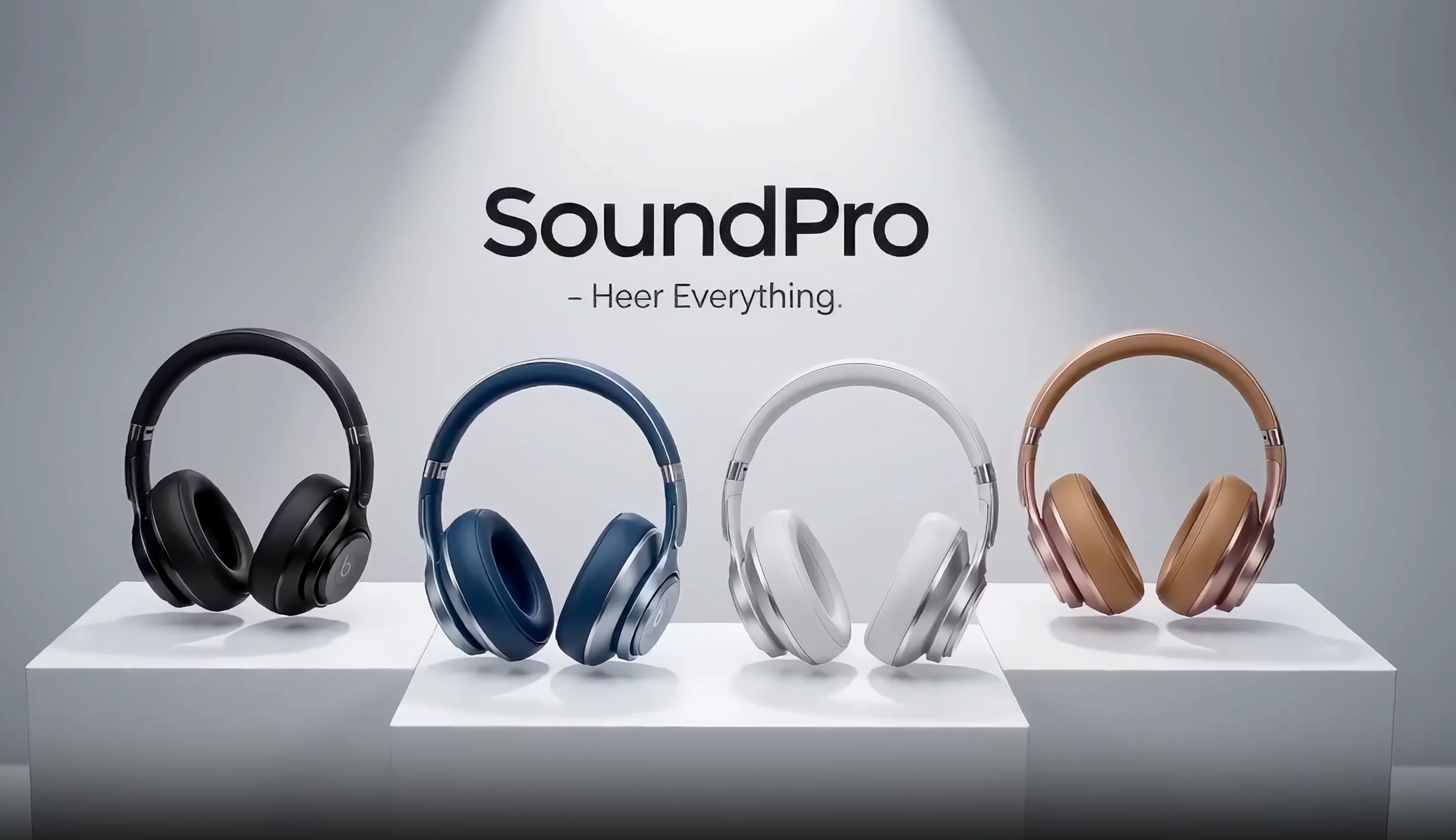
Every product in your catalog deserves video. A single product photo can now become a polished video ad in under three minutes. No camera crew, no studio rental, no post-production timeline. Seedance 2.0 — ByteDance's latest video generation model — turns static product images into broadcast-ready clips through a simple API call. This guide walks you through five distinct video types for e-commerce, a batch pipeline for entire catalogs, and multi-platform export strategies. Every code example is production-ready Python.
Why Product Video Matters (and Why Studios Are Obsolete)
Product listings with video consistently outperform those without. According to Shopify's product media best practices, merchants who add video to product pages see measurably higher engagement and conversion rates. Amazon's own seller guidelines now actively encourage video on every listing, and their A+ Content program prioritizes video-enhanced pages in search results.
The gap between "knowing video works" and "actually producing video" has historically been enormous. A single product video shoot — including studio time, lighting, equipment, a videographer, and basic editing — typically runs $500–$2,000 per SKU. For a catalog of 200 products, that's six figures before you've uploaded a single file.
| Traditional Studio | Seedance 2.0 API | |
|---|---|---|
| Cost per video | $500–$2,000 | $0.02–$0.15 |
| Turnaround | 3–10 business days | 60–180 seconds |
| Setup required | Studio, crew, equipment | One product photo |
| Scaling to 500 SKUs | $250K–$1M+ | Under $75 |
| Iteration speed | Re-shoot required | Change prompt, regenerate |
| Aspect ratio variants | Separate edits per format | One parameter change |
The economics are not comparable. AI product video generation doesn't replace a $50,000 brand film — it replaces the repetitive, per-SKU video work that most e-commerce teams either skip entirely or outsource at painful margins.
Consider the math for a mid-size Shopify store with 300 SKUs. Traditional studio video for the full catalog: $150K–$600K, plus months of scheduling and production. Seedance 2.0 API for the same catalog: under $50 total, completed in a single afternoon. Even if you factor in developer time to set up the pipeline, the return on investment is orders of magnitude higher.
The shift mirrors what happened with product photography a decade ago. Studios didn't disappear, but the routine work moved to automated solutions. Video is following the same trajectory, just faster.
The Conversion Case for Video
Industry reports consistently show that product pages with video outperform those without. Shopify's own research highlights that video increases time on page and reduces return rates by helping customers understand what they're buying. Amazon reports that listings with video see higher click-through rates in search results.
The specific numbers vary by category and market, but the direction is unambiguous: video sells more product. The question has never been whether video works. The question has been whether the ROI justifies the production cost. At API pricing, that calculation is settled.
Setup: API Key and Base Code
You need an EvoLink account and an API key. EvoLink provides access to Seedance 2.0 with a straightforward REST API. If you haven't set up an account yet, follow the getting started guide for a walkthrough.
Install the only dependency:
pip install requests
No GPU required. No model downloads. No infrastructure to manage. The API handles all computation server-side. Your local machine just sends HTTP requests and receives video URLs.
Here is the complete base code. Every example in this guide builds on this foundation:
import requests
import time

API_KEY = "YOUR_API_KEY"
BASE_URL = "https://api.evolink.ai/v1"

headers = {
    "Authorization": f"Bearer {API_KEY}",
    "Content-Type": "application/json"
}


def generate_video(payload: dict) -> dict:
    """Submit a video generation request and return the task response."""
    response = requests.post(
        f"{BASE_URL}/videos/generations",
        headers=headers,
        json=payload
    )
    response.raise_for_status()
    return response.json()


def wait_for_video(task_id: str, poll_interval: int = 5, timeout: int = 300) -> dict:
    """Poll a task until it completes or fails. Returns the final task object."""
    elapsed = 0
    while elapsed < timeout:
        resp = requests.get(f"{BASE_URL}/tasks/{task_id}", headers=headers)
        resp.raise_for_status()
        task = resp.json()
        status = task.get("status")

        if status == "completed":
            print(f"✅ Video ready: {task['output']['video_url']}")
            return task
        elif status == "failed":
            raise RuntimeError(f"Task failed: {task.get('error', 'Unknown error')}")

        print(f"⏳ Status: {status} ({elapsed}s elapsed)")
        time.sleep(poll_interval)
        elapsed += poll_interval

    raise TimeoutError(f"Task {task_id} did not complete within {timeout}s")


def create_and_wait(payload: dict) -> dict:
    """Generate a video and wait for the result. Returns the completed task."""
    task = generate_video(payload)
    task_id = task["task_id"]
    print(f"🎬 Task created: {task_id}")
    return wait_for_video(task_id)
All following code examples use this same setup. We'll show only the unique payload for each video type.
The create_and_wait function handles the full lifecycle: submit the job, poll until completion, and return the video URL. Video URLs expire after 24 hours, so download them promptly or pipe them directly into your asset management system.
The polling approach works well for interactive scripts and small batches. For production pipelines processing hundreds of products, the callback_url parameter (covered in the batch pipeline section) eliminates polling overhead entirely.
Every code example below calls create_and_wait(payload) with a different payload dictionary. The setup code above is the only boilerplate you need.
Get your free EvoLink API key →
Video Type 1: 360° Product Rotation
The turntable rotation is the workhorse of e-commerce video. One white-background product photo becomes a smooth, rotating showcase — the kind of clip that used to require a motorized turntable and careful lighting. This format works everywhere: Amazon listings, Shopify product pages, and social ads.
Here's the payload for a luxury watch rotation:
payload = {
    "model": "seedance-2.0-image-to-video",
    "image_urls": [
        "https://your-cdn.com/products/watch-front.jpg"
    ],
    "prompt": (
        "image 1 is a luxury wristwatch. The watch rotates slowly under "
        "dramatic studio lighting on a dark reflective surface. Light catches "
        "the polished metal case and sapphire crystal. Slow cinematic rotation. "
        "Premium advertisement quality."
    ),
    "duration": 8,
    "quality": "720p",
    "aspect_ratio": "16:9"
}

result = create_and_wait(payload)
The prompt structure matters. Break it into layers for consistent results with any product:
Layer 1 — Subject identification. Start with image 1 is a [product]. This anchors the model to your source image. See the @tags guide for details on how Seedance 2.0 interprets image references.
Layer 2 — Motion description. "Rotates slowly" is better than "spins" — it implies consistent speed. Add "smooth turntable rotation" or "360-degree rotation" to reinforce the motion pattern.
Layer 3 — Lighting and environment. Studio lighting terms the model responds well to: "dramatic studio lighting," "soft diffused light," "rim lighting," "three-point lighting setup." The background choice — dark reflective surface, white cyclorama, gradient backdrop — sets the tone entirely.
Layer 4 — Quality modifier. End with a quality cue: "premium advertisement quality," "commercial-grade," or "4K product showcase." These terms push the model toward cleaner, more polished output.
Rotation Tips
| Parameter | Recommended | Why |
|---|---|---|
| Duration | 6–10s | Full rotation needs at least 6s to avoid looking rushed |
| Aspect ratio | 16:9 or 1:1 | 16:9 for web/Amazon, 1:1 for social feeds |
| Quality | 720p | Use 720p (the highest tier Seedance 2.0 exposes) for product content |
| Background in prompt | Dark reflective or white | Match your brand's product page aesthetic |
For products with intricate details — jewelry, watches, electronics — increase duration to 10 seconds. The extra frames let the model render surface details during the rotation without motion blur artifacts.
Background Strategies for Rotation Videos
Your source image background significantly affects the output. Here's how to handle common scenarios:
White background (ideal). Standard e-commerce product photos on white work perfectly. The model preserves the product and generates clean rotation motion. You can keep the white background or describe a different one in the prompt.
Transparent background (PNG). Also excellent. The model fills the background based on your prompt description, giving you full control over the final look.
Cluttered or lifestyle background. Workable but less predictable. The model may incorporate unwanted background elements into the rotation. For best results, describe the desired background explicitly: "on a clean white surface" or "on a dark gradient background."
Studio shot with controlled background. Great starting point. If your existing photo already has professional lighting, the model extends that lighting quality into the video.
If your source photo has a cluttered background, describe the desired background explicitly in the prompt. Seedance 2.0 can recontextualize the product onto a clean surface. For best results, start with a white-background or transparent-background product photo. Read more about image-to-video fundamentals for source image best practices.
Try this with your own product photo — results in under 3 minutes.
Video Type 2: Hero Shot (Product Launch Trailer)
Launch trailers create anticipation. They're the cinematic reveal moment — smoke, light beams, dramatic angles — compressed into a few seconds. This format dominates social ads and landing page hero sections where first impressions drive click-through rates.
payload = {
    "model": "seedance-2.0-image-to-video",
    "image_urls": [
        "https://your-cdn.com/products/headphones-lineup.jpg"
    ],
    "prompt": (
        "image 1 shows premium over-ear headphones in four colors. "
        "Rapid four-frame flash cuts, each color freeze-framed. "
        "Extreme close-up of hinge mechanism unfolding in slow motion. "
        "Quick-cut lifestyle montage. Final lineup on white pedestal. "
        "Brand text fades in. Commercial-grade lighting."
    ),
    "duration": 10,
    "quality": "720p",
    "aspect_ratio": "16:9"
}

result = create_and_wait(payload)
The hero shot prompt uses a different vocabulary than the rotation. Here you're directing a sequence, not a single continuous motion. Think of each sentence as a scene in a storyboard.
Hero Shot Prompt Patterns
The Emergence: Product rises from smoke, fog, or particles. Works for tech products, fragrances, premium goods.
image 1 is [product]. It emerges from dense volumetric fog,
backlit by a single golden spotlight. Particles drift upward.
Slow reveal. Cinematic depth of field. Premium commercial aesthetic.
The Impact Landing: Product drops into frame with energy — splash, shatter, burst.
image 1 is [product]. It lands on a glossy black surface with a
subtle shockwave ripple. Dust particles scatter on impact.
Camera pushes in slowly. Dramatic rim lighting. High-end advertisement.
The Assembly: Components fly together to form the complete product. Great for tech and modular goods.
image 1 is [product]. Individual components float in space, then
smoothly assemble into the final product. Each piece locks into
place with a satisfying precision. Clean white environment.
Studio lighting. Commercial quality.
The hero shot format benefits from higher duration — 8 to 12 seconds gives the model room to build tension and resolve the reveal. Shorter clips feel abrupt; longer clips risk losing the viewer's attention.
When to Use Hero Shots
Hero shots work best for:
- Product launches. New product announcements on social media and landing pages. The dramatic reveal builds anticipation and signals premium positioning.
- Seasonal campaigns. Holiday sales, Black Friday, new collection drops. The cinematic quality elevates the campaign above standard promotional content.
- Ad creative. Facebook, Instagram, and TikTok ads benefit from the stopping power of a dramatic product reveal. These clips grab attention in a scroll-heavy feed.
- Website hero sections. An autoplaying hero shot above the fold communicates brand quality instantly. Keep duration under 6 seconds for hero banners to avoid performance issues.
Hero shots are less appropriate for product detail pages where customers want informational content. Save the drama for top-of-funnel marketing; use rotation and macro videos for the product page itself.
For prompt engineering tips beyond e-commerce, including how Seedance 2.0 interprets cinematic terminology, check the dedicated prompt guide.
Video Type 3: Lifestyle Context
Static product photos on white backgrounds convert. But lifestyle imagery — the product in context, being used, in a real environment — builds emotional connection. Lifestyle video is the format that makes a customer think "I want that life," not just "I want that thing."
Seedance 2.0 supports multi-image input. Use image 1 for the product and image 2 for the environment or scene you want it placed in. The model composites the product into the scene with natural lighting and perspective.
payload = {
    "model": "seedance-2.0-image-to-video",
    "image_urls": [
        "https://your-cdn.com/products/ceramic-mug.jpg",
        "https://your-cdn.com/scenes/cafe-table-morning.jpg"
    ],
    "prompt": (
        "image 1 is a handmade ceramic coffee mug. image 2 is a cozy "
        "café table by a window on a rainy morning. The mug sits on the "
        "table, steam rising gently from fresh coffee. Soft natural light "
        "from the window. Shallow depth of field. A hand reaches in and "
        "wraps around the mug. Warm, inviting atmosphere. Lifestyle "
        "advertisement quality."
    ),
    "duration": 8,
    "quality": "720p",
    "aspect_ratio": "9:16"
}

result = create_and_wait(payload)
Here's what this looks like in practice — a painted character reaching for a product (a coffee cup) placed in front of her frame:
This demo shows how image 1 (the character/product reference) stays visually consistent while the model generates natural interaction with props and environment. The same principle applies to any product-in-context video.
The image 2 reference gives the model a concrete environment to work with rather than hallucinating one from a text description alone. This produces more realistic and consistent results. The @tags system supports up to nine images, so you can layer multiple reference images for complex scenes.
Lifestyle Scene Suggestions by Category
| Product Category | Scene | Prompt Keywords |
|---|---|---|
| Drinkware | Café table, kitchen counter, outdoor patio | steam rising, morning light, cozy atmosphere |
| Watches | Wrist on steering wheel, desk with laptop, outdoor adventure | natural wrist movement, lifestyle context, candid feel |
| Headphones | Commuter on train, runner in park, student at desk | wearing naturally, ambient environment, in-use |
| Skincare | Bathroom vanity, spa setting, bedroom nightstand | soft lighting, clean aesthetic, self-care moment |
| Furniture | Living room with sunlight, styled apartment | room context, natural scale, interior design |
| Bags | Street style, airport terminal, office entrance | walking motion, casual carry, urban setting |
The key to lifestyle video is specificity. "A person using the product" generates generic results. "A hand reaches in and wraps around the mug" creates a moment with intention. Describe the micro-action, not the macro-concept.
Single-Image vs. Dual-Image Lifestyle
You can generate lifestyle videos with just one product image — describe the scene entirely in the prompt. Dual-image mode (image 1 + image 2) produces more consistent environments because the model has a visual reference for the scene, not just a text description.
When to use each approach:
- Single image + descriptive prompt: Quick and easy. Good when the scene is generic (e.g., "on a desk," "in a kitchen"). No need to source a second reference image.
- Dual image (product + scene reference): Higher quality compositing. Use when the specific environment matters — a particular café aesthetic, a branded retail space, a curated lifestyle setting that matches your brand guidelines.
For dual-image mode, your scene reference doesn't need to be your own photo. Stock photos work well as environment references. The model extracts the lighting, color palette, and spatial layout from image 2 and uses it to contextualize image 1.
Note the aspect ratio shift: lifestyle content for Instagram Reels and TikTok uses 9:16. Match the aspect ratio to the platform where the video will run. More on this in the multi-platform export section below.
Video Type 4: Material Close-up (Macro Detail)
Texture sells premium products. The grain of leather, the brushed finish on aluminum, the weave of a cashmere sweater — these details communicate quality in ways that wide shots cannot. A macro close-up video that slowly reveals surface detail is one of the highest-converting formats for luxury and handcrafted goods.
payload = {
    "model": "seedance-2.0-image-to-video",
    "image_urls": [
        "https://your-cdn.com/products/leather-wallet.jpg"
    ],
    "prompt": (
        "image 1 is a full-grain leather bifold wallet. Extreme macro "
        "close-up. The camera slowly glides across the leather surface, "
        "revealing grain texture and hand-stitched seams. Shallow depth "
        "of field with creamy bokeh. Warm directional lighting rakes "
        "across the surface, emphasizing every pore and fiber. The camera "
        "pulls back gradually to reveal the full wallet. Luxury product "
        "photography in motion."
    ),
    "duration": 8,
    "quality": "720p",
    "aspect_ratio": "16:9"
}

result = create_and_wait(payload)
Macro Prompt Vocabulary
The model responds strongly to specific cinematography terms. Use these to control the macro effect:
- "Extreme macro close-up" — triggers tight framing on surface details
- "Shallow depth of field" / "creamy bokeh" — blurs the background, isolates the detail
- "Raking light" / "directional lighting" — emphasizes surface texture through shadows
- "Camera glides across" — smooth lateral motion, reveals texture progressively
- "Surface texture reveal" — explicit instruction to focus on material quality
Material-Specific Prompts
Leather: Focus on grain, stitching, patina. Use warm lighting.
Extreme macro on full-grain leather surface. Raking warm light reveals
natural grain variation and hand-stitched seam detail. Camera drifts
slowly across the material. Shallow depth of field.
Metal (brushed/polished): Focus on reflections, machining marks, precision.
Extreme close-up of brushed stainless steel surface. Cool directional
light creates long specular highlights across machined grooves. Camera
tracks along the edge. Mirror-like reflections shift with the angle.
Fabric/textile: Focus on weave pattern, fiber detail, drape.
Macro view of cashmere knit fabric. Soft diffused light reveals
individual fiber structure and weave pattern. Camera slowly pans
across the textile. Gentle motion shows natural drape and softness.
Wood grain: Focus on rings, finish, natural variation.
Extreme macro of walnut wood surface with oil finish. Warm side
lighting reveals growth rings and natural color variation. Camera
glides along the grain direction. Rich, organic texture detail.
These material close-ups are particularly powerful as the second or third video in a product listing. After the customer sees the full product (rotation or hero shot), the macro detail video reinforces the quality perception. For camera movement techniques that enhance these reveals, see the camera movements guide.
Video Type 5: Unboxing Reveal
Unboxing videos dominate YouTube and social platforms for a reason: they simulate the purchase experience. The anticipation of opening packaging, the first glimpse of the product, the satisfaction of a well-designed unbox — this format taps into the emotional peak of buying.
payload = {
    "model": "seedance-2.0-image-to-video",
    "image_urls": [
        "https://your-cdn.com/products/smartwatch-boxed.jpg"
    ],
    "prompt": (
        "image 1 is a premium smartwatch in its retail packaging. "
        "Hands gently lift the box lid, revealing tissue paper inside. "
        "The tissue parts to unveil the watch nestled in a molded insert. "
        "Soft overhead lighting. The watch face catches the light as "
        "it's lifted from the box. Close-up of the clasp clicking shut "
        "on a wrist. Smooth, deliberate pacing. Unboxing experience "
        "video. Premium commercial quality."
    ),
    "duration": 12,
    "quality": "720p",
    "aspect_ratio": "9:16"
}

result = create_and_wait(payload)
The unboxing format works best with longer durations — 10 to 15 seconds — because it tells a story with a beginning (sealed box), middle (reveal), and end (product in use or on display). Shorter clips truncate the narrative arc and lose the emotional payoff.
Unboxing Prompt Structure
An effective unboxing prompt follows a three-act structure:
Act 1 — The Package (2–3 seconds). Establish the packaging. Describe hands interacting with the sealed box, the material of the packaging, any branded elements.
Act 2 — The Reveal (4–6 seconds). The lid opens. Tissue paper, foam inserts, or protective layers part. The product becomes visible for the first time. This is the emotional peak — describe it with sensory detail.
Act 3 — The Product (3–5 seconds). The product is lifted, displayed, or put to use. A watch goes on a wrist. Earbuds go into ears. A phone screen lights up. This completes the purchase fantasy.
For products with distinctive or premium packaging, use a photo that shows the box as your input image. If you only have a product-on-white photo, describe the packaging in the prompt and let the model generate it. Results are more consistent when you provide a reference image of the actual packaging.
The 9:16 vertical format dominates here because unboxing content primarily lives on Instagram Reels, TikTok, and YouTube Shorts. For product pages, consider a 16:9 edit with tighter framing. The camera movements guide covers how to describe dramatic reveals and top-down angles that enhance unboxing sequences.
Packaging as a Marketing Asset
Premium brands invest heavily in packaging design — and unboxing videos are where that investment pays off on camera. If your product has distinctive packaging (custom boxes, magnetic closures, embossed logos, tissue paper with branding), make sure your input image captures the packaged state, not just the product itself.
For products without luxury packaging — standard brown boxes, poly mailers, minimal retail packaging — you can still create an aspirational unboxing experience. Products with unremarkable packaging can still produce compelling unboxing videos. Focus the prompt on the reveal moment — the contrast between a closed box and the product inside. The narrative arc carries the video even when the packaging is standard.
Combining Video Types for a Complete Listing
The most effective product listings use multiple video types together. A strong combination for a product page:
- Hero shot (first video) — Grabs attention, establishes premium positioning
- 360° rotation (second video) — Shows the product from every angle
- Macro close-up (third video) — Proves quality through material detail
- Lifestyle context (fourth video) — Helps the customer visualize ownership
For social media promotion of the same product, lead with the hero shot or unboxing reveal (both optimized for stopping thumbs in a feed), then retarget viewers with lifestyle and rotation content.
Generate all five types from a single product photo in one pipeline run. The batch system in the next section handles this automatically.
Multi-Platform Export: Aspect Ratios for Every Channel
One product video is useful. The same video in every format your channels need is a system. Each platform has different aspect ratio preferences, autoplay behaviors, and duration sweet spots. Generating a single video and cropping it to fit destroys composition. Generating natively in each ratio produces a video framed correctly for every screen.
| Platform | Aspect Ratio | Recommended Duration | Notes |
|---|---|---|---|
| Amazon Product Page | 16:9 | 6–8s | Clean, informative. Autoplay in listing. |
| Shopify Product Page | 16:9 | 6–10s | Autoplay hero or gallery embed. |
| Instagram Reels | 9:16 | 8–10s | Eye-catching, fast pacing preferred. |
| TikTok | 9:16 | 8–15s | Trending styles, dynamic transitions. |
| Facebook Feed | 1:1 | 6–8s | Square for maximum feed real estate. |
| Pinterest Video Pin | 1:1 or 9:16 | 6–15s | Vertical performs best on mobile. |
| Website Hero Banner | 16:9 | 4–6s | Short loop, autoplay, no audio. |
| YouTube Shorts | 9:16 | 8–15s | Similar to TikTok format. |
| Email Campaign | 16:9 | 4–6s | GIF fallback, keep file size small. |
Generate All Ratios in One Pass
Use a simple loop to generate the same product video in every ratio your channels require:
platform_configs = [
    {"name": "amazon",    "aspect_ratio": "16:9", "duration": 8},
    {"name": "instagram", "aspect_ratio": "9:16", "duration": 10},
    {"name": "facebook",  "aspect_ratio": "1:1",  "duration": 8},
    {"name": "website",   "aspect_ratio": "16:9", "duration": 5},
]

base_prompt = (
    "image 1 is a premium wireless speaker. The speaker rotates slowly "
    "on a matte black surface under soft studio lighting. Clean, minimal "
    "aesthetic. Commercial product video quality."
)

tasks = []
for config in platform_configs:
    payload = {
        "model": "seedance-2.0-image-to-video",
        "image_urls": ["https://your-cdn.com/products/speaker.jpg"],
        "prompt": base_prompt,
        "duration": config["duration"],
        "quality": "720p",
        "aspect_ratio": config["aspect_ratio"]
    }
    task = generate_video(payload)
    tasks.append({"platform": config["name"], "task_id": task["task_id"]})
    print(f"📐 {config['name']} ({config['aspect_ratio']}): {task['task_id']}")
    time.sleep(1)  # Rate limiting

# Collect results
for t in tasks:
    result = wait_for_video(t["task_id"])
    print(f"✅ {t['platform']}: {result['output']['video_url']}")
This submits all variants in parallel (with a 1-second pause between requests for rate limiting), then collects results as they complete. For a catalog of 100 products across 4 platforms, that's 400 videos — generated in the time it takes to watch a TV episode.
This pattern submits all four variants, then collects results as they finish. Total generation time is roughly equal to a single video — all four process in parallel on the server side.
Why Native Ratios Beat Cropping
The prompt stays identical across ratios. Seedance 2.0 recomposes the scene to fit each aspect ratio natively, adjusting framing and spatial layout rather than cropping. A 9:16 vertical version of a rotation video places the product centrally with more headroom; a 1:1 square version tightens the framing for maximum product visibility in a feed.
Traditional video editing handles multi-platform by cropping a 16:9 master file. A center crop to 9:16 loses the sides of the frame. A crop to 1:1 loses context. With Seedance 2.0, each ratio is generated from scratch — the model composes the scene appropriately for each shape. A vertical 9:16 version of a product rotation places the product with more vertical breathing room. A square 1:1 version tightens the framing for maximum product visibility in a social feed. The product always occupies the right proportion of the frame.
Platform-Specific Prompt Adjustments
While the same base prompt works across ratios, you can optimize for each platform's content style:
- Amazon/Shopify (16:9): Keep it clean and informational. Avoid flashy transitions. Focus on showing the product clearly.
- Instagram Reels (9:16): Faster pacing works. Add "dynamic" or "energetic" to the prompt for more visual motion.
- TikTok (9:16): Even more dynamic. "Quick cuts," "trend-style transitions," and "bold camera movements" match TikTok's visual language.
- Facebook Feed (1:1): The square format needs strong center composition. Describe the product centrally: "product centered in frame."
- Website Hero (16:9): Subtlety wins. "Slow, hypnotic motion" and "seamless loop" are key terms. These videos autoplay silently, so visual quality matters more than narrative.
For complete API parameter documentation including all supported ratios, see the video generation API docs.
Batch Pipeline: CSV Catalog to Video Library
Individual API calls work for testing. Production e-commerce needs a pipeline: read a product catalog, generate videos for every SKU, handle failures, and organize the output. This section builds that pipeline.
Start with a CSV file containing your product catalog:
name,image_url,category,style
Leather Bifold Wallet,https://cdn.example.com/wallet.jpg,accessories,rotation
Wireless Earbuds Pro,https://cdn.example.com/earbuds.jpg,electronics,hero
Ceramic Pour-Over Set,https://cdn.example.com/pourover.jpg,kitchen,lifestyle
Merino Wool Scarf,https://cdn.example.com/scarf.jpg,apparel,macro
Smart Fitness Watch,https://cdn.example.com/watch.jpg,electronics,unboxing
The style column maps to the five video types covered in this guide. Here's the complete pipeline:
import csv
import os
import time
import requests
from pathlib import Path

API_KEY = "YOUR_API_KEY"
BASE_URL = "https://api.evolink.ai/v1"
OUTPUT_DIR = Path("./product_videos")
OUTPUT_DIR.mkdir(exist_ok=True)

headers = {
    "Authorization": f"Bearer {API_KEY}",
    "Content-Type": "application/json"
}

# Prompt templates keyed by style
STYLE_PROMPTS = {
    "rotation": (
        "image 1 is a {name}. The product rotates slowly on a clean surface "
        "under professional studio lighting. Smooth 360-degree turntable "
        "rotation. Commercial product showcase quality."
    ),
    "hero": (
        "image 1 is a {name}. The product emerges dramatically from soft "
        "volumetric fog with a golden backlight. Particles drift upward. "
        "Cinematic slow reveal. Premium advertisement quality."
    ),
    "lifestyle": (
        "image 1 is a {name}. The product is shown in a natural lifestyle "
        "setting, being used in an everyday context. Warm natural lighting. "
        "Shallow depth of field. Authentic lifestyle commercial."
    ),
    "macro": (
        "image 1 is a {name}. Extreme macro close-up. The camera glides "
        "across the surface, revealing material texture and craftsmanship "
        "details. Shallow depth of field. Raking directional light. "
        "Luxury product detail shot."
    ),
    "unboxing": (
        "image 1 is a {name} in retail packaging. Hands lift the lid to "
        "reveal the product inside. Tissue paper parts. The product is "
        "lifted out and displayed. Soft overhead lighting. Premium "
        "unboxing experience video."
    ),
}

STYLE_DEFAULTS = {
    "rotation":  {"duration": 8,  "aspect_ratio": "16:9"},
    "hero":      {"duration": 10, "aspect_ratio": "16:9"},
    "lifestyle": {"duration": 8,  "aspect_ratio": "9:16"},
    "macro":     {"duration": 8,  "aspect_ratio": "16:9"},
    "unboxing":  {"duration": 12, "aspect_ratio": "9:16"},
}


def submit_video_task(name: str, image_url: str, style: str) -> str:
    """Submit a single video generation task. Returns task_id."""
    prompt_template = STYLE_PROMPTS.get(style, STYLE_PROMPTS["rotation"])
    defaults = STYLE_DEFAULTS.get(style, STYLE_DEFAULTS["rotation"])

    payload = {
        "model": "seedance-2.0-image-to-video",
        "image_urls": [image_url],
        "prompt": prompt_template.format(name=name),
        "duration": defaults["duration"],
        "quality": "720p",
        "aspect_ratio": defaults["aspect_ratio"],
    }

    resp = requests.post(
        f"{BASE_URL}/videos/generations", headers=headers, json=payload
    )
    resp.raise_for_status()
    return resp.json()["task_id"]


def poll_task(task_id: str, timeout: int = 300) -> dict:
    """Poll until task completes or fails."""
    elapsed = 0
    while elapsed < timeout:
        resp = requests.get(f"{BASE_URL}/tasks/{task_id}", headers=headers)
        resp.raise_for_status()
        task = resp.json()

        if task["status"] == "completed":
            return task
        elif task["status"] == "failed":
            raise RuntimeError(f"Task {task_id} failed: {task.get('error')}")

        time.sleep(5)
        elapsed += 5

    raise TimeoutError(f"Task {task_id} timed out after {timeout}s")


def download_video(url: str, filepath: Path):
    """Download a video file from a URL."""
    resp = requests.get(url, stream=True)
    resp.raise_for_status()
    with open(filepath, "wb") as f:
        for chunk in resp.iter_content(chunk_size=8192):
            f.write(chunk)
    print(f"💾 Saved: {filepath}")


def process_catalog(csv_path: str, max_retries: int = 2):
    """Process an entire product catalog CSV into videos."""
    # Phase 1: Submit all tasks
    pending = []
    with open(csv_path, "r") as f:
        reader = csv.DictReader(f)
        for row in reader:
            name = row["name"]
            image_url = row["image_url"]
            style = row.get("style", "rotation")

            for attempt in range(max_retries + 1):
                try:
                    task_id = submit_video_task(name, image_url, style)
                    pending.append({
                        "name": name,
                        "task_id": task_id,
                        "style": style,
                    })
                    print(f"🎬 Submitted: {name} ({style}) → {task_id}")
                    time.sleep(1)  # Rate limiting: 1 request per second
                    break
                except requests.exceptions.RequestException as e:
                    if attempt < max_retries:
                        print(f"⚠️  Retry {attempt + 1} for {name}: {e}")
                        time.sleep(3)
                    else:
                        print(f"❌ Failed to submit {name}: {e}")

    # Phase 2: Collect results
    results = []
    for item in pending:
        try:
            task = poll_task(item["task_id"])
            video_url = task["output"]["video_url"]

            # Generate safe filename
            safe_name = item["name"].lower().replace(" ", "-")
            filename = f"{safe_name}_{item['style']}.mp4"
            filepath = OUTPUT_DIR / filename

            download_video(video_url, filepath)
            results.append({
                "name": item["name"],
                "style": item["style"],
                "file": str(filepath),
                "status": "success"
            })
        except Exception as e:
            print(f"❌ Failed: {item['name']}: {e}")
            results.append({
                "name": item["name"],
                "style": item["style"],
                "file": None,
                "status": f"error: {e}"
            })

    # Summary
    success = sum(1 for r in results if r["status"] == "success")
    print(f"\n📊 Complete: {success}/{len(results)} videos generated")
    return results


# Run it
results = process_catalog("products.csv")
The pipeline operates in two phases. Phase 1 submits all tasks rapidly (with rate limiting), storing task IDs. Phase 2 polls each task and downloads the result. This maximizes parallelism — all videos generate simultaneously on the server side.
Using Callbacks Instead of Polling
For larger catalogs (100+ products), polling becomes inefficient. Use the callback_url parameter to receive a webhook when each video completes. Refer to the API docs for callback parameters for the full webhook payload specification.
payload = {
    "model": "seedance-2.0-image-to-video",
    "image_urls": ["https://your-cdn.com/products/item.jpg"],
    "prompt": "image 1 is a product. Smooth rotation. Studio lighting.",
    "duration": 8,
    "quality": "720p",
    "aspect_ratio": "16:9",
    "callback_url": "https://your-server.com/webhooks/video-ready"
}
Your webhook endpoint receives a POST with the completed task object, including the video URL. This eliminates polling entirely and lets you process results asynchronously — download the video, update your product database, and push to your CDN in a single webhook handler.
Pipeline Tips
- Rate limiting: Keep requests to 1 per second. Burst submissions can trigger throttling.
- Video URL expiry: Download within 24 hours. The pipeline above downloads immediately, but if you use callbacks, ensure your webhook handler downloads promptly.
- Retry logic: Network errors happen. The pipeline retries failed submissions up to twice with a 3-second backoff.
- Organize output: The filename convention
{product-name}_{style}.mp4keeps your video library browsable. Add the aspect ratio to the filename if generating multiple ratios per product. - Idempotency: Track which products already have videos. Before submitting a task, check if the output file already exists. This prevents duplicate generation when re-running the pipeline after partial failures.
- Cost monitoring: Log the number of videos generated per run. At a few cents per video, costs stay low, but runaway loops or misconfigured CSVs can submit thousands of requests unintentionally. Add a confirmation prompt or a
--dry-runflag.
Scaling Beyond the Basics
For catalogs over 1,000 SKUs, consider these enhancements:
Concurrent polling. The pipeline above polls tasks sequentially. Use Python's concurrent.futures.ThreadPoolExecutor to poll multiple tasks in parallel, reducing total wall-clock time.
Database tracking. Replace the in-memory results list with a SQLite database or a simple JSON file that persists across runs. Track task IDs, completion status, output file paths, and timestamps. This makes the pipeline resumable after interruptions.
CDN upload. After downloading, automatically upload to your CDN (S3, CloudFront, Cloudflare R2) and store the public URL. This eliminates the manual step of transferring files to your hosting infrastructure.
Metadata generation. Generate a JSON manifest alongside the videos, containing product name, video type, aspect ratio, duration, and CDN URL. This manifest feeds directly into your CMS or product information management (PIM) system for automated listing updates.
Prompt Template Library for E-commerce
Copy-paste prompts for the most common e-commerce product categories. Each template is designed for the specified product type and can be used directly with any product photo in that category. Swap the product name in the {name} placeholder.
ECOMMERCE_PROMPTS = {
    "jewelry": {
        "prompt": (
            "image 1 is {name}. Extreme close-up on a black velvet surface. "
            "The piece rotates slowly under pinpoint spotlights. Light refracts "
            "through gemstones, casting prismatic reflections. Shallow depth of "
            "field. The camera pulls back to reveal the full piece. Luxury "
            "jewelry advertisement quality."
        ),
        "duration": 10,
        "aspect_ratio": "1:1",
    },
    "electronics": {
        "prompt": (
            "image 1 is {name}. The device sits on a minimal desk setup. "
            "Screen illuminates, casting a soft glow. Camera orbits slowly, "
            "showing ports, buttons, and build quality from every angle. "
            "Clean, modern aesthetic. Tech product showcase."
        ),
        "duration": 10,
        "aspect_ratio": "16:9",
    },
    "apparel": {
        "prompt": (
            "image 1 is {name}. The garment is displayed on an invisible "
            "mannequin form, rotating slowly. Fabric moves naturally with "
            "gentle airflow, showing drape and texture. Soft diffused "
            "studio lighting. Clean white background. Fashion e-commerce "
            "product video."
        ),
        "duration": 8,
        "aspect_ratio": "9:16",
    },
    "food_beverage": {
        "prompt": (
            "image 1 is {name}. Steam rises gently. Camera pushes in slowly "
            "from a wide tabletop shot to an appetizing close-up. Warm, "
            "golden-hour lighting. Shallow depth of field. Ingredients or "
            "garnishes are visible in beautiful detail. Food photography "
            "in motion."
        ),
        "duration": 8,
        "aspect_ratio": "1:1",
    },
    "furniture": {
        "prompt": (
            "image 1 is {name}. Placed in a styled modern living room with "
            "natural light streaming through large windows. Camera dollies "
            "slowly around the piece, showing form and proportion in context. "
            "Warm afternoon light. Interior design showcase quality."
        ),
        "duration": 10,
        "aspect_ratio": "16:9",
    },
    "cosmetics": {
        "prompt": (
            "image 1 is {name}. The product sits on a marble surface with "
            "soft pink and gold tones. A gentle pour or squeeze dispenses "
            "the product, showing color and texture. Macro close-up of the "
            "formula. Smooth, luxurious pacing. Beauty brand advertisement."
        ),
        "duration": 8,
        "aspect_ratio": "9:16",
    },
    "sports_gear": {
        "prompt": (
            "image 1 is {name}. Dynamic presentation against a dark "
            "background with dramatic side lighting. The product rotates "
            "with energy — quick cuts between angles showing key features. "
            "Subtle motion graphics energy. Athletic brand commercial style."
        ),
        "duration": 8,
        "aspect_ratio": "16:9",
    },
    "home_decor": {
        "prompt": (
            "image 1 is {name}. Displayed in a curated shelf vignette with "
            "complementary objects. Soft natural light. Camera slowly racks "
            "focus from background to the product. Cozy, aspirational "
            "interior styling. Lifestyle brand aesthetic."
        ),
        "duration": 8,
        "aspect_ratio": "1:1",
    },
}


def generate_from_template(category: str, name: str, image_url: str) -> dict:
    """Generate a video using a category-specific prompt template."""
    template = ECOMMERCE_PROMPTS[category]
    payload = {
        "model": "seedance-2.0-image-to-video",
        "image_urls": [image_url],
        "prompt": template["prompt"].format(name=name),
        "duration": template["duration"],
        "quality": "720p",
        "aspect_ratio": template["aspect_ratio"],
    }
    return create_and_wait(payload)


# Example usage
result = generate_from_template(
    category="jewelry",
    name="18K gold pendant necklace with emerald",
    image_url="https://your-cdn.com/products/emerald-pendant.jpg"
)
These templates are starting points. Adjust the lighting descriptions and camera movements to match your brand's visual identity. The complete prompt guide covers advanced techniques for fine-tuning Seedance 2.0 output.
Customizing Templates for Your Brand
Every brand has a visual language. Apple uses clean white environments with precise, slow camera movements. Nike uses dynamic, high-contrast lighting with fast cuts. Your product videos should reflect your brand's established aesthetic.
Modify the templates along these axes:
- Lighting tone: Warm (gold, amber) for artisanal/luxury brands. Cool (blue, silver) for tech. Neutral (white, soft) for minimalist brands.
- Camera speed: Slow, deliberate movements for premium positioning. Faster, more dynamic movements for youth-oriented or sports brands.
- Background: Dark backgrounds signal luxury. White backgrounds signal clean/modern. Environmental backgrounds signal lifestyle.
- Pacing vocabulary: "Slow, measured" vs. "dynamic, energetic" vs. "calm, meditative" — these words directly influence the model's output tempo.
Build your brand's master prompt prefix — a set of terms that prepend every product video prompt — and apply it consistently across your catalog. This creates visual coherence across hundreds of product videos, mimicking the consistency you'd get from a single studio setup.
FAQ
How much does it cost to generate a product video?
Pricing depends on duration and quality settings. A standard 8-second video at 720p costs a few cents. Generating 500 product videos for an entire catalog runs well under $100 in most configurations. Check EvoLink pricing for current rates. Compared to the $500–$2,000 per video that studios charge, the API cost is effectively negligible at any scale.
Can I use real human model photos as input?
Seedance 2.0 has restrictions on generating realistic human faces to prevent deepfake misuse. Product-only photos work without limitations. If your product needs to be shown with a person — clothing on a model, a watch on a wrist — use illustrated or stylized human references rather than photorealistic portraits. Alternatively, describe the human element in the prompt (e.g., "a hand reaches into frame") and let the model generate it rather than providing a face photo as input.
How long does video generation take?
Typical generation time is 60–180 seconds depending on duration and quality settings. A 5-second video at 720p completes in about a minute. A 15-second 720p video can take up to three minutes. The batch pipeline in this guide handles timing automatically through polling. For production systems, use the callback_url parameter to receive a webhook on completion instead of polling.
Can I add brand logos or text overlays?
Two approaches work. First, include text descriptions in your prompt — "Brand name fades in at the end" or "Logo watermark in lower right corner." The model can generate text-like elements, though precise typography is not guaranteed. Second, and more reliably, generate the video without text and composite your logo, titles, or lower thirds in post-production using FFmpeg, After Effects, or your video editing tool of choice. The second approach gives you exact control over brand assets.
Is the video quality good enough for commercial use?
At 720p quality, the output is suitable for product listings, social media ads, and website hero sections. The visual quality matches or exceeds what most e-commerce teams produce with basic studio setups. For high-end brand campaigns or broadcast television, you may want to use the AI-generated video as a previz or starting point, then refine with traditional post-production. For the vast majority of e-commerce use cases — Amazon, Shopify, social ads, email campaigns — the output is production-ready.
What image format and resolution works best for input?
JPEG and PNG both work. PNG with transparency is ideal for products that need clean background replacement. For resolution, provide the highest quality source image available — at least 1024×1024 pixels. The model extracts more detail from higher-resolution inputs, which is especially noticeable in macro close-up and rotation videos. Avoid heavily compressed JPEGs with visible artifacts, as these carry through into the generated video.
Can I generate videos with audio or music?
Seedance 2.0 supports the generate_audio parameter, which adds contextual sound effects to the video. For product videos, ambient studio sounds or subtle swooshes can enhance the premium feel. However, most e-commerce platforms autoplay video without sound, so the visual quality matters far more. If you need specific music or voiceover, add it in post-production. The API also supports audio_urls for audio-guided generation — see the multimodal reference docs for details.
How do I integrate this with Shopify or Amazon?
The workflow is: generate video → download MP4 → upload to your platform. For Shopify, upload videos directly to product media through the admin or Shopify API. For Amazon, upload through Seller Central's "Manage Videos" section or via the SP-API. To automate the full loop, use the batch pipeline with callback_url — your webhook handler can download the video and push it to your platform's API automatically. The multimodal reference docs cover the full API response format for building integrations.
From Studio to API: Your New Video Pipeline
Five video types cover the full e-commerce product video spectrum: 360° rotations for product pages, hero shots for launches, lifestyle context for emotional connection, macro close-ups for quality perception, and unboxing reveals for social content. Each type requires one product photo and one API call.
The batch pipeline turns a CSV catalog into a complete video library. Multi-platform export generates every aspect ratio your channels need in a single pass. The prompt template library gives you copy-paste starting points for any product category.
The entire workflow — from product photo to published video across every sales channel — compresses from weeks to hours. A single developer can operate a video pipeline that previously required a production team, a studio, and a post-production editor.
This is not an incremental improvement over traditional video production. It's a structural shift. The bottleneck in e-commerce video was never creative vision — it was cost and logistics. When a single video costs pennies and takes two minutes, the question changes from "which products deserve video?" to "why doesn't every product have video?"
Start with one product. Generate a rotation video. See the result in three minutes. Then scale to your full catalog. The API is the same whether you're generating one video or ten thousand.
Replace your video production pipeline. Sign up free on EvoLink →
Previously in this series: Seedance 2.0 Prompts Guide · Multimodal @Tags Guide · Camera Movements Guide · Image-to-Video Tutorial
Turn the Guides into API Workflows
Use these prompts and tutorials with API access when you are ready to build production video workflows.