Seedance 2.0 Prompts: Complete Guide to Multimodal Video Generation
Master Seedance 2.0 prompts with @tag syntax, multimodal references, and 15+ ready-to-use templates. Includes Python API code examples.
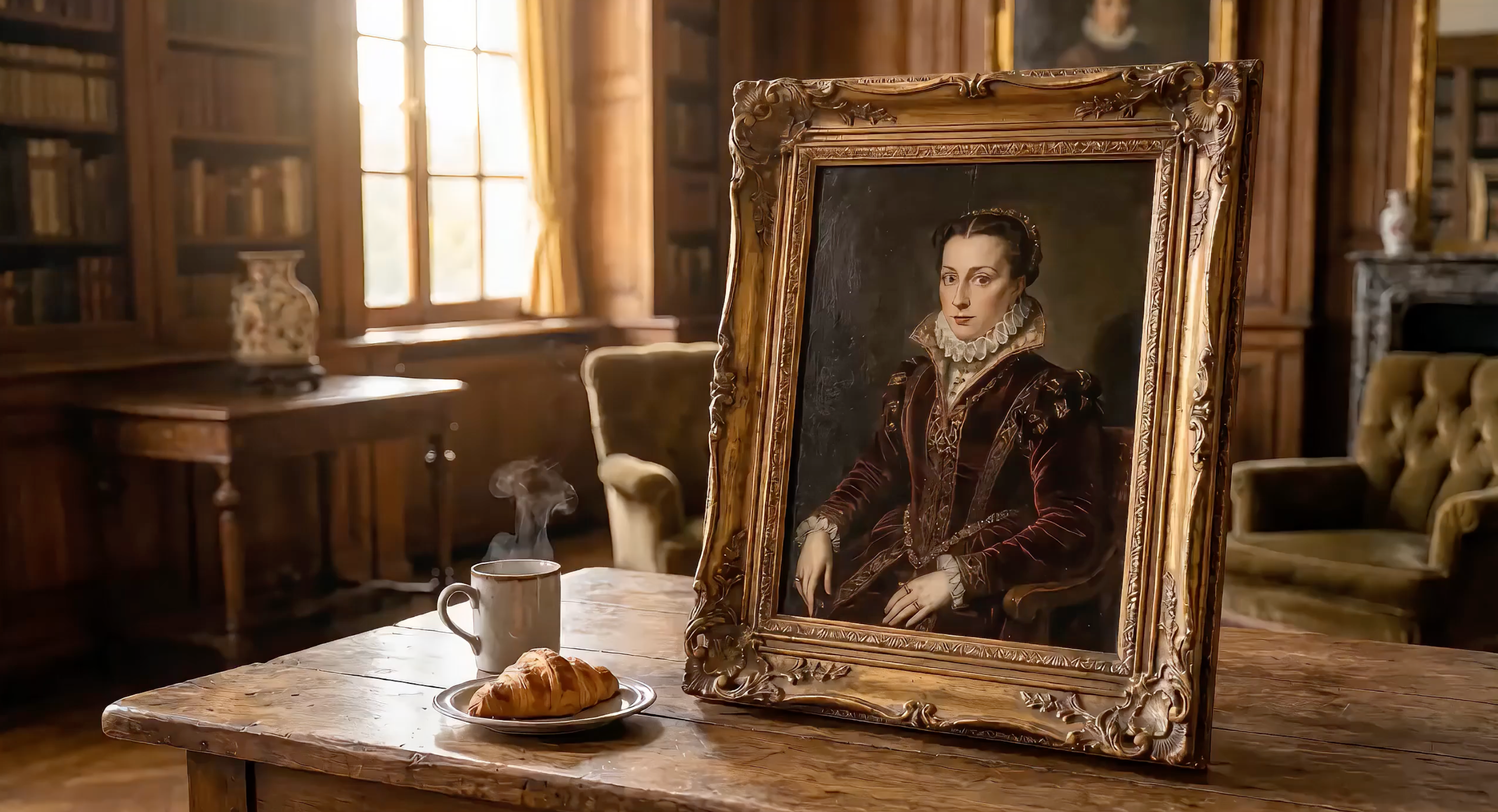
Seedance 2.0 accepts text, images, video clips, and audio files — all in a single prompt. The key to getting cinematic results lies in how you structure that prompt and reference your uploaded media with @Tags.
Built on ByteDance's Seed video foundation model, Seedance 2.0 is the most capable multimodal video generation model available via API.
This guide breaks down the Seedance 2.0 prompt formula, explains the @Tag reference system, and gives you 15+ copy-paste prompt templates with working Python API code.
Follow along with code examples: Get your free API key on EvoLink to run every snippet below.
The Seedance 2.0 Prompt Formula
Every effective Seedance prompt follows a five-part structure:
Subject + Action + Camera + Style + Constraints
| Component | What It Controls | Example |
|---|---|---|
| Subject | Who or what is on screen | "An astronaut in a white spacesuit on Mars" |
| Action | Movement and events | "Steps forward off the crater edge" |
| Camera | Angle, movement, lens | "Extreme wide shot, slow push-in to close-up" |
| Style | Visual aesthetic | "Sci-fi epic, IMAX 70mm, desaturated teal-orange palette" |
| Constraints | Duration, resolution, mood | "10 seconds, realistic dust physics, consistent spacesuit design" |
Why This Formula Works
Seedance 2.0 uses a dual-branch Diffusion Transformer architecture. One branch processes spatial information (what things look like), while the other handles temporal information (how things move over time). A well-structured prompt feeds both branches clearly.
Vague prompts like "a cool video of a car" force the model to guess spatial and temporal details. Structured prompts eliminate that guesswork.
For the complete API parameter reference, see the video generation docs.
Advanced: The Shot-Script Format
The five-part formula is a great starting point. But the highest-quality Seedance 2.0 outputs — the ones that go viral on social media — use a more powerful format: the shot script.
A shot script adds three layers on top of the basic formula:
- Timecodes — Break your video into 3–5 second segments with explicit
[00:00-00:05]markers - Shot language — Name each shot and its function: "Shot 1: The Scale (Extreme Wide Shot)"
- Style anchors + physics details — Anchor to a specific director/film style, and describe physical reactions instead of abstract concepts
Here's the structure:
【Style】Specific style anchor (director name / film style / art movement)
【Duration】Total length

[00:00-00:04] Shot 1: Shot Name (Camera Type).
Scene description with physical details.
Character action with specific body language.
Audio cue.

[00:04-00:07] Shot 2: Shot Name (Camera Type).
...

[00:07-00:10] Shot 3: Shot Name (Camera Type).
...

Consistency constraints. Physics requirements. Palette notes.
Basic Formula vs. Shot Script: Side-by-Side
Let's compare the same concept — an astronaut on Mars — written both ways:
Basic formula (good for beginners):
An astronaut in a white spacesuit stands at the edge of a Mars crater.
Red dust blows across the visor. Camera slowly pushes in to reveal
Earth reflected in the helmet. Sci-fi epic style, desaturated
teal-orange palette. 10 seconds.
Shot script (used by top creators):
【Style】Denis Villeneuve Sci-Fi Epic, IMAX 70mm, desaturated teal-orange palette.
【Duration】10 seconds

[00:00-00:04] Shot 1: The Scale (Extreme Wide Shot).
A lone astronaut in a white spacesuit stands at the edge of an enormous
crater on Mars. Red dust blows across the visor in gusts. The crater
stretches to the horizon — the scale of nature dwarfs the human figure
completely. Deep rumbling bass audio.

[00:04-00:07] Shot 2: The Discovery (Push-in to Close-up).
Camera slowly pushes from the wide shot into a tight close-up of the
astronaut's helmet visor. In the curved reflection, we see Earth — tiny,
blue, impossibly far away. The astronaut's breathing is audible.
Anamorphic lens flare streaks across the frame.

[00:07-00:10] Shot 3: The Decision (Low Angle, Static).
From below, the astronaut steps forward off the crater edge — a leap of
faith into the unknown. Dust particles float in slow motion around the
boots. Camera holds steady as the figure descends. Cut to black.

Consistent spacesuit design. Realistic Mars dust physics. Epic
orchestral audio swell on final shot.
Why the Shot Script Produces Better Results
The shot script outperforms the basic formula for three reasons:
- Temporal precision. Timecodes tell Seedance exactly when each action happens. Without them, the model distributes actions unpredictably across the duration.
- Narrative arc. Named shots force you to build a story: setup → discovery → payoff. The model generates more compelling motion when it understands the emotional progression.
- Physical grounding. Details like "dust particles float in slow motion around the boots" give the physics engine concrete constraints instead of vague aesthetics.
Top creators on the awesome-seedance community consistently use shot-script format for their best work — from racing scenes to art-style transformations. The pattern is clear: structured timecodes + specific style anchors = cinematic output.
We break down these camera techniques step-by-step in our camera movement replication guide.
Text-Only vs. Multimodal Prompts
A text-only prompt relies entirely on language to describe the scene:
A red sports car drifts around a mountain curve, tires smoking,
drone shot tracking from above, cinematic color grading, 10 seconds
A multimodal prompt combines text with uploaded references:
image 1 as first frame, car drifts around the curve following
video 1 camera path, audio 1 as engine sound, cinematic grading, 10 seconds
The multimodal version gives Seedance 2.0 exact visual anchors instead of relying on the model's interpretation of "red sports car."
Your First Seedance 2.0 Prompt — API Example
Here's a complete text-to-video generation call using the shot-script format:
import requests
import os
import time

API_KEY = os.environ.get("SEEDANCE_API_KEY")
BASE_URL = "https://api.evolink.ai/v1"

# Submit generation task
response = requests.post(
    f"{BASE_URL}/videos/generations",
    headers={"Authorization": f"Bearer {API_KEY}"},
    json={
        "model": "seedance-2.0-text-to-video",
        "prompt": (
            "【Style】Hollywood Professional Racing Movie, Cinematic Night, Rain.\n"
            "【Duration】10 seconds\n\n"
            "[00:00-00:03] Shot 1: The Veteran (Interior/Close-up).\n"
            "Rain hammers the windshield of a high-tech race car on a night track. "
            "Inside the cockpit, the veteran driver in a black helmet looks sideways "
            "at his rival. Dashboard instruments glow green on his visor.\n"
            "Dialogue Cue: He gives a subtle nod and mouths 'Let's go.'\n\n"
            "[00:03-00:06] Shot 2: The Challenger (Interior/Close-up).\n"
            "Cut to the rival car. A younger driver grips the steering wheel with "
            "white knuckles. Raindrops streak across the side window. Eyes wide with "
            "adrenaline through the visor slit.\n"
            "Dialogue Cue: He whispers 'Focus' to himself.\n\n"
            "[00:06-00:10] Shot 3: The Green Light (Wide Action Shot).\n"
            "Starting lights turn GREEN. Both cars launch forward in sync on gleaming "
            "wet asphalt. Massive water rooster tails spray behind them. Rain hits "
            "the camera lens. Motion blur turns stadium lights into long golden streaks.\n\n"
            "Consistent car designs. Realistic rain physics, water reflections. "
            "Tension-building audio."
        ),
        "duration": 10,
        "quality": "720p"
    }
)
task = response.json()
task_id = task["id"]

# Poll for result
while True:
    status = requests.get(
        f"{BASE_URL}/tasks/{task_id}",
        headers={"Authorization": f"Bearer {API_KEY}"}
    ).json()
    if status["status"] == "completed":
        print(f"Video ready: {status['results'][0]}")
        break
    elif status["status"] == "failed":
        print(f"Error: {status['error']}")
        break
    time.sleep(5)
This produces a 10-second, 720p video with native audio output. The shot script gives Seedance clear timecodes, camera directions, and physical details — resulting in a cinematic three-act racing sequence from a single text prompt.
New to the API? Start with the getting started guide for setup and authentication.
Note: All following code examples use the same setup. Copy the
import,API_KEY,BASE_URL, and polling logic from the example above. We show only the API call with the unique prompt and parameters.
The @Tag Reference System Explained
The @Tag system is what makes Seedance 2.0 prompts truly multimodal. When you upload files, each one gets an automatic tag based on its type and upload order.
Syntax Rules
- Images:
image 1,image 2, ...image 9(up to 9 images) - Videos:
video 1,video 2,video 3(up to 3 clips) - Audio:
audio 1,audio 2,audio 3(up to 3 files) - Reference limits: up to 9 images + 3 videos + 3 audio per request
Tags are assigned in upload order within each type. Your prompt text tells Seedance how to use each reference.
For a deep dive into every @tag pattern with 8+ real-world cases, see the complete @Tags guide.
5 Ways to Use Image References
| Usage | Prompt Syntax | What It Does |
|---|---|---|
| First frame | image 1 as first frame | Video starts from this exact image |
| Last frame | image 1 as last frame | Video ends at this image |
| Character appearance | image 1 as character reference | Preserves character look throughout |
| Scene environment | image 1 as background environment | Uses image as scene setting |
| Style / aesthetic | image 1 as style reference | Matches color palette, texture, mood |
4 Ways to Use Video References
| Usage | Prompt Syntax | What It Does |
|---|---|---|
| Camera replication | follow video 1 camera movement | Copies pan, tilt, zoom pattern |
| Motion imitation | character moves like video 1 | Transfers body motion / choreography |
| Effect replication | apply video 1 transition effects | Matches visual effects and transitions |
| Rhythm reference | match video 1 pacing and cuts | Syncs timing and scene rhythm |
3 Ways to Use Audio References
| Usage | Prompt Syntax | What It Does |
|---|---|---|
| Background music | audio 1 as background soundtrack | Sets mood with uploaded music |
| Sound effects | audio 1 as ambient sound | Adds specific sound effects |
| Voice style | audio 1 as voice style reference | Matches vocal tone and cadence |
Optimal File Allocation Strategy
With a 12-file limit, here's how to distribute references for different use cases:
| Use Case | Images | Videos | Audio | Total |
|---|---|---|---|---|
| Product commercial | 4 (product angles) | 1 (camera ref) | 1 (music) | 6 |
| Character animation | 3 (character + scene) | 2 (motion ref) | 1 (music) | 6 |
| Music video | 2 (style + character) | 2 (dance ref) | 3 (tracks) | 7 |
| Multi-shot narrative | 6 (scene keyframes) | 1 (style ref) | 1 (music) | 8 |
| Maximum quality single shot | 9 (all angles) | 0 | 3 (audio layers) | 12 |
Tip: You rarely need all 12 slots. Fewer, higher-quality references usually outperform many low-quality ones.
15+ Ready-to-Use Seedance Prompt Templates
Text-to-Video Prompt Templates
T1: Multi-Character Dialogue Short Film
Description: Two animated characters with distinct vocal personalities engage in dynamic conversation, showcasing voice acting capabilities — now in shot-script format.
# T1: Multi-Character Dialogue — uses setup from first example above
response = requests.post(
    f"{BASE_URL}/videos/generations",
    headers={"Authorization": f"Bearer {API_KEY}"},
    json={
        "model": "seedance-2.0-text-to-video",
        "prompt": (
            "【Style】Pixar-quality 3D animation, warm color palette, expressive character acting.\n"
            "【Duration】12 seconds\n\n"
            "[00:00-00:04] Shot 1: The Philosopher (Medium Close-up).\n"
            "A wise old cat in round spectacles sits at a cozy cafe table, paws wrapped "
            "around a tiny porcelain cup. Steam curls upward. The cat speaks in a calm, "
            "measured tone: 'Experience teaches patience, young friend.' Warm afternoon "
            "light through the cafe window. Subtle ear twitch.\n\n"
            "[00:04-00:08] Shot 2: The Adventurer (Medium Close-up, Reverse Shot).\n"
            "Cut to the opposite side of the table. An energetic young golden retriever "
            "bounces in his seat, tail wagging visibly behind the chair. He leans forward "
            "with wide eyes and responds: 'But adventure awaits right now!' His paws "
            "gesture wildly, nearly knocking over a pastry plate.\n\n"
            "[00:08-00:12] Shot 3: The Punchline (Wide Two-Shot).\n"
            "Camera pulls back to show both at the table. The cat calmly catches the "
            "falling pastry with one paw without looking — places it back. The dog's jaw "
            "drops in amazement. Beat of silence. Both burst into laughter.\n\n"
            "Consistent character designs throughout. Distinct vocal timbres per character. "
            "Warm cafe lighting with bokeh background."
        ),
        "duration": 12,
        "quality": "720p"
    }
)
# Poll with the same while loop from the first example
T2: Style Transformation — Living Van Gogh Painting
Description: Transforms a classic post-impressionist scene into a breathing, moving world — demonstrating precise artistic style control through prompt engineering.
# T2: Style Transformation — uses setup from first example above
response = requests.post(
    f"{BASE_URL}/videos/generations",
    headers={"Authorization": f"Bearer {API_KEY}"},
    json={
        "model": "seedance-2.0-text-to-video",
        "prompt": (
            "【Style】Van Gogh Post-Impressionism, thick impasto oil paint texture, "
            "swirling brushstrokes, dreamy high-saturation.\n"
            "【Duration】10 seconds\n\n"
            "[00:00-00:04] Shot 1: The Living Sky (Wide Shot, Slow Pan Up).\n"
            "A young woman in a flowing blue dress stands in a sunlit village square. "
            "Behind her, cobblestone streets and rustic cottages are painted with thick, "
            "visible brushstrokes. The entire sky swirls with golden celestial bodies "
            "and flowing paint. Everything moves — the sky itself breathes.\n\n"
            "[00:04-00:07] Shot 2: The Portrait Focus (Medium Shot, Slow Pan Down).\n"
            "Camera pushes in closer to the woman's face. Her features are rendered "
            "in Van Gogh's distinctive style — bold brushstrokes define her cheekbones "
            "and flowing hair. The village behind her shifts with painted texture, "
            "windows glowing with warm yellow-orange light.\n\n"
            "[00:07-00:10] Shot 3: The Immersion (Tracking Shot, Moving Into the Painting).\n"
            "Camera slowly pushes forward deeper into the painted world. We move past "
            "the woman, through the village streets. Paint texture becomes visible at "
            "close range. The entire world is alive with flowing brushstrokes.\n\n"
            "Pure Van Gogh aesthetic throughout. No photorealism. Every surface is visible "
            "oil paint. Blue-yellow-orange palette dominant."
        ),
        "duration": 10,
        "quality": "720p"
    }
)
# Poll with the same while loop from the first example
T3: Emotional Expression — Anime Character Performance
Description: An anime-style character reading a letter with detailed emotional expression changes, demonstrating how text-only prompts can create nuanced character acting.
# T3: Emotional Expression — uses setup from first example above
response = requests.post(
    f"{BASE_URL}/videos/generations",
    headers={"Authorization": f"Bearer {API_KEY}"},
    json={
        "model": "seedance-2.0-text-to-video",
        "prompt": (
            "【Style】High-quality anime, Studio Ghibli-inspired character animation, "
            "detailed facial expressions.\n"
            "【Duration】12 seconds\n\n"
            "[00:00-00:04] Shot 1: The Letter Arrives (Medium Close-up).\n"
            "A young anime girl with long black hair sits by a sunlit window. She holds "
            "an unopened envelope with both hands, turning it over carefully. Her eyes "
            "show curiosity mixed with anticipation. Soft morning light illuminates her face.\n\n"
            "[00:04-00:08] Shot 2: The Reading (Close-up on Face).\n"
            "Camera pushes closer as she opens the letter and begins reading. Her "
            "expression changes dramatically — eyes widening with surprise, then a slow "
            "smile spreading across her face. Her lips part slightly as if to gasp. "
            "Every micro-expression is clearly animated.\n\n"
            "[00:08-00:12] Shot 3: The Joy (Medium Shot, Slight Pull Back).\n"
            "She clutches the letter to her chest and closes her eyes with pure happiness. "
            "A single tear of joy rolls down her cheek. Cherry blossom petals drift past "
            "the window behind her. Camera holds on her peaceful, radiant expression.\n\n"
            "Consistent anime character design. Detailed emotional facial animation. "
            "Natural lighting transitions."
        ),
        "duration": 12,
        "quality": "720p"
    }
)
# Poll with the same while loop from the first example
Image-to-Video Prompt Templates
I1: Product Commercial — Premium Headphones
Description: Transform a product photo into a premium commercial with dynamic color showcase and studio-quality lighting, using image 1 as the first frame. For more product video workflows including batch generation, see our image-to-video tutorial.
# I1: Product Commercial — uses setup from first example above
response = requests.post(
    f"{BASE_URL}/videos/generations",
    headers={"Authorization": f"Bearer {API_KEY}"},
    json={
        "model": "seedance-2.0-image-to-video",
        "prompt": (
            "image 1 as first frame.\n"
            "【Style】Premium product keynote, clean minimal aesthetic, commercial photography.\n"
            "【Duration】15 seconds\n\n"
            "[00:00-00:02] Rapid four-frame flash cuts — black, blue, white, rose gold "
            "headphones appear one by one in stylized freeze frames. Close-up on metallic "
            "texture and premium finish. Voiceover: 'Sound that moves you.'\n\n"
            "[00:02-00:06] Extreme close-up of the headphone hinge mechanism unfolding. "
            "Precision engineering visible in slow motion. Studio lighting creates elegant "
            "highlights on the metal surface.\n\n"
            "[00:06-00:12] Quick-cut lifestyle montage. Urban professional commuting, "
            "artist in creative studio, athlete training — each wearing different colored "
            "headphones that match their aesthetic.\n\n"
            "[00:12-00:15] All four headphones lined up on minimal white pedestal. Brand "
            "text 'SoundPro Hear Everything' elegantly fades in at the bottom.\n\n"
            "Maintain exact product proportions and details from image 1. Commercial-grade "
            "lighting. Clean, premium aesthetic throughout."
        ),
        "image_urls": ["https://example.com/premium_headphones.jpg"],
        "duration": 15,
        "quality": "720p"
    }
)
# Poll with the same while loop from the first example
I2: Character Animation — Painted Lady's Coffee Adventure
Description: Brings a painted character to life in an enchanting coffee-stealing scene, demonstrating how image 1 preserves character appearance across magical narrative moments.
# I2: Character Animation — uses setup from first example above
response = requests.post(
    f"{BASE_URL}/videos/generations",
    headers={"Authorization": f"Bearer {API_KEY}"},
    json={
        "model": "seedance-2.0-image-to-video",
        "prompt": (
            "image 1 as character reference.\n"
            "【Style】Cinematic realism with magical elements, warm practical lighting.\n"
            "【Duration】15 seconds\n\n"
            "[00:00-00:04] Shot 1: The Awakening (Medium Shot on Canvas).\n"
            "The painted noblewoman suddenly comes alive inside the canvas. Her eyes dart "
            "left and right nervously. Her painted hand animates and pushes forward through "
            "the surface of the painting, reaching out from inside the canvas to grab a coffee "
            "cup sitting on the table in front of the frame.\n\n"
            "[00:04-00:08] Shot 2: The Secret Sip (Close-up on Face and Hands).\n"
            "She takes a quick sip and shows a deeply satisfied expression. Her eyes close "
            "with pleasure as she savors the taste. Steam from the hot coffee catches the "
            "gallery lighting.\n\n"
            "[00:08-00:12] Shot 3: The Panic (Wide Shot, Quick Action).\n"
            "Suddenly footsteps approach — she panics and quickly puts the coffee back. "
            "A butler-like figure walks in, picks up the coffee from the table, and leaves. "
            "The woman freezes back into painting pose.\n\n"
            "[00:12-00:15] Shot 4: The Finale (Push-in to Product Shot).\n"
            "Camera pushes forward as the scene fades to a pure black background with a "
            "single spotlight illuminating the coffee cup. Elegant text appears at the "
            "bottom: 'Good coffee is worth the wait.'\n\n"
            "Maintain image 1 character appearance exactly. Seamless transitions between "
            "painted and living states. Realistic coffee physics."
        ),
        "image_urls": ["https://example.com/painted_noblewoman.jpg"],
        "duration": 15,
        "quality": "720p"
    }
)
# Poll with the same while loop from the first example
I3: Style Transfer — Realistic to Ink Wash Painting
Description: Transforms a realistic landscape photograph into a living traditional Chinese ink wash painting (水墨画), demonstrating style transfer with image 1 as scene composition reference.
# I3: Style Transfer — uses setup from first example above
response = requests.post(
    f"{BASE_URL}/videos/generations",
    headers={"Authorization": f"Bearer {API_KEY}"},
    json={
        "model": "seedance-2.0-image-to-video",
        "prompt": (
            "image 1 as scene composition reference.\n"
            "【Style】Traditional Chinese ink wash painting (水墨画), monochrome with faint indigo, meditative.\n"
            "【Duration】12 seconds\n\n"
            "[00:00-00:04] Shot 1: The Transformation Begins (Wide, Static).\n"
            "The photorealistic landscape slowly dissolves into flowing black ink. Mountain "
            "peaks render as bold wet brushstrokes on rice paper texture. Realistic details "
            "fade as traditional ink wash aesthetics take over.\n\n"
            "[00:04-00:08] Shot 2: Life Emerges in Ink (Medium Shot, Slow Pan Right).\n"
            "Mist begins drifting between the valleys — visible as diluted ink wash spreading "
            "on wet paper. A crane takes flight from behind a mountain, leaving elegant ink "
            "trails across the sky. Water effects spread ink at mountain bases.\n\n"
            "[00:08-00:12] Shot 3: Completion (Wide, Slow Zoom Out).\n"
            "Camera slowly pulls back to reveal the entire scene as a traditional scroll "
            "painting being unrolled on a wooden desk. An unseen hand dips a brush in ink "
            "at the edge of frame. The painting breathes — clouds still drift, crane still flies.\n\n"
            "Visible rice paper texture and authentic brushstroke quality throughout. "
            "No photorealism. Pure traditional ink wash aesthetic."
        ),
        "image_urls": ["https://example.com/realistic_landscape.jpg"],
        "duration": 12,
        "quality": "720p"
    }
)
# Poll with the same while loop from the first example
I4: Multi-Image One-Shot Narrative — Urban Parkour
Description: Seamlessly connects multiple location images into one continuous tracking shot of a parkour runner, creating an epic urban journey using shot-script format for precise timing. This technique builds on the camera movement replication patterns.
# I4: Multi-Image One-Shot Narrative — uses setup from first example above
response = requests.post(
    f"{BASE_URL}/videos/generations",
    headers={"Authorization": f"Bearer {API_KEY}"},
    json={
        "model": "seedance-2.0-reference-to-video",
        "prompt": (
            "image 1 image 2 image 3 image 4 image 5 seamless one-shot tracking camera "
            "following a parkour runner sprinting through city streets leaping up staircases "
            "crossing a pedestrian bridge vaulting onto rooftops finally standing at the "
            "rooftop edge overlooking the entire city skyline. Golden sunset light fills "
            "the frame. Dynamic powerful full of freedom and energy.\n"
            "【Style】Cinematic action sports, dynamic tracking shot, golden hour lighting.\n"
            "【Duration】15 seconds\n\n"
            "[00:00-00:03] Urban Sprint (image 1 as environment).\n"
            "Tracking camera follows a parkour athlete in athletic gear sprinting at full "
            "speed through busy city streets. Low angle emphasizes power and speed. "
            "Pedestrians blur past. Urban architecture creates dynamic leading lines.\n\n"
            "[00:03-00:06] Staircase Vault (image 2 as environment).\n"
            "Runner leaps up a concrete staircase in a single fluid motion — camera follows "
            "the arc of movement. Each step is a launching pad. Concrete textures and "
            "architectural details sharp in focus.\n\n"
            "[00:06-00:09] Bridge Crossing (image 3 as environment).\n"
            "Athlete vaults over the pedestrian bridge railing and lands on the walkway. "
            "Camera maintains tracking speed. City traffic flows below. Wind catches "
            "the runner's clothing.\n\n"
            "[00:09-00:12] Rooftop Ascent (image 4 as environment).\n"
            "A powerful jump and climb sequence onto building rooftops. Camera cranes up "
            "to follow the vertical movement. Urban landscape spreads out below.\n\n"
            "[00:12-00:15] Victory Moment (image 5 as environment).\n"
            "Runner stands at the rooftop edge overlooking the entire city skyline. "
            "Golden sunset light silhouettes the figure. Camera slowly pulls back to "
            "reveal the epic scale of the journey completed.\n\n"
            "Consistent runner character (same outfit, build, movement style) across all scenes. "
            "Realistic parkour physics. Golden hour lighting throughout."
        ),
        "image_urls": [
            "https://example.com/city_street.jpg",
            "https://example.com/staircase.jpg",
            "https://example.com/pedestrian_bridge.jpg",
            "https://example.com/rooftop_building.jpg",
            "https://example.com/city_skyline.jpg"
        ],
        "duration": 15,
        "quality": "720p"
    }
)
# Poll with the same while loop from the first example
Multimodal @Tag Templates
M1: Advanced Camera Movement Replication — Crystal Dungeon Exploration
Description: Precisely replicates complex camera movements from a reference video while applying them to completely new fantasy content with multiple image references. Learn the full camera replication workflow in our dedicated camera movement guide.
# M1: Camera Movement Replication — uses setup from first example above
response = requests.post(
    f"{BASE_URL}/videos/generations",
    headers={"Authorization": f"Bearer {API_KEY}"},
    json={
        "model": "seedance-2.0-reference-to-video",
        "prompt": (
            "Use image 1 as the opening first frame. First-person POV perspective. "
            "Reference video 1 camera movement style exactly. The scene above references "
            "image 2, the left scene references image 3, the right scene references image 4. "
            "A hand holds a glowing magic lantern, exploring an ancient dungeon. Firelight "
            "flickers across stone walls, casting dancing shadows.\n"
            "【Style】Fantasy adventure, realistic lighting, atmospheric.\n"
            "【Duration】9 seconds\n\n"
            "[00:00-00:03] Entrance Discovery.\n"
            "First-person view entering the dungeon. The magical lantern illuminates ancient "
            "stone architecture. Camera follows video 1 movement pattern — smooth forward "
            "motion with subtle tilts to examine details.\n\n"
            "[00:03-00:06] Chamber Exploration.\n"
            "Camera pans upward to reveal image 2 crystal formations on the ceiling, "
            "then tilts left toward image 3 dark passage, creating suspense. Lantern "
            "light creates dynamic shadows on dungeon walls.\n\n"
            "[00:06-00:09] Final Discovery.\n"
            "Camera turns right to reveal image 4 hidden chamber with treasure. "
            "Replicate video 1 final movement — slow push-in with slight upward tilt. "
            "Golden light from treasures mingles with lantern glow.\n\n"
            "Maintain exact video 1 camera timing and movement speed. Realistic fire physics "
            "and shadow casting. Atmospheric dungeon ambiance."
        ),
        "image_urls": [
            "https://example.com/dungeon_entrance.png",
            "https://example.com/crystal_ceiling.png",
            "https://example.com/left_passage.png",
            "https://example.com/right_chamber.png"
        ],
        "video_urls": ["https://example.com/camera_movement_ref.mp4"],
        "duration": 9,
        "quality": "720p"
    }
)
# Poll with the same while loop from the first example
M2: Character + Camera Movement Sync — Stage Dance Performance
Description: Combines character reference from an image with camera movement and dance choreography from video reference, creating synchronized performance art.
# M2: Character + Camera Sync — uses setup from first example above
response = requests.post(
    f"{BASE_URL}/videos/generations",
    headers={"Authorization": f"Bearer {API_KEY}"},
    json={
        "model": "seedance-2.0-reference-to-video",
        "prompt": (
            "image 1 dancer as the main subject. Reference video 1 camera movement style "
            "rhythmic push-pull pan and tilt movements. The dancer choreography also "
            "references video 1 dance moves. Performing energetically on a colorful "
            "LED-lit stage. Spotlights shift colors in sync with the rhythm.\n"
            "【Style】Concert performance, dynamic stage lighting, high energy.\n"
            "【Duration】12 seconds\n\n"
            "[00:00-00:04] Opening Sequence.\n"
            "Camera starts wide showing image 1 dancer center stage. LED lights pulse "
            "in blue and purple. Dancer begins with video 1 opening choreography — "
            "fluid arm movements and spins. Camera matches video 1 initial push-in timing.\n\n"
            "[00:04-00:08] Dynamic Performance.\n"
            "Camera follows video 1 rhythmic push-pull pattern as dancer performs high-energy "
            "moves. Stage lights shift to warm orange and pink. Smoke effects catch the "
            "colored lighting, creating atmospheric depth.\n\n"
            "[00:08-00:12] Finale Moment.\n"
            "Camera matches video 1 final tilt movement as dancer strikes a powerful "
            "finishing pose. All stage lights converge into a brilliant white spotlight. "
            "Sparkle effects cascade down around the performer.\n\n"
            "Maintain image 1 character appearance exactly. Synchronized camera and "
            "choreography timing from video 1. Professional stage lighting effects."
        ),
        "image_urls": ["https://example.com/stage_dancer.png"],
        "video_urls": ["https://example.com/dance_movement_ref.mp4"],
        "duration": 12,
        "quality": "720p"
    }
)
# Poll with the same while loop from the first example
M3: Chase Scene — Mysterious Figure in Red Coat
Description: Creates an intense chase sequence through urban streets with a mysterious figure in a red coat, demonstrating thriller cinematography and dramatic tension building.
# M3: Chase Scene — uses setup from first example above
response = requests.post(
    f"{BASE_URL}/videos/generations",
    headers={"Authorization": f"Bearer {API_KEY}"},
    json={
        "model": "seedance-2.0-image-to-video",
        "prompt": (
            "image 1 as character reference — mysterious figure in distinctive red coat.\n"
            "【Style】Thriller cinematography, urban chase scene, dramatic shadows, high contrast.\n"
            "【Duration】12 seconds\n\n"
            "[00:00-00:04] Shot 1: The Pursuit Begins (Wide Shot, Tracking).\n"
            "The red-coated figure sprints through narrow city alleyways at night. "
            "Streetlights cast long dramatic shadows. Camera tracks from behind — we "
            "see only the billowing red coat and rapid footsteps on wet pavement. "
            "Tension-building audio undertones.\n\n"
            "[00:04-00:08] Shot 2: Urban Obstacles (Medium Shot, Side Tracking).\n"
            "Figure vaults over parked cars and dodges between concrete pillars. Camera "
            "follows from the side, maintaining speed. Red coat stands out against the "
            "monochrome urban environment. Breathing is audible and labored.\n\n"
            "[00:08-00:12] Shot 3: The Escape (Low Angle, Wide Shot).\n"
            "Figure reaches a fire escape and begins climbing rapidly upward. Camera "
            "tilts up from below — dramatic low angle emphasizes the vertical escape. "
            "Red coat flutters in the wind. City lights twinkle in the background as "
            "the figure disappears into the night.\n\n"
            "Maintain image 1 character appearance — especially the distinctive red coat. "
            "Realistic chase physics. High-contrast noir lighting. Mysterious identity "
            "preserved throughout."
        ),
        "image_urls": ["https://example.com/red_coat_figure.jpg"],
        "duration": 12,
        "quality": "720p"
    }
)
# Poll with the same while loop from the first example
Bonus: Street Crowd Chase Scene
Description: An additional example showing a crowd running scene, perfect for action sequences requiring multiple characters and urban energy.
# Bonus: Street Crowd Chase — uses setup from first example above
response = requests.post(
    f"{BASE_URL}/videos/generations",
    headers={"Authorization": f"Bearer {API_KEY}"},
    json={
        "model": "seedance-2.0-image-to-video",
        "prompt": (
            "image 1 as scene reference for crowd composition and urban environment.\n"
            "【Style】Action thriller, handheld camera, urgent pacing, realistic movement.\n"
            "【Duration】8 seconds\n\n"
            "[00:00-00:03] Mass Movement Begins.\n"
            "A crowd of people suddenly breaks into a run down a busy street. Camera "
            "is handheld, in the middle of the action. Multiple individuals in different "
            "clothing all moving in the same direction with urgent purpose.\n\n"
            "[00:03-00:06] Chaos and Urgency.\n"
            "Camera weaves through the running crowd. Close-ups on determined faces, "
            "flying hair, scattered personal items. People help each other maintain "
            "pace. Urban storefronts blur past in the background.\n\n"
            "[00:06-00:08] Dispersal.\n"
            "The crowd reaches an intersection and scatters in different directions. "
            "Camera tilts up to show the scope of the mass movement from a high angle "
            "as people disappear down various streets.\n\n"
            "Realistic crowd physics and natural human movement. Handheld camera shake "
            "for authenticity. Urban street environment based on image 1."
        ),
        "image_urls": ["https://example.com/street_crowd.jpg"],
        "duration": 8,
        "quality": "720p"
    }
)
# Poll with the same while loop from the first example
Video Extension Templates
E1: Forward Extension with Brand Finale
Description: Extends an existing video by adding new scenes and a professional brand conclusion with logo and tagline.
# E1: Forward Extension — uses setup from first example above
response = requests.post(
    f"{BASE_URL}/videos/generations",
    headers={"Authorization": f"Bearer {API_KEY}"},
    json={
        "model": "seedance-2.0-reference-to-video",
        "prompt": (
            "Extend video 1 forward with 8 additional seconds.\n"
            "【Style】Match video 1 style exactly.\n"
            "【Duration】8 seconds extension\n\n"
            "Continue the existing narrative: if it ends with product showcase, add lifestyle usage scene. "
            "Show the product being used in natural environment with satisfied users. "
            "Final 2 seconds: elegant brand logo animation with company tagline appearing below. "
            "Maintain consistent lighting and color grading throughout. "
            "Smooth transition from original content to extension."
        ),
        "video_urls": ["https://example.com/existing_video.mp4"],
        "duration": 8,
        "quality": "720p"
    }
)
# Poll with the same while loop from the first example
E2: Backward Extension with Backstory
Description: Adds context and setup before the existing video content, creating a more complete narrative.
# E2: Backward Extension — uses setup from first example above
response = requests.post(
    f"{BASE_URL}/videos/generations",
    headers={"Authorization": f"Bearer {API_KEY}"},
    json={
        "model": "seedance-2.0-reference-to-video",
        "prompt": (
            "Create 6 seconds of backstory before video 1 begins.\n"
            "【Style】Match video 1 visual style exactly.\n"
            "【Duration】6 seconds extension\n\n"
            "If video 1 shows action, show the calm setup or preparation moment. "
            "If video 1 shows a reveal, show the mystery or anticipation beforehand. "
            "Match the visual style, lighting, and character appearances exactly. "
            "Create narrative tension that builds toward the existing video's opening moment. "
            "Seamless transition into original content."
        ),
        "video_urls": ["https://example.com/main_video.mp4"],
        "duration": 6,
        "quality": "720p"
    }
)
# Poll with the same while loop from the first example
Run these advanced templates with your EvoLink API key. Sign up free →
Common Seedance Prompt Mistakes and How to Fix Them
| # | Mistake | Why It Fails | Fix |
|---|---|---|---|
| 1 | Too vague — "A nice video of a dog" | Model guesses breed, action, camera, style | "A golden retriever catches a frisbee mid-air, slow-motion side angle, park setting, sunny" |
| 2 | Wrong @tag numbering — Using image 3 when only 2 images uploaded | Tag references a non-existent file; generation fails or ignores it | Double-check upload order; tags start at 1 and increment per type |
| 3 | Missing constraints — No duration or resolution specified | Model defaults may not match your needs | Always specify duration and resolution in both prompt text and API parameters |
| 4 | Conflicting modalities — Image shows daytime, prompt says "dark night scene" | Model gets mixed signals, produces inconsistent lighting | Align prompt descriptions with reference content |
| 5 | Overloaded prompt — 200+ words describing every micro-detail | Model prioritizes poorly; key instructions get diluted | Keep prompts under 150 words; use references for visual details instead of text |
| 6 | No camera direction — Prompt describes scene but not how camera moves | Static or randomly moving output | Add explicit camera instruction: "slow dolly-in" or "static wide shot" |
| 7 | Realistic face uploads — Uploading real human face photos | Blocked by compliance filters; request rejected | Use illustrated, stylized, or non-photorealistic character references |
| 8 | Exceeding file limits — Uploading 10 images | Max is 9 images; request rejected | Stay within limits: ≤9 images, ≤3 videos, ≤3 audio |
| 9 | No style anchor — Using generic "cinematic" instead of a specific reference | Output looks generic and unfocused | Anchor to a specific director, film, or art style: "Denis Villeneuve sci-fi epic" or "Van Gogh post-impressionism" |
| 10 | No timecodes — Writing prose instead of structured shot scripts | Actions distributed unpredictably across the duration | Use [00:00-00:05] timecodes to control exactly when each action happens |
For detailed error handling patterns and retry logic, see the API documentation.
Prompt Engineering Best Practices for API Developers
Templatize Prompts for Batch Generation
When generating videos at scale, define reusable prompt templates with variables:
PRODUCT_TEMPLATE = (
    "image 1 as first frame.\n"
    "【Style】{style}\n"
    "【Duration】{duration} seconds\n\n"
    "[00:00-00:03] Product slowly begins rotating clockwise. "
    "{lighting_description}. Every texture detail remains razor-sharp.\n\n"
    "[00:03-00:06] Rotation continues to 180 degrees. Camera subtly lowers angle "
    "to reveal the product's profile.\n\n"
    "[00:06-{end_tc}] Rotation slows to a stop at the most photogenic angle. "
    "Clean, minimal, premium.\n\n"
    "Maintain exact product proportions from image 1. {background}. Commercial-grade lighting."
)

# Generate multiple product videos
products = [
    {"style": "Clean white infinity cove, premium commercial",
     "duration": 8, "end_tc": "00:08",
     "lighting_description": "Soft studio lighting creates a gentle gradient",
     "background": "White background throughout"},
    {"style": "Warm wooden surface, artisan craft aesthetic",
     "duration": 10, "end_tc": "00:10",
     "lighting_description": "Warm golden spotlight from above",
     "background": "Natural wood grain texture visible"},
]

for product in products:
    prompt = PRODUCT_TEMPLATE.format(**product)
    # Submit to API using the prompt...
This approach keeps prompts consistent and makes A/B testing straightforward.
Use the Shot-Script Format for Complex Scenes
For any video longer than 5 seconds or involving multiple actions, use the shot-script format:
- Declare style and duration at the top with
【Style】and【Duration】 - Break into 3–5 second segments with
[00:00-00:05]timecodes - Name each shot with its function: "Shot 1: The Reveal"
- Add physics details — describe what physically happens (water splashes, dust rises) not abstract concepts
- End with constraints — consistency rules, palette notes, physics requirements
Maintain Character Consistency Across Generations
To keep the same character across multiple videos:
- Use the same reference image in every request via
image 1 as character reference - Include explicit appearance descriptors in the prompt — "same red jacket, short black hair" — even when using an image reference
- Generate sequentially and use the last frame of video N as the first frame image for video N+1
We cover advanced multi-shot consistency patterns — including batch generation and character locking — in the image-to-video guide.
Optimize Costs
Video references increase generation cost compared to text-only or image-only prompts. Use this decision tree:
- Text-only — cheapest; use when you need generic scenes or have no reference material
- Image references — moderate cost; use for character/scene consistency
- Video references — highest cost; use only when you specifically need camera replication or motion transfer
Exact pricing varies by resolution and duration. Check EvoLink pricing for current rates (as of Feb 2026).
Version-Control Your Prompts
Treat prompts like code. Store them in version control with metadata:
PROMPT_REGISTRY = {
    "product_hero_v3": {
        "version": "3.0",
        "prompt": "【Style】Clean white infinity cove...",
        "model": "seedance-2.0-text-to-video",
        "duration": 10,
        "test_results": {"ctr": 0.24, "conversion": 0.087},
        "created": "2026-02-19"
    }
}
This enables prompt A/B testing and rollback to previous versions if needed.
Handle Generation Failures Gracefully
Not every prompt succeeds. Build retry logic with exponential backoff:
import time
import random

def generate_with_retry(prompt_data, max_retries=3):
    for attempt in range(max_retries):
        try:
            response = requests.post(f"{BASE_URL}/videos/generations",
                                   json=prompt_data, headers=headers)
            if response.status_code == 200:
                return response.json()
        except Exception as e:
            if attempt == max_retries - 1:
                raise e
            time.sleep(2 ** attempt + random.uniform(0, 1))
    return None
Common failure modes:
- Content policy violations — often caused by realistic human faces
- Resource exhaustion — retry after a longer delay
- Invalid @tag references — check file upload order
Advanced Techniques for Pro Users
Chaining Multiple Generations
Create longer narratives by using the last frame of one video as the first frame of the next:
# Step 1: Generate opening scene
scene1_result = generate_video({
    "prompt": "A detective enters a dark office...",
    "duration": 8
})

# Step 2: Extract last frame and use as first frame for scene 2
last_frame = extract_frame(scene1_result["video_url"], timestamp=-1)

scene2_result = generate_video({
    "files": [("references", last_frame)],
    "prompt": "image 1 as first frame. The detective discovers a clue...",
    "duration": 10
})
Dynamic Prompt Generation
Use AI to generate variations of successful prompts:
def generate_prompt_variations(base_prompt, num_variations=3):
    variations = []
    for i in range(num_variations):
        # Use OpenAI/Claude to generate stylistic variations
        variation = ai_rephrase(base_prompt, style=f"variation_{i}")
        variations.append(variation)
    return variations

# Test multiple versions for A/B optimization
base = "【Style】Cinematic product showcase..."
for variation in generate_prompt_variations(base):
    result = generate_video({"prompt": variation})
    # Track performance metrics...
Automated Quality Assessment
Score generated videos automatically before manual review:
def assess_video_quality(video_url):
    scores = {}

    # Motion smoothness (analyze frame-to-frame changes)
    scores["motion"] = calculate_motion_smoothness(video_url)

    # Visual consistency (check for flickering/artifacts)
    scores["consistency"] = detect_visual_artifacts(video_url)

    # Prompt adherence (use CLIP to compare with text description)
    scores["adherence"] = measure_prompt_alignment(video_url, prompt)

    return scores

# Only proceed with high-quality generations
result = generate_video(prompt_data)
if assess_video_quality(result["video_url"])["overall"] > 0.8:
    publish_video(result["video_url"])
Frequently Asked Questions
What's the difference between Seedance 1.0 and 2.0?
Seedance 2.0 introduces multimodal input (@tag references), longer generation support (4 to 15 seconds), and significantly improved temporal consistency. The prompt structure remains similar, but 2.0 handles complex scenes much better.
Why do my @tag references sometimes get ignored?
Common causes:
- Wrong numbering —
image 3when you only uploaded 2 images - File type mismatch — referencing
audio 1when you uploaded an image - Conflicting instructions — asking for "dark night scene" with a bright daytime image
- Upload order confusion — tags are assigned by upload order within each type
How do I maintain character consistency across multiple videos?
- Use the exact same reference image in every generation
- Include explicit character descriptors in text ("same blue jacket, shoulder-length brown hair")
- Use the last frame of video N as the first frame of video N+1
- Keep character descriptions identical across prompts
Can I modify an existing video?
Yes! Upload your existing video via video_urls and use video 1 references in the prompt to edit it — replace characters, modify scenes, extend duration, or change the storyline.
However, you can also:
- Use video 1 to reference the original and describe your edits in the prompt
- Upload reference images via image_urls to replace characters or add elements
- Use extension prompts to add content before or after the original video
See our multimodal reference docs for the full editing parameter spec.
What's the maximum video length?
Seedance 2.0 supports 4 to 15 seconds per generation. For longer content beyond the 15-second limit, consider:
- Breaking into multiple scenes and chaining them
- Using shot-script format with clear timecodes
- Focusing on single concepts per generation
How do I avoid content policy violations?
- Don't upload realistic human face photos
- Avoid copyrighted characters or celebrities
- Use illustrated/stylized character references instead of photos
- Focus on original concepts rather than recreating existing media
Why do some prompts cost more than others?
Generation cost factors:
- Duration — longer videos cost more
- Resolution — 720p costs more than 480p (Seedance 2.0 API supports 480p, 720p, 1080p, and 4k)
- Number of references — video refs cost more than image refs
- Complexity — multi-character scenes may use more compute
How do I get the best results from shot-script format?
- Keep each shot segment to 3-5 seconds maximum
- Use specific style anchors ("Christopher Nolan thriller" vs "cinematic")
- Describe physical actions, not abstract concepts
- Include camera movement instructions for each shot
- End with consistency constraints and physics requirements
Can I use Seedance for commercial projects?
Yes, with appropriate licensing. Check the current terms at EvoLink as policies may vary by subscription tier.
How do I troubleshoot failed generations?
- Check file limits — ≤9 images, ≤3 videos, ≤3 audio
- Verify @tag numbering matches your uploaded files
- Simplify the prompt if it's over 200 words
- Remove conflicting instructions between text and references
- Try text-only first, then add references gradually
What makes a prompt "professional quality"?
Professional prompts typically include:
- Shot-script format with timecodes
- Specific style anchors (director names, art movements)
- Physical action descriptions rather than abstract concepts
- Consistency constraints and physics requirements
- Appropriate reference file selection and @tag usage
Conclusion
Mastering Seedance 2.0 prompts is about understanding the balance between text descriptions and multimodal references. The shot-script format gives you cinematic control, while @tag references provide visual consistency.
Start with the text-only templates in this guide, then gradually incorporate image and video references as you become comfortable with the syntax. Focus on clear, specific instructions rather than overly complex descriptions.
The templates here cover the most common use cases — from product commercials to character animations to style transformations. Adapt them to your specific needs by changing the style anchors, timecodes, and reference files.
Most importantly: experiment. Each prompt teaches you something about how Seedance 2.0 interprets instructions. The community at awesome-seedance shares successful prompt patterns and breakthrough techniques.
Ready to start creating? Get your free EvoLink API key and run every template in this guide. The future of video creation is multimodal — and it's available today.
Next up: Master the @tag reference system → Multimodal Guide | Image-to-Video Tutorial | Learn camera movement replication with complete Python examples
Last updated: February 19, 2026 | Written by J, Growth Lead at EvoLink
Turn the Guides into API Workflows
Use these prompts and tutorials with API access when you are ready to build production video workflows.