Seedance 2.0 프롬프트: 멀티모달 비디오 생성 완벽 가이드
@tag 구문, 멀티모달 레퍼런스, 15개 이상의 즉시 사용 가능한 템플릿으로 Seedance 2.0 프롬프트를 마스터하세요. Python API 코드 예제를 포함합니다.
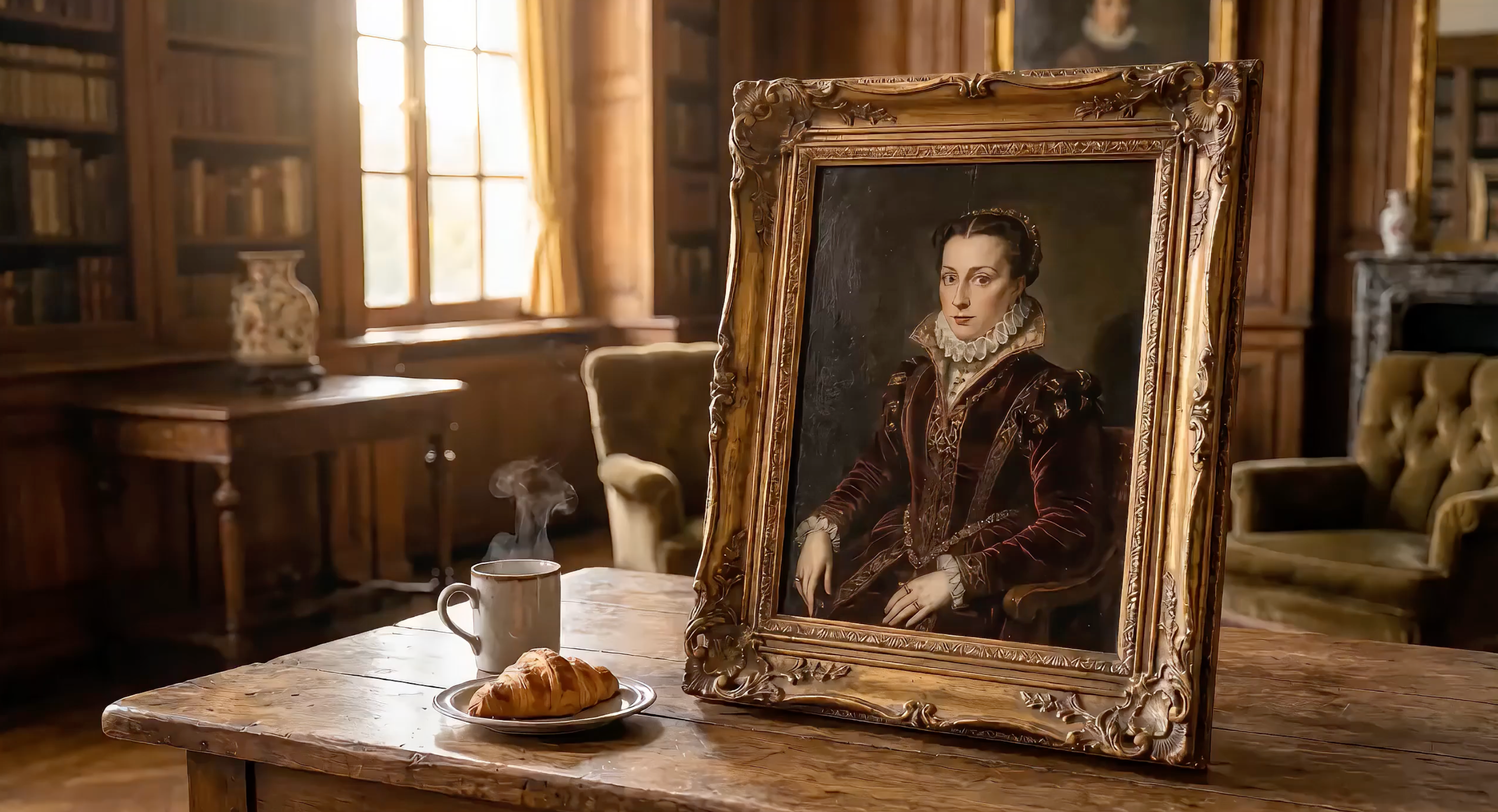
Seedance 2.0은 텍스트, 이미지, 비디오 클립, 오디오 파일을 하나의 프롬프트에서 모두 처리합니다. 시네마틱한 결과를 얻는 핵심은 프롬프트를 어떻게 구성하고, 업로드한 미디어를 @Tags로 어떻게 참조하느냐에 달려 있습니다.
ByteDance의 Seed 비디오 파운데이션 모델을 기반으로 구축된 Seedance 2.0은 API를 통해 사용할 수 있는 가장 강력한 멀티모달 비디오 생성 모델입니다.
이 가이드에서는 Seedance 2.0 프롬프트 공식을 분석하고, @Tag 참조 시스템을 설명하며, 실제 작동하는 Python API 코드와 함께 15개 이상의 복사-붙여넣기 프롬프트 템플릿을 제공합니다.
코드 예제를 직접 실행해 보세요: 아래의 모든 코드를 실행하려면 EvoLink에서 무료 API 키를 받으세요.
Seedance 2.0 프롬프트 공식
효과적인 Seedance 프롬프트는 다섯 가지 구조를 따릅니다:
주체 + 행동 + 카메라 + 스타일 + 제약 조건
| 구성 요소 | 제어 대상 | 예시 |
|---|---|---|
| 주체 | 화면에 나타나는 대상 | "화성 위에 서 있는 흰색 우주복을 입은 우주비행사" |
| 행동 | 움직임과 이벤트 | "크레이터 가장자리에서 한 발짝 내딛는다" |
| 카메라 | 앵글, 움직임, 렌즈 | "극단적 와이드 샷, 클로즈업으로 천천히 푸시인" |
| 스타일 | 시각적 미학 | "SF 서사시, IMAX 70mm, 채도 낮은 틸-오렌지 팔레트" |
| 제약 조건 | 길이, 해상도, 분위기 | "10초, 사실적인 먼지 물리, 일관된 우주복 디자인" |
이 공식이 효과적인 이유
Seedance 2.0은 이중 분기 Diffusion Transformer 아키텍처를 사용합니다. 한 분기는 공간 정보(사물의 외형)를 처리하고, 다른 분기는 시간 정보(시간에 따른 움직임)를 처리합니다. 잘 구성된 프롬프트는 두 분기 모두에 명확한 정보를 제공합니다.
*"멋진 자동차 영상"*과 같은 모호한 프롬프트는 모델이 공간적, 시간적 세부 사항을 추측하도록 만듭니다. 구조화된 프롬프트는 이러한 추측을 없애줍니다.
전체 API 파라미터 레퍼런스는 비디오 생성 문서를 참조하세요.
고급: 샷 스크립트 형식
다섯 가지 공식은 훌륭한 출발점입니다. 하지만 소셜 미디어에서 입소문을 타는 최고 품질의 Seedance 2.0 결과물은 더 강력한 형식인 샷 스크립트를 사용합니다.
샷 스크립트는 기본 공식 위에 세 가지 레이어를 추가합니다:
- 타임코드 — 비디오를 3~5초 단위로 나누고 명시적인
[00:00-00:05]마커를 사용합니다 - 샷 언어 — 각 샷의 이름과 기능을 명시합니다: "Shot 1: The Scale (Extreme Wide Shot)"
- 스타일 앵커 + 물리 디테일 — 특정 감독/영화 스타일에 고정하고, 추상적 개념 대신 물리적 반응을 서술합니다
구조는 다음과 같습니다:
【Style】특정 스타일 앵커 (감독명 / 영화 스타일 / 예술 사조)
【Duration】전체 길이

[00:00-00:04] Shot 1: 샷 이름 (카메라 유형).
물리적 디테일이 포함된 장면 서술.
구체적인 바디 랭귀지가 포함된 캐릭터 행동.
오디오 큐.

[00:04-00:07] Shot 2: 샷 이름 (카메라 유형).
...

[00:07-00:10] Shot 3: 샷 이름 (카메라 유형).
...

일관성 제약 조건. 물리 요구사항. 팔레트 참고사항.
기본 공식 vs. 샷 스크립트: 나란히 비교
같은 콘셉트 — 화성 위의 우주비행사 — 를 두 가지 방식으로 작성하여 비교해 보겠습니다:
기본 공식 (초보자에게 적합):
An astronaut in a white spacesuit stands at the edge of a Mars crater.
Red dust blows across the visor. Camera slowly pushes in to reveal
Earth reflected in the helmet. Sci-fi epic style, desaturated
teal-orange palette. 10 seconds.
샷 스크립트 (상급 크리에이터가 사용):
【Style】Denis Villeneuve Sci-Fi Epic, IMAX 70mm, desaturated teal-orange palette.
【Duration】10 seconds

[00:00-00:04] Shot 1: The Scale (Extreme Wide Shot).
A lone astronaut in a white spacesuit stands at the edge of an enormous
crater on Mars. Red dust blows across the visor in gusts. The crater
stretches to the horizon — the scale of nature dwarfs the human figure
completely. Deep rumbling bass audio.

[00:04-00:07] Shot 2: The Discovery (Push-in to Close-up).
Camera slowly pushes from the wide shot into a tight close-up of the
astronaut's helmet visor. In the curved reflection, we see Earth — tiny,
blue, impossibly far away. The astronaut's breathing is audible.
Anamorphic lens flare streaks across the frame.

[00:07-00:10] Shot 3: The Decision (Low Angle, Static).
From below, the astronaut steps forward off the crater edge — a leap of
faith into the unknown. Dust particles float in slow motion around the
boots. Camera holds steady as the figure descends. Cut to black.

Consistent spacesuit design. Realistic Mars dust physics. Epic
orchestral audio swell on final shot.
샷 스크립트가 더 나은 결과를 내는 이유
샷 스크립트가 기본 공식보다 우수한 결과를 내는 세 가지 이유가 있습니다:
- 시간적 정밀도. 타임코드는 Seedance에게 각 행동이 언제 일어나는지 정확히 알려줍니다. 타임코드 없이는 모델이 행동을 전체 길이에 걸쳐 예측 불가능하게 분배합니다.
- 내러티브 아크. 이름이 붙은 샷은 이야기를 구축하도록 강제합니다: 설정 → 발견 → 결말. 모델이 감정적 진행을 이해할 때 더 설득력 있는 움직임을 생성합니다.
- 물리적 근거. "부츠 주변으로 먼지 입자가 슬로모션으로 떠다닌다"와 같은 디테일은 물리 엔진에 모호한 미학 대신 구체적인 제약 조건을 제공합니다.
awesome-seedance 커뮤니티의 상급 크리에이터들은 레이싱 장면부터 아트 스타일 변환까지, 최고의 작품에 지속적으로 샷 스크립트 형식을 사용합니다. 패턴은 명확합니다: 구조화된 타임코드 + 구체적인 스타일 앵커 = 시네마틱 결과물.
이러한 카메라 기법을 카메라 무브먼트 복제 가이드에서 단계별로 설명합니다.
텍스트 전용 vs. 멀티모달 프롬프트
텍스트 전용 프롬프트는 장면을 묘사하기 위해 전적으로 언어에 의존합니다:
A red sports car drifts around a mountain curve, tires smoking,
drone shot tracking from above, cinematic color grading, 10 seconds
멀티모달 프롬프트는 텍스트와 업로드된 레퍼런스를 결합합니다:
image 1 as first frame, car drifts around the curve following
video 1 camera path, audio 1 as engine sound, cinematic grading, 10 seconds
멀티모달 버전은 "빨간 스포츠카"에 대한 모델의 해석에 의존하는 대신, Seedance 2.0에게 정확한 시각적 앵커를 제공합니다.
첫 번째 Seedance 2.0 프롬프트 — API 예제
샷 스크립트 형식을 사용한 완전한 텍스트-비디오 생성 호출입니다:
import requests
import os
import time

API_KEY = os.environ.get("SEEDANCE_API_KEY")
BASE_URL = "https://api.evolink.ai/v1"

# Submit generation task
response = requests.post(
    f"{BASE_URL}/videos/generations",
    headers={"Authorization": f"Bearer {API_KEY}"},
    json={
        "model": "seedance-2.0-text-to-video",
        "prompt": (
            "【Style】Hollywood Professional Racing Movie, Cinematic Night, Rain.\n"
            "【Duration】10 seconds\n\n"
            "[00:00-00:03] Shot 1: The Veteran (Interior/Close-up).\n"
            "Rain hammers the windshield of a high-tech race car on a night track. "
            "Inside the cockpit, the veteran driver in a black helmet looks sideways "
            "at his rival. Dashboard instruments glow green on his visor.\n"
            "Dialogue Cue: He gives a subtle nod and mouths 'Let's go.'\n\n"
            "[00:03-00:06] Shot 2: The Challenger (Interior/Close-up).\n"
            "Cut to the rival car. A younger driver grips the steering wheel with "
            "white knuckles. Raindrops streak across the side window. Eyes wide with "
            "adrenaline through the visor slit.\n"
            "Dialogue Cue: He whispers 'Focus' to himself.\n\n"
            "[00:06-00:10] Shot 3: The Green Light (Wide Action Shot).\n"
            "Starting lights turn GREEN. Both cars launch forward in sync on gleaming "
            "wet asphalt. Massive water rooster tails spray behind them. Rain hits "
            "the camera lens. Motion blur turns stadium lights into long golden streaks.\n\n"
            "Consistent car designs. Realistic rain physics, water reflections. "
            "Tension-building audio."
        ),
        "duration": 10,
        "quality": "720p"
    }
)
task = response.json()
task_id = task["id"]

# Poll for result
while True:
    status = requests.get(
        f"{BASE_URL}/tasks/{task_id}",
        headers={"Authorization": f"Bearer {API_KEY}"}
    ).json()
    if status["status"] == "completed":
        print(f"Video ready: {status['results'][0]}")
        break
    elif status["status"] == "failed":
        print(f"Error: {status['error']}")
        break
    time.sleep(5)
이 코드는 네이티브 오디오 출력이 포함된 10초, 720p 비디오를 생성합니다. 샷 스크립트는 Seedance에게 명확한 타임코드, 카메라 디렉션, 물리적 디테일을 제공하여 단일 텍스트 프롬프트로 시네마틱한 3막 구조의 레이싱 시퀀스를 생성합니다.
API가 처음이신가요? 설정과 인증에 대해서는 시작하기 가이드부터 시작하세요.
참고: 이후의 모든 코드 예제는 동일한 설정을 사용합니다. 위 예제에서
import,API_KEY,BASE_URL, 폴링 로직을 복사하세요. 고유한 프롬프트와 파라미터가 포함된 API 호출 부분만 표시합니다.
@Tag 참조 시스템 상세 설명
@Tag 시스템은 Seedance 2.0 프롬프트를 진정한 멀티모달로 만드는 핵심입니다. 파일을 업로드하면 각 파일에 유형과 업로드 순서에 따라 자동으로 태그가 부여됩니다.
구문 규칙
- 이미지:
image 1,image 2, ...image 9(최대 9장) - 비디오:
video 1,video 2,video 3(최대 3개 클립) - 오디오:
audio 1,audio 2,audio 3(최대 3개 파일) - 참조 제한: 요청당 이미지 9 + 비디오 3 + 오디오 3
태그는 각 유형 내에서 업로드 순서대로 할당됩니다. 프롬프트 텍스트는 Seedance에게 각 레퍼런스를 어떻게 사용할지 알려줍니다.
모든 @tag 패턴과 8개 이상의 실제 사례를 자세히 알아보려면 완전한 @Tags 가이드를 참조하세요.
이미지 레퍼런스를 사용하는 5가지 방법
| 용도 | 프롬프트 구문 | 기능 |
|---|---|---|
| 첫 프레임 | image 1 as first frame | 이 이미지에서 비디오가 시작됩니다 |
| 마지막 프레임 | image 1 as last frame | 이 이미지에서 비디오가 끝납니다 |
| 캐릭터 외형 | image 1 as character reference | 전체 비디오에서 캐릭터 외형을 유지합니다 |
| 장면 환경 | image 1 as background environment | 이미지를 장면 배경으로 사용합니다 |
| 스타일 / 미학 | image 1 as style reference | 색상 팔레트, 질감, 분위기를 맞춥니다 |
비디오 레퍼런스를 사용하는 4가지 방법
| 용도 | 프롬프트 구문 | 기능 |
|---|---|---|
| 카메라 복제 | follow video 1 camera movement | 팬, 틸트, 줌 패턴을 복사합니다 |
| 모션 모방 | character moves like video 1 | 신체 동작 / 안무를 전달합니다 |
| 이펙트 복제 | apply video 1 transition effects | 시각 효과와 전환을 맞춥니다 |
| 리듬 참조 | match video 1 pacing and cuts | 타이밍과 장면 리듬을 동기화합니다 |
오디오 레퍼런스를 사용하는 3가지 방법
| 용도 | 프롬프트 구문 | 기능 |
|---|---|---|
| 배경 음악 | audio 1 as background soundtrack | 업로드한 음악으로 분위기를 설정합니다 |
| 사운드 이펙트 | audio 1 as ambient sound | 특정 효과음을 추가합니다 |
| 보이스 스타일 | audio 1 as voice style reference | 음성 톤과 리듬을 맞춥니다 |
최적의 파일 배분 전략
이미지 9 + 비디오 3 + 오디오 3 제한 내에서 다양한 용도에 맞게 레퍼런스를 배분하는 방법입니다:
| 용도 | 이미지 | 비디오 | 오디오 | 합계 |
|---|---|---|---|---|
| 제품 광고 | 4 (제품 앵글) | 1 (카메라 참조) | 1 (음악) | 6 |
| 캐릭터 애니메이션 | 3 (캐릭터 + 장면) | 2 (모션 참조) | 1 (음악) | 6 |
| 뮤직비디오 | 2 (스타일 + 캐릭터) | 2 (댄스 참조) | 3 (트랙) | 7 |
| 멀티샷 내러티브 | 6 (장면 키프레임) | 1 (스타일 참조) | 1 (음악) | 8 |
| 최고 품질 단일 샷 | 9 (모든 앵글) | 0 | 3 (오디오 레이어) | 12 |
팁: 모든 슬롯을 사용할 필요는 거의 없습니다. 적지만 고품질의 레퍼런스가 많은 저품질 레퍼런스보다 대부분 더 나은 결과를 냅니다.
15개 이상의 즉시 사용 가능한 Seedance 프롬프트 템플릿
텍스트-비디오 프롬프트 템플릿
T1: 다중 캐릭터 대화 단편 영화
설명: 뚜렷한 음성 개성을 가진 두 애니메이션 캐릭터가 역동적인 대화를 나누며, 샷 스크립트 형식으로 음성 연기 능력을 보여줍니다.
# T1: 다중 캐릭터 대화 — 위 첫 번째 예제의 설정 사용
response = requests.post(
    f"{BASE_URL}/videos/generations",
    headers={"Authorization": f"Bearer {API_KEY}"},
    json={
        "model": "seedance-2.0-text-to-video",
        "prompt": (
            "【Style】Pixar-quality 3D animation, warm color palette, expressive character acting.\n"
            "【Duration】12 seconds\n\n"
            "[00:00-00:04] Shot 1: The Philosopher (Medium Close-up).\n"
            "A wise old cat in round spectacles sits at a cozy cafe table, paws wrapped "
            "around a tiny porcelain cup. Steam curls upward. The cat speaks in a calm, "
            "measured tone: 'Experience teaches patience, young friend.' Warm afternoon "
            "light through the cafe window. Subtle ear twitch.\n\n"
            "[00:04-00:08] Shot 2: The Adventurer (Medium Close-up, Reverse Shot).\n"
            "Cut to the opposite side of the table. An energetic young golden retriever "
            "bounces in his seat, tail wagging visibly behind the chair. He leans forward "
            "with wide eyes and responds: 'But adventure awaits right now!' His paws "
            "gesture wildly, nearly knocking over a pastry plate.\n\n"
            "[00:08-00:12] Shot 3: The Punchline (Wide Two-Shot).\n"
            "Camera pulls back to show both at the table. The cat calmly catches the "
            "falling pastry with one paw without looking — places it back. The dog's jaw "
            "drops in amazement. Beat of silence. Both burst into laughter.\n\n"
            "Consistent character designs throughout. Distinct vocal timbres per character. "
            "Warm cafe lighting with bokeh background."
        ),
        "duration": 12,
        "quality": "720p"
    }
)
# 위 첫 번째 예제와 동일한 폴링 루프 사용
T2: 스타일 변환 — 살아 숨 쉬는 반 고흐 그림
설명: 고전적인 후기 인상파 장면을 숨 쉬고 움직이는 세계로 변환하며, 프롬프트 엔지니어링을 통한 정밀한 예술적 스타일 제어를 보여줍니다.
# T2: 스타일 변환 — 위 첫 번째 예제의 설정 사용
response = requests.post(
    f"{BASE_URL}/videos/generations",
    headers={"Authorization": f"Bearer {API_KEY}"},
    json={
        "model": "seedance-2.0-text-to-video",
        "prompt": (
            "【Style】Van Gogh Post-Impressionism, thick impasto oil paint texture, "
            "swirling brushstrokes, dreamy high-saturation.\n"
            "【Duration】10 seconds\n\n"
            "[00:00-00:04] Shot 1: The Living Sky (Wide Shot, Slow Pan Up).\n"
            "A young woman in a flowing blue dress stands in a sunlit village square. "
            "Behind her, cobblestone streets and rustic cottages are painted with thick, "
            "visible brushstrokes. The entire sky swirls with golden celestial bodies "
            "and flowing paint. Everything moves — the sky itself breathes.\n\n"
            "[00:04-00:07] Shot 2: The Portrait Focus (Medium Shot, Slow Pan Down).\n"
            "Camera pushes in closer to the woman's face. Her features are rendered "
            "in Van Gogh's distinctive style — bold brushstrokes define her cheekbones "
            "and flowing hair. The village behind her shifts with painted texture, "
            "windows glowing with warm yellow-orange light.\n\n"
            "[00:07-00:10] Shot 3: The Immersion (Tracking Shot, Moving Into the Painting).\n"
            "Camera slowly pushes forward deeper into the painted world. We move past "
            "the woman, through the village streets. Paint texture becomes visible at "
            "close range. The entire world is alive with flowing brushstrokes.\n\n"
            "Pure Van Gogh aesthetic throughout. No photorealism. Every surface is visible "
            "oil paint. Blue-yellow-orange palette dominant."
        ),
        "duration": 10,
        "quality": "720p"
    }
)
# 위 첫 번째 예제와 동일한 폴링 루프 사용
T3: 감정 표현 — 애니메이션 캐릭터 연기
설명: 편지를 읽는 애니메이션 스타일 캐릭터의 세밀한 감정 변화를 보여주며, 텍스트 전용 프롬프트만으로도 섬세한 캐릭터 연기를 만들 수 있음을 보여줍니다.
# T3: 감정 표현 — 위 첫 번째 예제의 설정 사용
response = requests.post(
    f"{BASE_URL}/videos/generations",
    headers={"Authorization": f"Bearer {API_KEY}"},
    json={
        "model": "seedance-2.0-text-to-video",
        "prompt": (
            "【Style】High-quality anime, Studio Ghibli-inspired character animation, "
            "detailed facial expressions.\n"
            "【Duration】12 seconds\n\n"
            "[00:00-00:04] Shot 1: The Letter Arrives (Medium Close-up).\n"
            "A young anime girl with long black hair sits by a sunlit window. She holds "
            "an unopened envelope with both hands, turning it over carefully. Her eyes "
            "show curiosity mixed with anticipation. Soft morning light illuminates her face.\n\n"
            "[00:04-00:08] Shot 2: The Reading (Close-up on Face).\n"
            "Camera pushes closer as she opens the letter and begins reading. Her "
            "expression changes dramatically — eyes widening with surprise, then a slow "
            "smile spreading across her face. Her lips part slightly as if to gasp. "
            "Every micro-expression is clearly animated.\n\n"
            "[00:08-00:12] Shot 3: The Joy (Medium Shot, Slight Pull Back).\n"
            "She clutches the letter to her chest and closes her eyes with pure happiness. "
            "A single tear of joy rolls down her cheek. Cherry blossom petals drift past "
            "the window behind her. Camera holds on her peaceful, radiant expression.\n\n"
            "Consistent anime character design. Detailed emotional facial animation. "
            "Natural lighting transitions."
        ),
        "duration": 12,
        "quality": "720p"
    }
)
# 위 첫 번째 예제와 동일한 폴링 루프 사용
이미지-비디오 프롬프트 템플릿
I1: 제품 광고 — 프리미엄 헤드폰
설명: 제품 사진을 역동적인 색상 쇼케이스와 스튜디오급 조명이 결합된 프리미엄 광고로 변환합니다. image 1을 첫 프레임으로 사용합니다. 배치 생성을 포함한 더 많은 제품 비디오 워크플로우는 이미지-비디오 튜토리얼을 참조하세요.
# I1: 제품 광고 — 위 첫 번째 예제의 설정 사용
response = requests.post(
    f"{BASE_URL}/videos/generations",
    headers={"Authorization": f"Bearer {API_KEY}"},
    json={
        "model": "seedance-2.0-image-to-video",
        "image_urls": ["https://example.com/premium_headphones.jpg"],
        "prompt": (
            "image 1 as first frame.\n"
            "【Style】Premium product keynote, clean minimal aesthetic, commercial photography.\n"
            "【Duration】15 seconds\n\n"
            "[00:00-00:02] Rapid four-frame flash cuts — black, blue, white, rose gold "
            "headphones appear one by one in stylized freeze frames. Close-up on metallic "
            "texture and premium finish. Voiceover: 'Sound that moves you.'\n\n"
            "[00:02-00:06] Extreme close-up of the headphone hinge mechanism unfolding. "
            "Precision engineering visible in slow motion. Studio lighting creates elegant "
            "highlights on the metal surface.\n\n"
            "[00:06-00:12] Quick-cut lifestyle montage. Urban professional commuting, "
            "artist in creative studio, athlete training — each wearing different colored "
            "headphones that match their aesthetic.\n\n"
            "[00:12-00:15] All four headphones lined up on minimal white pedestal. Brand "
            "text 'SoundPro Hear Everything' elegantly fades in at the bottom.\n\n"
            "Maintain exact product proportions and details from image 1. Commercial-grade "
            "lighting. Clean, premium aesthetic throughout."
        ),
        "duration": 15,
        "quality": "720p"
    }
)
# 위 첫 번째 예제와 동일한 폴링 루프 사용
I2: 캐릭터 애니메이션 — 그림 속 여인의 커피 모험
설명: 그림 속 캐릭터가 매혹적인 커피 도둑질 장면에서 살아나며, image 1이 마법 같은 내러티브 순간 전반에 걸쳐 캐릭터 외형을 어떻게 유지하는지 보여줍니다.
# I2: 캐릭터 애니메이션 — 위 첫 번째 예제의 설정 사용
response = requests.post(
    f"{BASE_URL}/videos/generations",
    headers={"Authorization": f"Bearer {API_KEY}"},
    json={
        "model": "seedance-2.0-image-to-video",
        "image_urls": ["https://example.com/painted_noblewoman.jpg"],
        "prompt": (
            "image 1 as character reference.\n"
            "【Style】Cinematic realism with magical elements, warm practical lighting.\n"
            "【Duration】15 seconds\n\n"
            "[00:00-00:04] Shot 1: The Awakening (Medium Shot on Canvas).\n"
            "The painted noblewoman suddenly comes alive inside the canvas. Her eyes dart "
            "left and right nervously. Her painted hand animates and pushes forward through "
            "the surface of the painting, reaching out from inside the canvas to grab a coffee "
            "cup sitting on the table in front of the frame.\n\n"
            "[00:04-00:08] Shot 2: The Secret Sip (Close-up on Face and Hands).\n"
            "She takes a quick sip and shows a deeply satisfied expression. Her eyes close "
            "with pleasure as she savors the taste. Steam from the hot coffee catches the "
            "gallery lighting.\n\n"
            "[00:08-00:12] Shot 3: The Panic (Wide Shot, Quick Action).\n"
            "Suddenly footsteps approach — she panics and quickly puts the coffee back. "
            "A butler-like figure walks in, picks up the coffee from the table, and leaves. "
            "The woman freezes back into painting pose.\n\n"
            "[00:12-00:15] Shot 4: The Finale (Push-in to Product Shot).\n"
            "Camera pushes forward as the scene fades to a pure black background with a "
            "single spotlight illuminating the coffee cup. Elegant text appears at the "
            "bottom: 'Good coffee is worth the wait.'\n\n"
            "Maintain image 1 character appearance exactly. Seamless transitions between "
            "painted and living states. Realistic coffee physics."
        ),
        "duration": 15,
        "quality": "720p"
    }
)
# 위 첫 번째 예제와 동일한 폴링 루프 사용
I3: 스타일 전환 — 사실적 사진에서 수묵화로
설명: 사실적인 풍경 사진을 살아 움직이는 전통 중국 수묵화(水墨画)로 변환하며, image 1을 장면 구도 레퍼런스로 사용한 스타일 전환을 보여줍니다.
# I3: 스타일 전환 — 위 첫 번째 예제의 설정 사용
response = requests.post(
    f"{BASE_URL}/videos/generations",
    headers={"Authorization": f"Bearer {API_KEY}"},
    json={
        "model": "seedance-2.0-image-to-video",
        "image_urls": ["https://example.com/realistic_landscape.jpg"],
        "prompt": (
            "image 1 as scene composition reference.\n"
            "【Style】Traditional Chinese ink wash painting (水墨画), monochrome with faint indigo, meditative.\n"
            "【Duration】12 seconds\n\n"
            "[00:00-00:04] Shot 1: The Transformation Begins (Wide, Static).\n"
            "The photorealistic landscape slowly dissolves into flowing black ink. Mountain "
            "peaks render as bold wet brushstrokes on rice paper texture. Realistic details "
            "fade as traditional ink wash aesthetics take over.\n\n"
            "[00:04-00:08] Shot 2: Life Emerges in Ink (Medium Shot, Slow Pan Right).\n"
            "Mist begins drifting between the valleys — visible as diluted ink wash spreading "
            "on wet paper. A crane takes flight from behind a mountain, leaving elegant ink "
            "trails across the sky. Water effects spread ink at mountain bases.\n\n"
            "[00:08-00:12] Shot 3: Completion (Wide, Slow Zoom Out).\n"
            "Camera slowly pulls back to reveal the entire scene as a traditional scroll "
            "painting being unrolled on a wooden desk. An unseen hand dips a brush in ink "
            "at the edge of frame. The painting breathes — clouds still drift, crane still flies.\n\n"
            "Visible rice paper texture and authentic brushstroke quality throughout. "
            "No photorealism. Pure traditional ink wash aesthetic."
        ),
        "duration": 12,
        "quality": "720p"
    }
)
# 위 첫 번째 예제와 동일한 폴링 루프 사용
I4: 다중 이미지 원샷 내러티브 — 도시 파쿠르
설명: 여러 장소 이미지를 파쿠르 러너의 ��나의 연속 트래킹 샷으로 자연스럽게 연결하여, 정밀한 타이밍을 위한 샷 스크립트 형식으로 웅장한 도시 여정을 만듭니다. 이 기법은 카메라 무브먼트 복제 패턴을 기반으로 합니다.
# I4: 다중 이미지 원샷 내러티브 — 위 첫 번째 예제의 설정 사용
response = requests.post(
    f"{BASE_URL}/videos/generations",
    headers={"Authorization": f"Bearer {API_KEY}"},
    json={
        "model": "seedance-2.0-reference-to-video",
        "image_urls": [
            "https://example.com/city_street.jpg",
            "https://example.com/staircase.jpg",
            "https://example.com/pedestrian_bridge.jpg",
            "https://example.com/rooftop_building.jpg",
            "https://example.com/city_skyline.jpg"
        ],
        "prompt": (
            "image 1 image 2 image 3 image 4 image 5 seamless one-shot tracking camera "
            "following a parkour runner sprinting through city streets leaping up staircases "
            "crossing a pedestrian bridge vaulting onto rooftops finally standing at the "
            "rooftop edge overlooking the entire city skyline. Golden sunset light fills "
            "the frame. Dynamic powerful full of freedom and energy.\n"
            "【Style】Cinematic action sports, dynamic tracking shot, golden hour lighting.\n"
            "【Duration】15 seconds\n\n"
            "[00:00-00:03] Urban Sprint (image 1 as environment).\n"
            "Tracking camera follows a parkour athlete in athletic gear sprinting at full "
            "speed through busy city streets. Low angle emphasizes power and speed. "
            "Pedestrians blur past. Urban architecture creates dynamic leading lines.\n\n"
            "[00:03-00:06] Staircase Vault (image 2 as environment).\n"
            "Runner leaps up a concrete staircase in a single fluid motion — camera follows "
            "the arc of movement. Each step is a launching pad. Concrete textures and "
            "architectural details sharp in focus.\n\n"
            "[00:06-00:09] Bridge Crossing (image 3 as environment).\n"
            "Athlete vaults over the pedestrian bridge railing and lands on the walkway. "
            "Camera maintains tracking speed. City traffic flows below. Wind catches "
            "the runner's clothing.\n\n"
            "[00:09-00:12] Rooftop Ascent (image 4 as environment).\n"
            "A powerful jump and climb sequence onto building rooftops. Camera cranes up "
            "to follow the vertical movement. Urban landscape spreads out below.\n\n"
            "[00:12-00:15] Victory Moment (image 5 as environment).\n"
            "Runner stands at the rooftop edge overlooking the entire city skyline. "
            "Golden sunset light silhouettes the figure. Camera slowly pulls back to "
            "reveal the epic scale of the journey completed.\n\n"
            "Consistent runner character (same outfit, build, movement style) across all scenes. "
            "Realistic parkour physics. Golden hour lighting throughout."
        ),
        "duration": 15,
        "quality": "720p"
    }
)
# 위 첫 번째 예제와 동일한 폴링 루프 사용
멀티모달 @Tag 템플릿
M1: 고급 카메라 무브먼트 복제 — 크리스탈 던전 탐험
설명: 참조 비디오의 복잡한 카메라 움직임을 정밀하게 복제하면서 여러 이미지 레퍼런스와 함께 완전히 새로운 판타지 콘텐츠에 적용합니다. 전체 카메라 복제 워크플로우는 전용 카메라 무브먼트 가이드에서 배울 수 있습니다.
# M1: 카메라 무브먼트 복제 — 위 첫 번째 예제의 설정 사용
response = requests.post(
    f"{BASE_URL}/videos/generations",
    headers={"Authorization": f"Bearer {API_KEY}"},
    json={
        "model": "seedance-2.0-reference-to-video",
        "image_urls": [
            "https://example.com/dungeon_entrance.png",
            "https://example.com/crystal_ceiling.png",
            "https://example.com/left_passage.png",
            "https://example.com/right_chamber.png"
        ],
        "video_urls": ["https://example.com/camera_movement_ref.mp4"],
        "prompt": (
            "Use image 1 as the opening first frame. First-person POV perspective. "
            "Reference video 1 camera movement style exactly. The scene above references "
            "image 2, the left scene references image 3, the right scene references image 4. "
            "A hand holds a glowing magic lantern, exploring an ancient dungeon. Firelight "
            "flickers across stone walls, casting dancing shadows.\n"
            "【Style】Fantasy adventure, realistic lighting, atmospheric.\n"
            "【Duration】9 seconds\n\n"
            "[00:00-00:03] Entrance Discovery.\n"
            "First-person view entering the dungeon. The magical lantern illuminates ancient "
            "stone architecture. Camera follows video 1 movement pattern — smooth forward "
            "motion with subtle tilts to examine details.\n\n"
            "[00:03-00:06] Chamber Exploration.\n"
            "Camera pans upward to reveal image 2 crystal formations on the ceiling, "
            "then tilts left toward image 3 dark passage, creating suspense. Lantern "
            "light creates dynamic shadows on dungeon walls.\n\n"
            "[00:06-00:09] Final Discovery.\n"
            "Camera turns right to reveal image 4 hidden chamber with treasure. "
            "Replicate video 1 final movement — slow push-in with slight upward tilt. "
            "Golden light from treasures mingles with lantern glow.\n\n"
            "Maintain exact video 1 camera timing and movement speed. Realistic fire physics "
            "and shadow casting. Atmospheric dungeon ambiance."
        ),
        "duration": 9,
        "quality": "720p"
    }
)
# 위 첫 번째 예제와 동일한 폴링 루프 사용
M2: 캐릭터 + 카메라 무브먼트 동기화 — 무대 댄스 공연
설명: 이미지의 캐릭터 레퍼런스와 비디오 레퍼런스의 카메라 무브먼트 및 댄스 안무를 결합하여 동기화된 퍼포먼스 아트를 만듭니다.
# M2: 캐릭터 + 카메라 동기화 — 위 첫 번째 예제의 설정 사용
response = requests.post(
    f"{BASE_URL}/videos/generations",
    headers={"Authorization": f"Bearer {API_KEY}"},
    json={
        "model": "seedance-2.0-reference-to-video",
        "image_urls": ["https://example.com/stage_dancer.png"],
        "video_urls": ["https://example.com/dance_movement_ref.mp4"],
        "prompt": (
            "image 1 dancer as the main subject. Reference video 1 camera movement style "
            "rhythmic push-pull pan and tilt movements. The dancer choreography also "
            "references video 1 dance moves. Performing energetically on a colorful "
            "LED-lit stage. Spotlights shift colors in sync with the rhythm.\n"
            "【Style】Concert performance, dynamic stage lighting, high energy.\n"
            "【Duration】12 seconds\n\n"
            "[00:00-00:04] Opening Sequence.\n"
            "Camera starts wide showing image 1 dancer center stage. LED lights pulse "
            "in blue and purple. Dancer begins with video 1 opening choreography — "
            "fluid arm movements and spins. Camera matches video 1 initial push-in timing.\n\n"
            "[00:04-00:08] Dynamic Performance.\n"
            "Camera follows video 1 rhythmic push-pull pattern as dancer performs high-energy "
            "moves. Stage lights shift to warm orange and pink. Smoke effects catch the "
            "colored lighting, creating atmospheric depth.\n\n"
            "[00:08-00:12] Finale Moment.\n"
            "Camera matches video 1 final tilt movement as dancer strikes a powerful "
            "finishing pose. All stage lights converge into a brilliant white spotlight. "
            "Sparkle effects cascade down around the performer.\n\n"
            "Maintain image 1 character appearance exactly. Synchronized camera and "
            "choreography timing from video 1. Professional stage lighting effects."
        ),
        "duration": 12,
        "quality": "720p"
    }
)
# 위 첫 번째 예제와 동일한 폴링 루프 사용
M3: 추격 장면 — 빨간 코트의 신비로운 인물
설명: 빨간 코트를 입은 신비로운 인물이 도시 거리를 질주하는 긴박한 추격 시퀀스를 만들며, 스릴러 촬영 기법과 극적인 긴장감 구축을 보여줍니다.
# M3: 추격 장면 — 위 첫 번째 예제의 설정 사용
response = requests.post(
    f"{BASE_URL}/videos/generations",
    headers={"Authorization": f"Bearer {API_KEY}"},
    json={
        "model": "seedance-2.0-image-to-video",
        "image_urls": ["https://example.com/red_coat_figure.jpg"],
        "prompt": (
            "image 1 as character reference — mysterious figure in distinctive red coat.\n"
            "【Style】Thriller cinematography, urban chase scene, dramatic shadows, high contrast.\n"
            "【Duration】12 seconds\n\n"
            "[00:00-00:04] Shot 1: The Pursuit Begins (Wide Shot, Tracking).\n"
            "The red-coated figure sprints through narrow city alleyways at night. "
            "Streetlights cast long dramatic shadows. Camera tracks from behind — we "
            "see only the billowing red coat and rapid footsteps on wet pavement. "
            "Tension-building audio undertones.\n\n"
            "[00:04-00:08] Shot 2: Urban Obstacles (Medium Shot, Side Tracking).\n"
            "Figure vaults over parked cars and dodges between concrete pillars. Camera "
            "follows from the side, maintaining speed. Red coat stands out against the "
            "monochrome urban environment. Breathing is audible and labored.\n\n"
            "[00:08-00:12] Shot 3: The Escape (Low Angle, Wide Shot).\n"
            "Figure reaches a fire escape and begins climbing rapidly upward. Camera "
            "tilts up from below — dramatic low angle emphasizes the vertical escape. "
            "Red coat flutters in the wind. City lights twinkle in the background as "
            "the figure disappears into the night.\n\n"
            "Maintain image 1 character appearance — especially the distinctive red coat. "
            "Realistic chase physics. High-contrast noir lighting. Mysterious identity "
            "preserved throughout."
        ),
        "duration": 12,
        "quality": "720p"
    }
)
# 위 첫 번째 예제와 동일한 폴링 루프 사용
보너스: 거리 군중 추격 장면
설명: 군중이 달리는 장면을 보여주는 추가 예제로, 여러 캐릭터와 도시의 에너지가 필요한 액션 시퀀스에 적합합니다.
# 보너스: 거리 군중 추격 — 위 첫 번째 예제의 설정 사용
response = requests.post(
    f"{BASE_URL}/videos/generations",
    headers={"Authorization": f"Bearer {API_KEY}"},
    json={
        "model": "seedance-2.0-image-to-video",
        "image_urls": ["https://example.com/street_crowd.jpg"],
        "prompt": (
            "image 1 as scene reference for crowd composition and urban environment.\n"
            "【Style】Action thriller, handheld camera, urgent pacing, realistic movement.\n"
            "【Duration】8 seconds\n\n"
            "[00:00-00:03] Mass Movement Begins.\n"
            "A crowd of people suddenly breaks into a run down a busy street. Camera "
            "is handheld, in the middle of the action. Multiple individuals in different "
            "clothing all moving in the same direction with urgent purpose.\n\n"
            "[00:03-00:06] Chaos and Urgency.\n"
            "Camera weaves through the running crowd. Close-ups on determined faces, "
            "flying hair, scattered personal items. People help each other maintain "
            "pace. Urban storefronts blur past in the background.\n\n"
            "[00:06-00:08] Dispersal.\n"
            "The crowd reaches an intersection and scatters in different directions. "
            "Camera tilts up to show the scope of the mass movement from a high angle "
            "as people disappear down various streets.\n\n"
            "Realistic crowd physics and natural human movement. Handheld camera shake "
            "for authenticity. Urban street environment based on image 1."
        ),
        "duration": 8,
        "quality": "720p"
    }
)
# 위 첫 번째 예제와 동일한 폴링 루프 사용
비디오 확장 템플릿
E1: 브랜드 피날레를 포함한 정방향 확장
설명: 기존 비디오에 새로운 장면과 로고 및 태그라인이 포함된 전문적인 브랜드 마무리를 추가하여 확장합니다.
# E1: 정방향 확장 — 위 첫 번째 예제의 설정 사용
response = requests.post(
    f"{BASE_URL}/videos/generations",
    headers={"Authorization": f"Bearer {API_KEY}"},
    json={
        "model": "seedance-2.0-reference-to-video",
        "video_urls": ["https://example.com/existing_video.mp4"],
        "prompt": (
            "Extend video 1 forward with 8 additional seconds.\n"
            "【Style】Match video 1 style exactly.\n"
            "【Duration】8 seconds extension\n\n"
            "Continue the existing narrative: if it ends with product showcase, add lifestyle usage scene. "
            "Show the product being used in natural environment with satisfied users. "
            "Final 2 seconds: elegant brand logo animation with company tagline appearing below. "
            "Maintain consistent lighting and color grading throughout. "
            "Smooth transition from original content to extension."
        ),
        "duration": 8,
        "quality": "720p"
    }
)
# 위 첫 번째 예제와 동일한 폴링 루프 사용
E2: 배경 스토리를 포함한 역방향 확장
설명: 기존 비디오 콘텐츠 앞에 맥락과 설정을 추가하여 더 완성도 높은 내러티브를 만듭니다.
# E2: 역방향 확장 — 위 첫 번째 예제의 설정 사용
response = requests.post(
    f"{BASE_URL}/videos/generations",
    headers={"Authorization": f"Bearer {API_KEY}"},
    json={
        "model": "seedance-2.0-reference-to-video",
        "video_urls": ["https://example.com/main_video.mp4"],
        "prompt": (
            "Create 6 seconds of backstory before video 1 begins.\n"
            "【Style】Match video 1 visual style exactly.\n"
            "【Duration】6 seconds extension\n\n"
            "If video 1 shows action, show the calm setup or preparation moment. "
            "If video 1 shows a reveal, show the mystery or anticipation beforehand. "
            "Match the visual style, lighting, and character appearances exactly. "
            "Create narrative tension that builds toward the existing video's opening moment. "
            "Seamless transition into original content."
        ),
        "duration": 6,
        "quality": "720p"
    }
)
# 위 첫 번째 예제와 동일한 폴링 루프 사용
흔한 Seedance 프롬프트 실수와 해결 방법
| # | 실수 | 실패 원인 | 해결 방법 |
|---|---|---|---|
| 1 | 너무 모호함 — "개 영상 하나 만들어줘" | 모델이 견종, 행동, 카메라, 스타일을 추측해야 함 | "골든 리트리버가 공중에서 프리스비를 잡는 장면, 슬로모션 측면 앵글, 공원 배경, 화창한 날씨" |
| 2 | 잘못된 @tag 번호 — 이미지 2장만 업로드했는데 image 3 사용 | 존재하지 않는 파일을 참조하여 생성 실패 또는 무시됨 | 업로드 순서를 재확인하세요. 태그는 유형별로 1부터 시작하여 증가합니다 |
| 3 | 제약 조건 누락 — 길이나 해상도 미지정 | 모델 기본값이 원하는 결과와 맞지 않을 수 있음 | 프롬프트 텍스트와 API 파라미터 모두에 항상 duration과 resolution을 지정하세요 |
| 4 | 모달리티 충돌 — 이미지는 낮인데 프롬프트에 "어두운 야간 장면" 지시 | 모델이 혼합 신호를 받아 일관성 없는 조명이 됨 | 프롬프트 설명을 레퍼런스 콘텐츠와 일치시키세요 |
| 5 | 프롬프트 과부하 — 200단어 이상으로 모든 미세 디테일을 서술 | 모델이 우선순위를 제대로 잡지 못하고 핵심 지시가 희석됨 | 프롬프트를 150단어 이내로 유지하세요. 시각적 디테일은 텍스트 대신 레퍼런스를 사용하세요 |
| 6 | 카메라 디렉션 없음 — 장면만 묘사하고 카메라 움직임은 없음 | 정적이거나 무작위로 움직이는 결과물 | 명시적인 카메라 지시를 추가하세요: "느린 돌리인" 또는 "고정 와이드 샷" |
| 7 | 사실적 얼굴 업로드 — 실제 인물 얼굴 사진 업로드 | 규정 필터에 의해 차단되어 요청이 거부됨 | 일러스트, 양식화된, 비사실적 캐릭터 레퍼런스를 사용하세요 |
| 8 | 파일 제한 초과 — 이미지 10장 업로드 | 최대 9장이므로 요청이 거부됨 | 제한을 준수하세요: 이미지 9장 이하, 비디오 3개 이하, 오디오 3개 이하 |
| 9 | 스타일 앵커 없음 — 구체적인 레퍼런스 대신 일반적인 "시네마틱" 사용 | 결과물이 일반적이고 초점 없이 나옴 | 특정 감독, 영화, 예술 스타일에 고정하세요: "드니 빌뇌브 SF 서사시" 또는 "반 고흐 후기 인상파" |
| 10 | 타임코드 없음 — 구조화된 샷 스크립트 대신 산문 형태로 작성 | 행동이 전체 길이에 걸쳐 예측 불가능하게 분배됨 | [00:00-00:05] 타임코드를 사용하여 각 행동이 일어나는 시점을 정확히 제어하세요 |
자세한 에러 처리 패턴과 재시도 로직은 API 문서를 참조하세요.
API 개발자를 위한 프롬프트 엔지니어링 모범 사례
대량 생성을 위한 프롬프트 템플릿화
대규모로 비디오를 생성할 때 변수가 포함된 재사용 가능한 프롬프트 템플릿을 정의하세요:
PRODUCT_TEMPLATE = (
    "image 1 as first frame.\n"
    "【Style】{style}\n"
    "【Duration】{duration} seconds\n\n"
    "[00:00-00:03] Product slowly begins rotating clockwise. "
    "{lighting_description}. Every texture detail remains razor-sharp.\n\n"
    "[00:03-00:06] Rotation continues to 180 degrees. Camera subtly lowers angle "
    "to reveal the product's profile.\n\n"
    "[00:06-{end_tc}] Rotation slows to a stop at the most photogenic angle. "
    "Clean, minimal, premium.\n\n"
    "Maintain exact product proportions from image 1. {background}. Commercial-grade lighting."
)

# Generate multiple product videos
products = [
    {"style": "Clean white infinity cove, premium commercial",
     "duration": 8, "end_tc": "00:08",
     "lighting_description": "Soft studio lighting creates a gentle gradient",
     "background": "White background throughout"},
    {"style": "Warm wooden surface, artisan craft aesthetic",
     "duration": 10, "end_tc": "00:10",
     "lighting_description": "Warm golden spotlight from above",
     "background": "Natural wood grain texture visible"},
]

for product in products:
    prompt = PRODUCT_TEMPLATE.format(**product)
    # Submit to API using the prompt...
이 접근 방식은 프롬프트의 일관성을 유지하고 A/B 테스트를 간편하게 만들어줍니다.
복잡한 장면에는 샷 스크립트 형식 사용
5초 이상이거나 여러 행동이 포함된 비디오에는 샷 스크립트 형식을 사용하세요:
- 스타일과 길이를 선언하세요 — 상단에
【Style】과【Duration】을 사용합니다 - 3~5초 단위로 나누세요 —
[00:00-00:05]타임코드를 사용합니다 - 각 샷에 이름을 붙이세요 — 기능과 함께: "Shot 1: The Reveal"
- 물리적 디테일을 추가하세요 — 추상적 개념이 아닌 물리적으로 일어나는 일(물이 튀는, 먼지가 일어나는)을 서술합니다
- 제약 조건으로 마무리하세요 — 일관성 규칙, 팔레트 참고사항, 물리 요구사항을 포함합니다
여러 생성에 걸쳐 캐릭터 일관성 유지
여러 비디오에서 같은 캐릭터를 유지하려면:
- 모든 요청에서 같은 레퍼런스 이미지를 사용하세요 —
image 1 as character reference사용 - 프롬프트에 명시적인 외형 서술을 포함하세요 — 이미지 레퍼런스를 사용하더라도 "같은 빨간 재킷, 짧은 검은 머리"와 같이 작성합니다
- 순차적으로 생성하세요 — 비디오 N의 마지막 프레임을 비디오 N+1의 첫 프레임 이미지로 사용합니다
배치 생성과 캐릭터 잠금을 포함한 고급 멀티샷 일관성 패턴은 이미지-비디오 가이드에서 자세히 다룹니다.
비용 최적화
비디오 레퍼런스는 텍스트 전용 또는 이미지 전용 프롬프트에 비해 생성 비용이 높습니다. 다음 의사결정 트리를 사용하세요:
- 텍스트 전용 — 가장 저렴함. 일반적인 장면이 필요하거나 참조 자료가 없을 때 사용합니다
- 이미지 레퍼런스 — 중간 비용. 캐릭터/장면 일관성이 필요할 때 사용합니다
- 비디오 레퍼런스 — 가장 높은 비용. 카메라 복제나 모션 전달이 구체적으로 필요할 때만 사용합니다
정확한 가격은 해상도와 길이에 따라 달라집니다. 현재 요금은 EvoLink 가격에서 확인하세요 (2026년 2월 기준).
프롬프트 버전 관리
프롬프트를 코드처럼 취급하세요. 메타데이터와 함께 버전 관리에 저장합니다:
PROMPT_REGISTRY = {
    "product_hero_v3": {
        "version": "3.0",
        "prompt": "【Style】Clean white infinity cove...",
        "model": "seedance-2.0-text-to-video",
        "duration": 10,
        "test_results": {"ctr": 0.24, "conversion": 0.087},
        "created": "2026-02-19"
    }
}
이를 통해 프롬프트 A/B 테스트와 필요시 이전 버전으로의 롤백이 가능합니다.
생성 실패를 우아하게 처리
모든 프롬프트가 성공하는 것은 아닙니다. 지수 백오프를 사용한 재시도 로직을 구축하세요:
import time
import random

def generate_with_retry(prompt_data, max_retries=3):
    for attempt in range(max_retries):
        try:
            response = requests.post(f"{BASE_URL}/videos/generations",
                                   json=prompt_data, headers=headers)
            if response.status_code == 200:
                return response.json()
        except Exception as e:
            if attempt == max_retries - 1:
                raise e
            time.sleep(2 ** attempt + random.uniform(0, 1))
    return None
일반적인 실패 모드:
- 콘텐츠 정책 위반 — 대부분 사실적인 인물 얼굴로 인해 발생합니다
- 리소스 소진 — 더 긴 딜레이 후 재시도합니다
- 잘못된 @tag 참조 — 파일 업로드 순서를 확인합니다
프로 사용자를 위한 고급 기법
다중 생성 체이닝
한 비디오의 마지막 프레임을 다음 비디오의 첫 프레임으로 사용하여 더 긴 내러티브를 만드세요:
# Step 1: Generate opening scene
scene1_result = generate_video({
    "prompt": "A detective enters a dark office...",
    "duration": 8
})

# Step 2: Extract last frame and use as first frame for scene 2
last_frame = extract_frame(scene1_result["video_url"], timestamp=-1)

scene2_result = generate_video({
    "files": [("references", last_frame)],
    "prompt": "image 1 as first frame. The detective discovers a clue...",
    "duration": 10
})
동적 프롬프트 생성
AI를 사용하여 성공한 프롬프트의 변형을 생성하세요:
def generate_prompt_variations(base_prompt, num_variations=3):
    variations = []
    for i in range(num_variations):
        # Use OpenAI/Claude to generate stylistic variations
        variation = ai_rephrase(base_prompt, style=f"variation_{i}")
        variations.append(variation)
    return variations

# Test multiple versions for A/B optimization
base = "【Style】Cinematic product showcase..."
for variation in generate_prompt_variations(base):
    result = generate_video({"prompt": variation})
    # Track performance metrics...
자동 품질 평가
수동 검토 전에 생성된 비디오를 자동으로 점수화하세요:
def assess_video_quality(video_url):
    scores = {}

    # Motion smoothness (analyze frame-to-frame changes)
    scores["motion"] = calculate_motion_smoothness(video_url)

    # Visual consistency (check for flickering/artifacts)
    scores["consistency"] = detect_visual_artifacts(video_url)

    # Prompt adherence (use CLIP to compare with text description)
    scores["adherence"] = measure_prompt_alignment(video_url, prompt)

    return scores

# Only proceed with high-quality generations
result = generate_video(prompt_data)
if assess_video_quality(result["video_url"])["overall"] > 0.8:
    publish_video(result["video_url"])
자주 묻는 질문
Seedance 1.0과 2.0의 차이점은 무엇인가요?
Seedance 2.0은 멀티모달 입력(@tag 참조), 더 긴 생성 지원(4~15초), 크게 개선된 시간적 일관성을 도입했습니다. 프롬프트 구조는 비슷하지만, 2.0은 복잡한 장면을 훨씬 더 잘 처리합니다.
@tag 참조가 가끔 무시되는 이유는 무엇인가요?
일반적인 원인:
- 잘못된 번호 — 이미지를 2장만 업로드했는데
image 3사용 - 파일 유형 불일치 — 이미지를 업로드했는데
audio 1로 참조 - 지시 충돌 — 밝은 낮 이미지와 함께 "어두운 야간 장면" 요청
- 업로드 순서 혼동 — 태그는 각 유형 내에서 업로드 순서로 할당됩니다
여러 비디오에서 캐릭터 일관성을 어떻게 유지하나요?
- 모든 생성에서 정확히 같은 레퍼런스 이미지를 사용합니다
- 텍스트에 명시적인 캐릭터 서술을 포함합니다 ("같은 파란 재킷, 어깨길이 갈색 머리")
- 비디오 N의 마지막 프레임을 비디오 N+1의 첫 프레임으로 사용합니다
- 프롬프트 간에 캐릭터 설명을 동일하게 유지합니다
기존 비디오를 수정할 수 있나요?
네! video_urls를 통해 기존 비디오를 업로드하고 프롬프트에서 video 1 레퍼런스를 사용하여 편집할 수 있습니다 — 캐릭터 교체, 장면 수정, 길이 연장 또는 스토리라인 변경이 가능합니다.
또한 다음과 같은 방법도 사용할 수 있습니다:
- video 1로 원본을 참조하고 프롬프트에서 편집 내용을 설명합니다
- image_urls로 참조 이미지를 업로드하여 캐릭터를 교체하거나 요소를 추가합니다
- 확장 프롬프트를 사용하여 원본 비디오 전후에 콘텐츠를 추가합니다
전체 편집 파라미터 사양은 멀티모달 레퍼런스 문서를 참조하세요.
최대 비디오 길이는 얼마인가요?
Seedance 2.0은 1회 생성당 4~15초를 지원합니다. 15초 제한을 넘는 더 긴 콘텐츠의 경우 다음을 고려하세요:
- 여러 장면으로 나누어 체이닝하기
- 명확한 타임코드가 포함된 샷 스크립트 형식 사용하기
- 생성당 하나의 콘셉트에 집중하기
콘텐츠 정책 위반을 어떻게 방지하나요?
- 사실적인 인물 얼굴 사진을 업로드하지 마세요
- 저작권이 있는 캐릭터나 유명인을 피하세요
- 사진 대신 일러스트/양식화된 캐릭터 레퍼런스를 사용하세요
- 기존 미디어를 재현하기보다 오리지널 콘셉트에 집중하세요
어떤 프롬프트는 왜 비용이 더 비싼가요?
생성 비용 요인:
- 길이 — 더 긴 비디오일수록 비용이 높습니다
- 해상도 — 720p는 480p보다 비용이 높습니다(Seedance 2.0 API는 480p / 720p / 1080p / 4k 지원)
- 레퍼런스 수 — 비디오 참조가 이미지 참조보다 비용이 높습니다
- 복잡도 — 다중 캐릭터 장면은 더 많은 컴퓨팅을 사용할 수 있습니다
샷 스크립트 형식에서 최상의 결과를 얻으려면 어떻게 해야 하나요?
- 각 샷 구간을 최대 3~5초로 유지하세요
- 구체적인 스타일 앵커를 사용하세요 ("시네마틱" 대신 "크리스토퍼 놀란 스릴러")
- 추상적 개념이 아닌 물리적 행동을 서술하세요
- 각 샷에 카메라 움직임 지시를 포함하세요
- 일관성 제약 조건과 물리 요구사항으로 마무리하세요
Seedance를 상업 프로젝트에 사용할 수 있나요?
네, 적절한 라이선스 하에 가능합니다. 정책은 구독 등급에 따라 다를 수 있으므로 현재 약관을 EvoLink에서 확인하세요.
생성 실패는 어떻게 문제를 해결하나요?
- 파일 제한을 확인하세요 — 이미지 9장 이하, 비디오 3개 이하, 오디오 3개 이하
- @tag 번호가 업로드된 파일과 일치하는지 확인하세요
- 200단어 이상이면 프롬프트를 간소화하세요
- 텍스트와 레퍼런스 간의 충돌하는 지시를 제거하세요
- 먼저 텍스트 전용으로 시도한 후 레퍼런스를 점진적으로 추가하세요
"전문가 수준" 프롬프트란 무엇인가요?
전문가 수준의 프롬프트는 일반적으로 다음을 포함합니다:
- 타임코드가 포함된 샷 스크립트 형식
- 구체적인 스타일 앵커 (감독명, 예술 사조)
- 추상적 개념 대신 물리적 행동 서술
- 일관성 제약 조건과 물리 요구사항
- 적절한 레퍼런스 파일 선택과 @tag 사용
결론
Seedance 2.0 프롬프트를 마스터하는 것은 텍스트 설명과 멀티모달 레퍼런스 간의 균형을 이해하는 것입니다. 샷 스크립트 형식은 시네마틱한 제어를 제공하고, @tag 레퍼런스는 시각적 일관성을 보장합니다.
이 가이드의 텍스트 전용 템플릿부터 시작한 후, 구문에 익숙해지면 점차 이미지와 비디오 레퍼런스를 추가하세요. 지나치게 복잡한 설명보다 명확하고 구체적인 지시에 집중하세요.
여기에 포함된 템플릿은 제품 광고부터 캐릭터 애니메이션, 스타일 변환까지 가장 일반적인 사용 사례를 다룹니다. 스타일 앵커, 타임코드, 레퍼런스 파일을 변경하여 여러분의 구체적인 요구에 맞게 적용하세요.
가장 중요한 것은 실험하는 것입니다. 각 프롬프트는 Seedance 2.0이 지시를 어떻게 해석하는지에 대해 무언가를 가르쳐줍니다. awesome-seedance 커뮤니티에서 성공적인 프롬프트 패턴과 혁신적인 기법을 공유하고 있습니다.
지금 바로 창작을 시작할 준비가 되셨나요? 무료 EvoLink API 키를 받으세요. 이 가이드의 모든 템플릿을 직접 실행해 보세요. 비디오 창작의 미래는 멀티모달이며 — 바로 오늘부터 사용할 수 있습니다.
다음 단계: @tag 참조 시스템 마스터하기 → 멀티모달 가이드 | 이미지-비디오 튜토리얼 | 완전한 Python 예제로 카메라 무브먼트 복제 배우기
최종 업데이트: 2026년 2월 19일 | Written by J, Growth Lead at EvoLink